27 Best ETL Tools in 2026: The Complete ETL vs ELT Guide
A list of 27 ETL and ELT tools compared on pipelines, cost, and latency, with a clear ETL vs ELT breakdown and where batch stops working for operational data.
- Author
- Ruben Burdin · Founder & CEO
- Published
- Updated
- Read time
- 18 min read

Choosing an ETL tool is no longer a single decision. The category has split into batch ETL platforms, cloud ELT services, change-data-capture (CDC) and streaming engines, reverse ETL, and real-time operational sync. Each solves a different problem, and picking the wrong model means slow pipelines, runaway bills, or stale data in the systems your business actually runs on.
This guide does three things. First, it explains what ETL tools are and how ETL, ELT, reverse ETL, and real-time sync differ. Second, it ranks 26 of the best ETL and ELT tools for 2026 with an honest read on what each is good and bad at. Third, it gives you a side-by-side comparison table and a decision framework so you can match a tool to your workload, whether that workload is analytics in a warehouse or keeping operational systems like CRMs and ERPs consistent in real time.
What Are ETL Tools? Extract, Transform, Load Explained
ETL stands for Extract, Transform, Load. An ETL tool pulls data out of source systems (databases, SaaS apps, files, APIs), reshapes it into a clean, consistent structure, and writes it into a target such as a data warehouse or data lake. The point is to consolidate data scattered across many systems into one place where it can be queried, reported on, and analyzed.
- Extract — read records from one or more sources, ideally incrementally so only new or changed rows move.
- Transform — clean, validate, deduplicate, join, apply business rules, mask sensitive fields, and conform data to the target schema.
- Load — write the prepared data into the destination, either as a full refresh or an incremental upsert.
ETL emerged in the 1970s alongside relational databases, and dedicated data warehouses followed in the 1980s, at a time when compute was expensive and data had to be cleansed before it ever landed in the warehouse. That history matters: classic ETL is batch-oriented and one-way by design. It assumes data flows from sources into a central repository on a schedule, not continuously and not in both directions. That assumption is exactly what the newer models in this guide were built to change.
ETL vs ELT: Where and When Transformation Happens
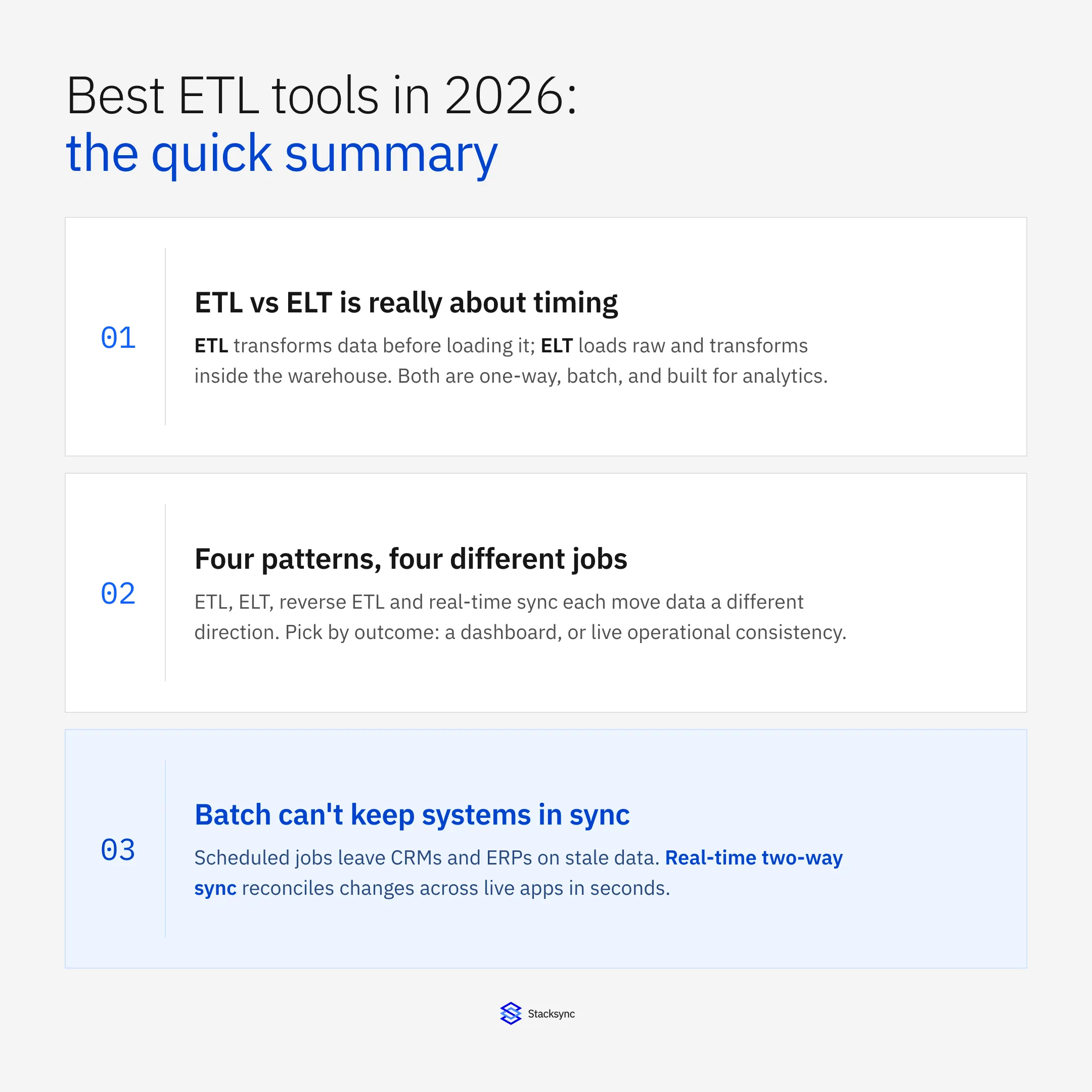
ELT (Extract, Load, Transform) flips the last two steps. Instead of transforming data on a separate processing server before loading, ELT loads raw data straight into the destination and transforms it in place using the warehouse's own compute. The core difference is timing and location: ETL transforms data before loading, ELT loads first and transforms inside the target.
ELT became practical because of scalable cloud data warehouses like Snowflake, BigQuery, and Redshift. Cheap elastic storage and massively parallel processing made it cost-effective to dump raw data first and model it on demand, rather than paying to stage and transform everything up front. ETL still wins where you must cleanse and mask data before it lands (regulated PII, strict data-quality contracts, legacy targets). ELT wins where speed to insight, raw-data retention, and elastic scale matter more.
| Dimension | ETL (transform before load) | ELT (transform after load) |
|---|---|---|
| Where transformation runs | Separate processing engine before the target | Inside the destination warehouse/lake |
| Typical latency | Higher — staging adds steps | Lower ingestion — raw loads land fast |
| Scalability | Bound by the ETL server | Elastic, uses warehouse MPP compute |
| Data types | Best for structured data | Handles structured, semi- and unstructured |
| Compliance / PII | Mask and cleanse before load | Raw data lands first; governance needed |
| Cost model | Dedicated transform infrastructure | Reuses warehouse compute; watch query cost |
| Best for | Regulated, deterministic, curated pipelines | Exploratory analytics, ML, high-volume loads |
ETL vs ELT vs Reverse ETL vs Real-Time Sync: A Decision Map
Four patterns dominate modern data integration. They are easy to confuse because they share connectors and vocabulary, but they move data in different directions for different reasons.
- ETL — source → transform → warehouse. One-way, batch, transform first. Best when data must be cleansed and conformed before it lands.
- ELT — source → warehouse → transform. One-way, batch or micro-batch, transform in place. Best for analytics and ML on a modern cloud warehouse.
- Reverse ETL — warehouse → operational apps. One-way write-back that pushes modeled metrics from the warehouse into tools like a CRM or ad platform. Useful, but it is still one direction and usually a bolted-on feature, not true two-way sync.
- Real-time bi-directional sync — operational system ↔ operational system. Two-way, continuous, with conflict resolution. Keeps live apps (CRM ↔ ERP ↔ database) consistent in seconds, not on a schedule.
A simple rule: if your outcome is dashboards or models, favor ETL/ELT into a warehouse. If your outcome is operational consistency across live applications, where a change in one system has to appear in another within seconds, you need bi-directional sync. Reverse ETL sits in between — it activates warehouse data in apps, but it cannot reconcile edits made in both places at once.
How to Choose an ETL Tool: 8 Evaluation Criteria
Cut through vendor marketing by scoring tools against the criteria that actually determine fit. These eight cover the decisions that matter most across the posts and platforms reviewed here.
- 01Connector coverage and quality — not just how many connectors, but whether the ones you need (your CRM, ERP, databases, warehouses, niche SaaS) are production-grade rather than alpha or community-maintained.
- 02Latency and data freshness — the gap your workload can tolerate: sub-second, under a minute, under 15 minutes, or nightly. Distinguish real-time CDC/webhooks from scheduled batch and micro-batch.
- 03Sync direction — one-way movement into a warehouse versus true bi-directional sync with conflict resolution. This single axis often decides the category for you.
- 04Transformation capability — simple field mapping versus complex business rules; in-warehouse (ELT pushdown) versus pre-load (ETL); automatic schema detection and drift handling.
- 05Scalability — current and projected volume, throughput, concurrent connections, and whether performance and cost stay sane as data grows.
- 06Security and compliance — encryption in transit and at rest, SOC 2, ISO 27001, HIPAA, GDPR, role-based access, SSO/SCIM, audit logging, and network isolation.
- 07Deployment model — fully managed cloud, self-hosted, on-prem, or hybrid, and how much vendor lock-in you accept.
- 08Pricing model and total cost of ownership — flat/predictable versus consumption-based (rows, MAR, credits, DPU-hours). Model the cost at your real volume, including the engineering time to maintain pipelines.
The 27 Best ETL and ELT Tools in 2026
The tools below are grouped by what they are built to do, because comparing a managed ELT service to a streaming engine to an operational sync platform on a single axis is misleading. Within each group we note the core strength and the ideal use case.
Real-time and operational sync
- 1. Stacksync — purpose-built for real-time, true bi-directional sync between operational systems (CRMs, ERPs, databases) with conflict resolution, field-level change detection, no-code setup, and 1,000+ connectors. Not a batch ETL tool; it keeps live systems consistent and pairs with a warehouse rather than replacing it. Best for operational data consistency across business apps.
- 2. Estuary Flow — streaming-first platform unifying CDC, real-time, and batch in one pipeline with schema evolution and high throughput. Best for low-latency CDC into warehouses and lakes; weaker for two-way sync between live apps.
- 3. Striim — stream processing plus integration with strong CDC (notably Oracle) and in-flight analytics. Best for complex real-time analytics pipelines; steep TQL learning curve.
- 4. Qlik Replicate — log-based CDC database replication across on-prem and cloud with a friendly setup. Best for database-to-warehouse replication; mature but largely one-way.
- 5. Debezium — open-source CDC on Kafka Connect with incremental snapshots. Best for event-driven architectures where you already run Kafka.
- 6. Apache Kafka — high-throughput streaming backbone, not a complete ETL tool on its own. Best for teams building custom streaming pipelines with dedicated engineering.
Managed cloud ELT services
- 7. Fivetran — fully managed ELT with automated schema handling and a large connector library; consumption pricing based on Monthly Active Rows. Best for hands-off analytics loading; one-way only and costs can spike with volume.
- 8. Airbyte — open-source ELT with a very large (often community-maintained) connector catalog and self-hosted or cloud options. Best for engineering teams wanting flexibility and no lock-in; connector reliability and DevOps overhead vary.
- 9. Stitch — simple ELT on the Singer framework with quick setup. Best for small teams needing straightforward warehouse replication; batch-only with minimum intervals around 30 minutes.
- 10. Coupler.io — data integration and AI analytics platform with 400+ connectors. Loads data into warehouses (BigQuery, Redshift, Supabase integrations), BI tools, spreadsheets, and AI tools. Best for teams automating multi-source reporting without dedicated engineering.
- 11. Hevo Data — low-code, near-real-time ELT with Python transformations and reverse-ETL support. Best for growing teams wanting automated pipelines; scalability limits at the high end.
- 12. Rivery — modern ELT with workflow orchestration and flexible loading strategies. Best for public-cloud teams; credit-based pricing can climb at scale.
- 13. Portable — fast deployment and a deep catalog of long-tail/niche connectors. Best for niche SaaS sources; batch-only with basic transformations.
- 14. Integrate.io — visual, general-purpose integration spanning batch and near-real-time. Best for broad use cases; credit pricing and a learning curve for advanced features.
Enterprise ETL platforms
- 15. Informatica PowerCenter — the enterprise standard for complex transformations, governance, master data, and CDC. Best for large enterprises with dedicated ETL teams; steep learning curve and high cost.
- 16. Talend Data Fabric — comprehensive ETL with built-in data quality and governance, now part of Qlik's portfolio. Best for governance-heavy environments; complex UI and code-first complexity.
- 17. Microsoft SSIS — mature integration bundled with SQL Server, strong for the Microsoft stack. Best for on-prem, Microsoft-centric shops; limited cloud-native and real-time features.
- 18. Pentaho Data Integration — open-source ETL with visual design and a broad transformation library. Best for teams wanting open-source ETL with commercial support; batch-focused.
Cloud-provider native services
- 19. AWS Glue — serverless Spark ETL with an integrated data catalog. Best for AWS-committed teams doing analytics; batch-focused with limited connectivity outside AWS.
- 20. Azure Data Factory — visual ETL/ELT with hybrid connectivity across the Microsoft ecosystem. Best for Azure-centric analytics; batch-oriented, no native real-time sync.
- 21. Google Cloud Data Fusion — managed, visual pipeline building on GCP. Best for GCP teams; limited connector coverage and GCP lock-in.
- 22. Amazon DMS — database migration and replication within AWS. Best for AWS database migrations, not general-purpose ETL.
Transformation layers, frameworks, and iPaaS
- 23. dbt — the de facto SQL transformation layer for ELT, with version control, testing, and lineage; it transforms data already in the warehouse and does not extract or load. Best for analytics engineering teams modeling warehouse data. (dbt specifics here are general knowledge, not drawn from the source posts.)
- 24. Matillion — cloud ELT with warehouse pushdown, drag-and-drop plus code, and reverse-ETL support. Best for transformations inside Snowflake/BigQuery/Redshift; instance/credit pricing.
- 25. Coalesce — low-code, column-aware transformation focused on Snowflake. Best for Snowflake teams wanting templated, governed transformations.
- 26. Apache NiFi — visual, flow-based data movement with strong lineage. Best for custom data-flow routing; resource-intensive to operate.
- 27. SnapLogic — enterprise iPaaS spanning application, data, and API integration. Best for large enterprises needing many integration types in one platform; a generalist rather than a real-time sync specialist.
Honorable mentions that appear across the source rankings include Singer (the open-source tap/target framework behind several tools) and orchestration layers like Apache Airflow, Dagster, and Prefect, which schedule pipelines but do not move data themselves.
ETL Tools Comparison Table: Type, Direction, Deployment and Pricing
A focused comparison of the most-asked-about platforms. "Category" is the primary job each tool is built for; many do more than one thing at the edges.
| Tool | Category | Sync direction | Deployment | Pricing model | Best for |
|---|---|---|---|---|---|
| Fivetran | Managed ELT | One-way | Cloud (SaaS) | Consumption (Monthly Active Rows) | Hands-off warehouse loading for analytics |
| Airbyte | Open-source ELT | One-way | Cloud or self-hosted | Free open source / volume-based cloud | Flexible, engineering-led pipelines, no lock-in |
| Stitch | ELT | One-way | Cloud (SaaS) | Row-volume tiers | Small teams, simple Singer-based replication |
| Talend | ETL + ELT | One-way | Cloud, on-prem, hybrid | Free Open Studio / custom enterprise | Governance and data-quality-heavy enterprises |
| Matillion | ELT (warehouse pushdown) + reverse ETL | One-way | Cloud | Instance / credit-based | Transformations inside cloud warehouses |
| Informatica | Enterprise ETL/ELT | One-way | Cloud, on-prem, hybrid | Custom enterprise licensing | Complex transformations + governance at scale |
| dbt | ELT transformation layer (SQL) | n/a (transform only) | Open source (Core) + cloud | Free Core / per-seat Cloud | Modeling data already in the warehouse |
| Stacksync | Real-time operational sync | True bi-directional | Cloud (multi-region) | Usage-based, tiered (from $1k/mo) | Keeping CRMs, ERPs and databases consistent live |
Cloud vs Open-Source ETL Tools: Trade-offs and Gotchas
Managed cloud ETL/ELT removes infrastructure work: the vendor handles patching, scaling, and connector upkeep, and you pay a subscription or usage fee. Open-source tools eliminate licensing cost and give you full control over connectors and pipeline logic, but you absorb the engineering and operations burden. The right choice depends on whether your scarce resource is budget or engineering time.
- Pricing-model lock-in — consumption models (rows, MAR, credits, DPU-hours) can grow faster than your data, turning a cheap pilot into an expensive production bill. Model cost at real volume, not the starting tier.
- Connector quality — large open-source catalogs include alpha or beta connectors that need engineering babysitting; "600 connectors" is not the same as 600 production-ready ones.
- Self-hosting overhead — running open-source tools (for example on Kubernetes) means container management, upgrades, monitoring, and on-call, which is real cost even when the software is free.
- Vendor lock-in — cloud-provider-native tools (Glue, Data Factory, Data Fusion) optimize for their own ecosystem and make multi-cloud harder.
- Upfront investment and skills — enterprise ETL platforms carry long implementation cycles and require specialized data engineers, which limits their fit for smaller teams.
Batch ETL vs Real-Time Data Pipelines
Batch ETL moves data on a schedule. A nightly or hourly job extracts records, transforms them, and loads them into a target. This is fine when analysts need yesterday's data, not this second's. Real-time pipelines instead react the moment a change happens and propagate it downstream within seconds.
The cost of batch shows up in operations. Picture a sales rep who updates an opportunity in the CRM at 2 PM. With a nightly batch, that change might not reach the warehouse until late evening, and a service rep on a call at 3 PM is working from yesterday's data. A 15-minute sync gap between CRM and ERP means reps quote from stale inventory; a daily batch to billing means invoices go out with old pricing. For analytics those delays are acceptable; for operational systems they are failures that cause order errors, duplicate outreach, and missed SLAs.
The mechanism is the difference. Batch waits for a window and often relies on polling. Real-time uses change data capture (CDC) and webhooks to detect a field-level change as it occurs and push it onward, without waiting for the next scheduled run. The industry trend has moved steadily away from daily snapshot dumps toward continuous CDC, and most enterprises end up with both: batch for analytics, real-time for operations.

Fivetran vs Airbyte vs Talend: Head-to-Head
Fivetran is the managed-convenience pick: a closed-source, fully managed ELT service with automated schema handling and log-based CDC that loads into Snowflake, BigQuery, and Redshift. You trade control and predictable cost for low maintenance — pricing is consumption-based (Monthly Active Rows), and it is one-way and analytics-oriented.
Airbyte is the flexibility pick: open-source, with a very large connector catalog, the ability to build custom connectors, and deployment as self-hosted, cloud, or open-source binary. You gain control and avoid lock-in, but you take on connector-quality variance and DevOps overhead, and it remains a one-way, batch-oriented ELT tool.
Talend is the enterprise governance pick: ETL plus ELT with built-in data quality, cleansing, and lineage, deployable across cloud, on-prem, and hybrid, with agentless CDC. It is the most capable on transformations and governance and the most demanding to run, requiring dedicated data engineers and longer implementation cycles. None of the three provides true bi-directional sync between live applications — that is a separate category.
ETL for the Data Warehouse: Loading Snowflake, BigQuery and Redshift
The most common job for these tools is loading a cloud data warehouse. With ELT, raw data lands in Snowflake, BigQuery, or Redshift and is transformed in place using the warehouse's parallel compute, then modeled with a layer like dbt. This is the right architecture for analytics and machine learning, where you want all your history in one queryable place and can tolerate batch or micro-batch freshness.
Two things keep warehouse pipelines healthy: incremental loading (move only new or changed rows so cost stays proportional to change, not table size) and schema-drift handling (automatically adapt when a source adds or renames a field). Where ELT struggles is anything operational — the warehouse is a destination for analysis, not a system your sales or support teams transact in, so warehouse freshness does not keep your CRM and ERP in agreement.
Where ETL and ELT Fall Short: Real-Time, Two-Way Sync
ETL and ELT share a blind spot: they are one-way and analytics-first. Data flows toward a warehouse, not between the applications your business runs on. When the same record is edited in two places — a deal in the CRM and the matching order in the ERP — a one-way pipeline cannot reconcile them, and reverse ETL only pushes warehouse values back out in a single direction. Stitching together two one-way pipelines does not solve this either; without state and conflict resolution it creates loops and overwrites.
Stacksync addresses the operational gap rather than competing on warehouse loading. It is a real-time, true bi-directional sync platform that keeps operational systems consistent: a change in one system propagates to the others, with field-level change detection and configurable conflict resolution (last-write-wins, system priority, or field-level rules) so simultaneous edits do not corrupt data. It is no-code to set up, ships 1,000+ connectors across CRMs, ERPs, databases, and SaaS, and meets SOC 2, ISO 27001, HIPAA, and GDPR requirements.
ETL Implementation Best Practices
Whichever model you choose, the same operational disciplines separate reliable pipelines from brittle ones.
- 01Handle schema drift automaticallyDetect added, renamed, or retyped source fields and adapt without breaking the pipeline. Manual schema fixes are the most common cause of failed loads.
- 02Make loads idempotentUse stable primary keys and upserts so re-running a job or replaying a failed batch never creates duplicates.
- 03Load incrementallyMove only new and changed records with CDC or watermarking. This controls cost and shortens run times as volume grows.
- 04Define conflict and ownership rulesFor any two-way flow, set per-field source-of-truth and a conflict policy up front, and log every resolution for auditability.
- 05Monitor and alertTrack latency, row counts, and failures with dashboards and alerts; add retries and a replay path for failed runs.
- 06Control costWatch consumption-based meters (rows, MAR, credits, compute) and model spend at production volume before committing.

FAQ
Frequently asked questions










Related articles