






















Zero-Downtime Heroku Migration: Run Both Syncs in Parallel
Run Heroku Connect and Stacksync side by side to validate Salesforce data before cutover, so your Heroku migration does not interrupt the app or its users.
- Author
- Stacksync · App tips writer
- Published
- Read time
- 5 min read

How do you migrate off Heroku without downtime for Salesforce data?
Run Heroku Connect and Stacksync in parallel. Keep Heroku Connect serving production on the existing Heroku Postgres database, point Stacksync at the new database, and compare the two until the new sync matches. Then move app traffic and retire Heroku Connect.
This turns the riskiest part of a Heroku exit, the Salesforce sync, into something you can test before users depend on it.
Why run the two syncs in parallel?
A one-shot cutover asks you to stop Heroku Connect, start a new sync and hope the data matches. If it does not, you find out from users. A parallel run lets you find out from a comparison query.
It also separates the problems. If the app has issues after the move, you know the sync was already validated. If the sync has issues, you find them while the old system still serves production.
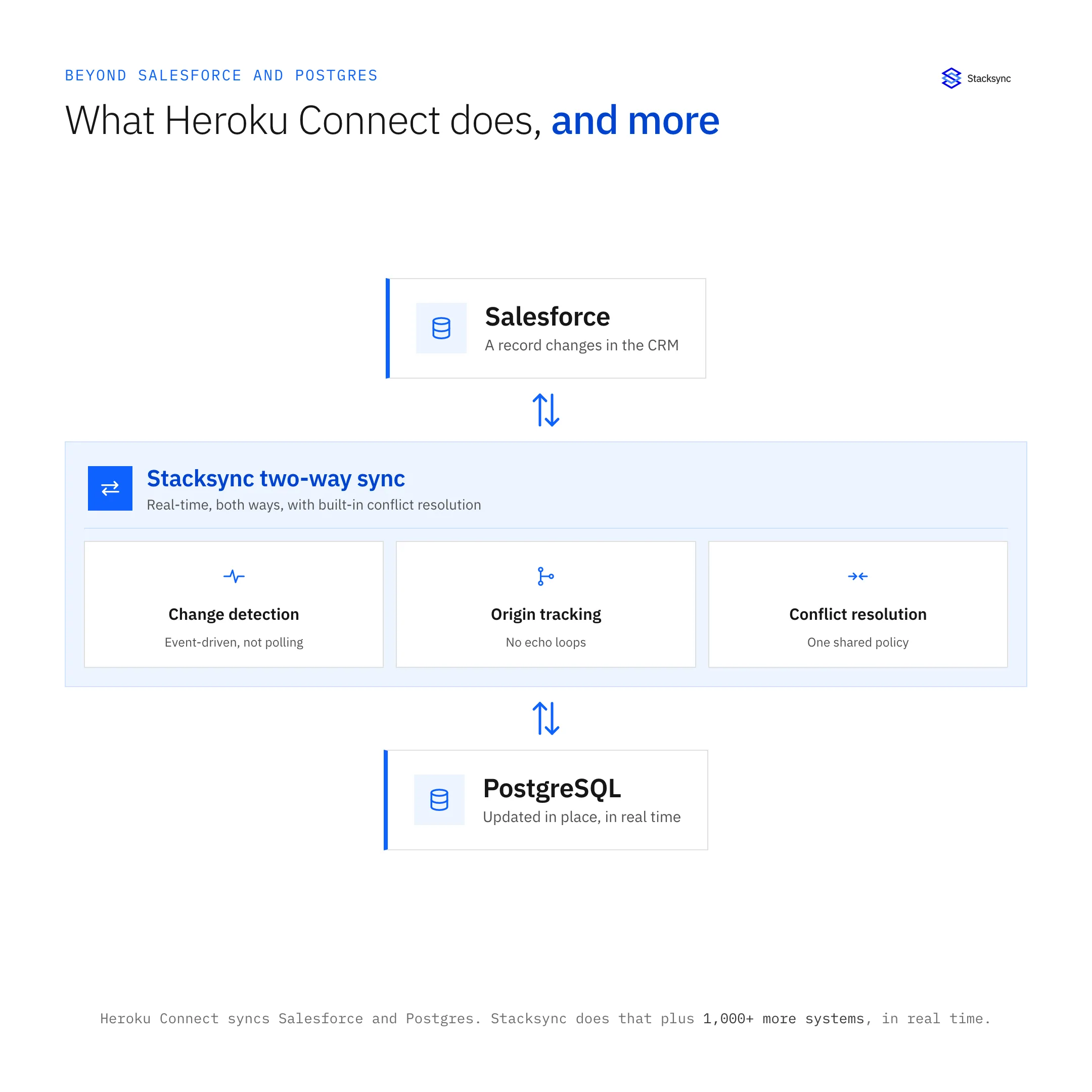
What does the parallel setup look like?
The setup uses two databases and two syncs, each with a single job.
| Component | Before cutover | After cutover |
|---|---|---|
| Application | Runs on Heroku, reads Heroku Postgres | Runs on the new platform via Build.io |
| Heroku Postgres | Production database, synced by Heroku Connect | Retired |
| New Postgres | Receives Salesforce data from Stacksync | Production database |
| Heroku Connect | Production sync, writes to Salesforce | Turned off |
| Stacksync | Reads from Salesforce, writes to new Postgres | Two-way sync between Salesforce and Postgres |
Because Stacksync can keep the same table and column names the app reads today, the app does not need a separate code path for the new database.
What are the steps for a parallel run?
- 01Freeze the Heroku Connect mapping listAvoid adding objects or fields during the migration. Record the current mappings as the reference.
- 02Stand up the new databaseWork with <a href="https://www.build.io">Build.io</a> to provision the target platform and Postgres database.
- 03Configure Stacksync against Salesforce and the new databaseUse the <a href="/connectors/salesforce">Salesforce connector</a>. Mirror the Heroku Connect objects and fields, with writes to Salesforce held back for now.
- 04Backfill and catch upLet Stacksync load existing Salesforce records and then follow live changes.
- 05Compare both databasesRun count and field comparisons between the Heroku Connect tables and the Stacksync tables. Investigate every difference.
- 06Test writes on a sandbox or test recordsConfirm the new sync writes to Salesforce correctly without touching production records.
- 07Cut overTurn off Heroku Connect writes, enable Stacksync writes to Salesforce, and move app traffic to the new platform.
- 08Watch, then decommissionMonitor sync activity and app errors. Remove Heroku Connect after the new setup is stable.
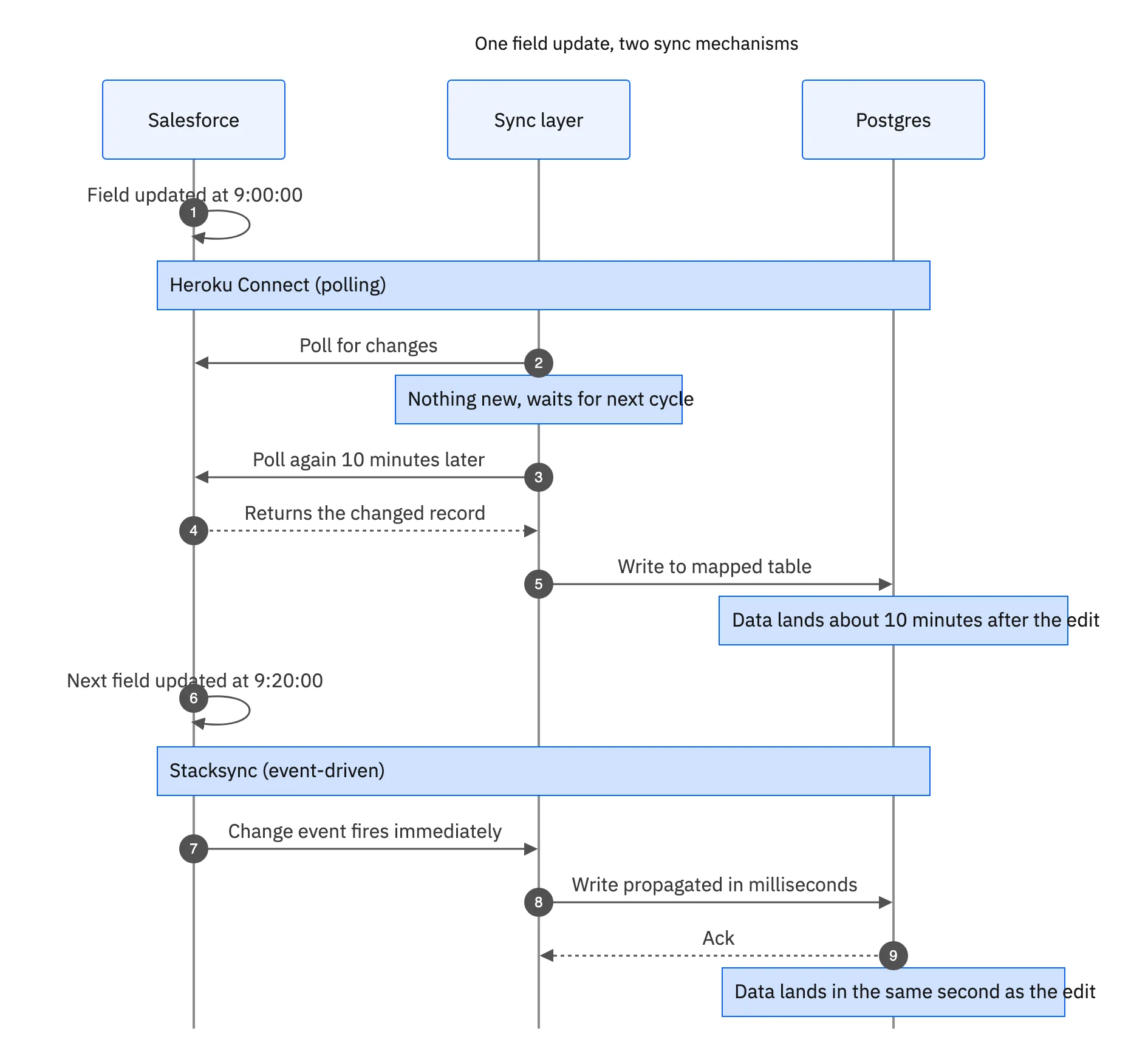
What should you compare between the two databases?
Row counts by object
The simplest signal. Differences often come from soft-deleted records, filtered mappings or objects that were never included.
Recently changed records
Pick records edited in the last hour on the Salesforce side and confirm both databases show the same values. This tests that live changes, not only the backfill, are flowing.
Data types and formats
Check dates, time zones, currency fields, picklists and long text. These are where two sync tools most often differ in how they represent the same value.
Relationships
Confirm that lookup and master-detail IDs line up so app joins still return the same results.
What can go wrong, and how do you avoid it?
- Two writers to Salesforce. Keep only one sync writing back at any moment.
- API usage. Two syncs reading the same org use more API calls. Check your allowance before starting.
- Schema drift. A field added in Salesforce mid-migration may land in one database and not the other. Freeze changes or apply them to both.
- Long parallel windows. The longer both run, the more you pay for both. Set an end date tied to the validation checklist.

Who owns what during the parallel run?
Name an owner for each side before the parallel run starts. The platform owner tracks the new environment and the database move. The data owner tracks sync health, runs the comparison queries and signs off on the validation checklist. A short daily check-in during the parallel period keeps both sides aligned on the cutover date.
Write the rollback plan down as well. If a problem appears after cutover, the team should know in advance whether to switch traffic back to Heroku and how Salesforce writes would be handled.
Where do Build.io and Stacksync fit in this plan?
Build.io owns the platform side: moving the app, dynos, Postgres, add-ons and pipelines off Heroku. Stacksync owns the sync side: replacing Heroku Connect and running in parallel until cutover. The two companies have co-sold Heroku exits since July 2026, and the parallel-run pattern is how the work fits together.
Read more on our Heroku Connect alternative page, or book a demo to plan a parallel run against your own Salesforce mappings.

FAQ
Frequently asked questions
Related articles





