






















Build.io and Stacksync: The Complete Heroku Migration Stack
Build.io moves your apps and platform off Heroku. Stacksync replaces Heroku Connect with real-time, two-way Salesforce to Postgres sync. Here is how they fit.
- Author
- Stacksync · App tips writer
- Published
- Read time
- 4 min read

What is the complete Heroku migration stack?
A complete Heroku exit has two parts: moving the application and platform, and replacing Heroku Connect. Build.io moves apps off Heroku, including hosting, dynos, Postgres, add-ons and pipelines. Stacksync replaces Heroku Connect with real-time, two-way sync between Salesforce and Postgres, so your app keeps the tables it depends on.
Together they cover the full path out of Heroku. Teams do not have to choose between rebuilding their data integration and staying on a platform they have decided to leave.
Why does a Heroku exit have two separate parts?
Heroku is two different things to most Salesforce-connected teams. It is a place to run code: web and worker dynos, a managed Postgres database, add-ons for logging and caching, and pipelines for promoting builds. It is also, through Heroku Connect, the bridge that keeps Salesforce records mirrored into Postgres tables and writes changes back.
These layers fail in different ways during a migration. If the app moves but the sync does not, the new environment has a database that no longer receives Salesforce updates. If the sync is ripped out first, the app loses its data before it has anywhere to go. Treating them as one project with two owners is the safer approach.
Heroku has said the platform is in sustaining engineering. For teams that rely on Heroku Connect, that makes the sync a long-term decision rather than a setting to leave alone. Planning the move now, on your own schedule, is easier than reacting to a change later.
Who handles what in a Build.io and Stacksync migration?
The split is simple. Build.io owns the platform. Stacksync owns the data sync between your business systems and Postgres.
| Heroku component | What it does today | Who replaces it |
|---|---|---|
| App hosting and dynos | Runs web and worker processes | Build.io |
| Heroku Postgres | Stores application data, including Heroku Connect tables | Build.io (platform move) |
| Add-ons | Logging, caching, scheduling and other services | Build.io |
| Pipelines | Promote builds from staging to production | Build.io |
| Heroku Connect | Syncs Salesforce objects to and from Postgres tables | Stacksync |
| Other CRM and ERP integrations | Custom scripts or third-party connectors | Stacksync (HubSpot, NetSuite and more) |
Stacksync connects to Postgres wherever it ends up. That means the sync can be configured against the database Build.io stands up, using the same Salesforce objects and the same table names. See the Salesforce connector for the objects and sync behavior supported.
What stays the same for your application?
The main concern teams raise about leaving Heroku Connect is the fear of rewriting the app. The application code reads and writes Postgres tables, not Heroku Connect itself. If the replacement sync keeps those tables in place, the code does not need to know anything changed.
- The same Salesforce objects are synced.
- The same Postgres tables and columns are populated.
- Application queries and writes keep working against those tables.
- Changes made in Postgres flow back to Salesforce, and changes in Salesforce flow to Postgres.

What changes when Stacksync replaces Heroku Connect?
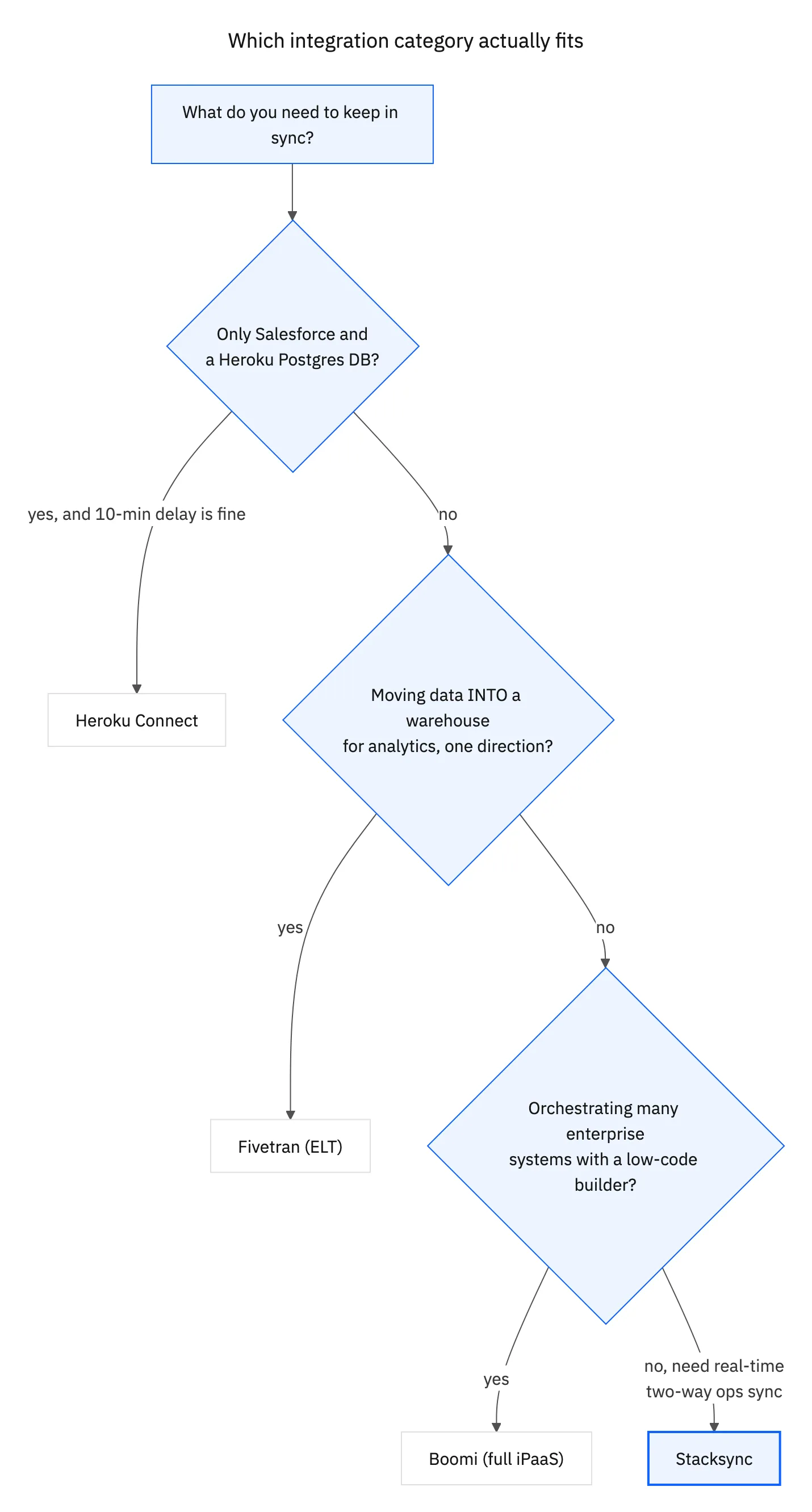
Stacksync is built for real-time, two-way sync, with failures your team can see and act on. Instead of a sync that runs in the background until something breaks, you get record-level visibility into what synced, what failed and why.
Because Stacksync supports more than Salesforce, teams can also bring HubSpot, NetSuite and other systems into the same Postgres database. For a closer look at the feature differences, read our page on Stacksync as a Heroku Connect alternative.
How do you start a joint Heroku exit?
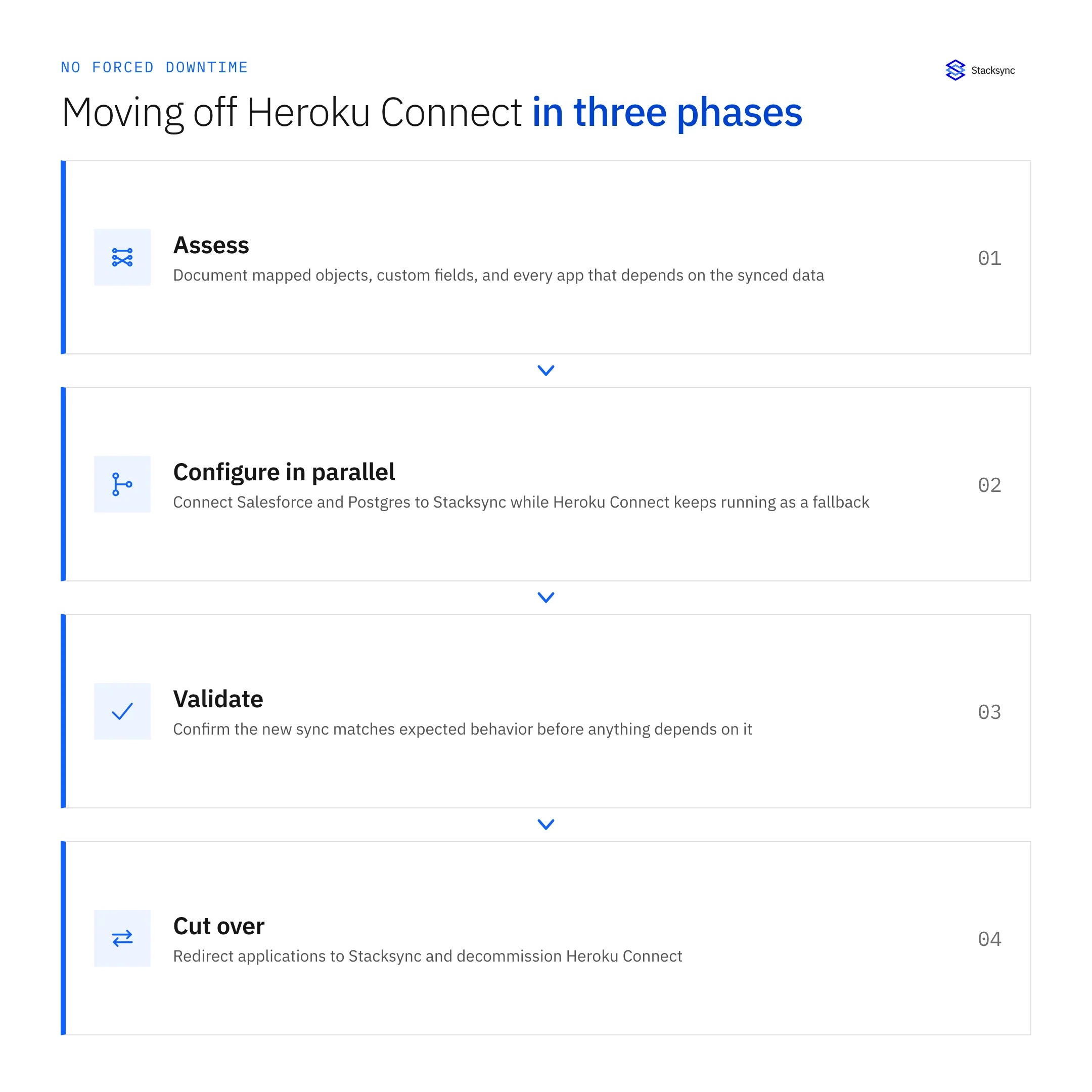
- 01Inventory the Heroku estateList apps, dynos, Postgres databases, add-ons, pipelines and every Heroku Connect mapping.
- 02Scope the platform move with Build.ioAgree on the target environment, cutover window and how Postgres moves.
- 03Map the sync with StacksyncMatch each Heroku Connect object and table to a Stacksync sync definition against the new database.
- 04Test in stagingRun both the app and the sync in a staging environment and compare record counts and writebacks.
- 05Cut over togetherPause Heroku Connect writes, switch the app to the new platform and enable the Stacksync sync in one planned window.
- 06Decommission HerokuRemove Heroku Connect and the remaining Heroku resources once production is stable.
If Heroku Connect is part of your stack, book a demo to review your mappings before the platform work begins.

FAQ
Frequently asked questions
Related articles





