






















Move Heroku Postgres Without Losing Salesforce Sync
How to move Heroku Postgres to a new platform while keeping Salesforce data in sync during cutover, using Build.io for the app and Stacksync for the sync.
- Author
- Stacksync · App tips writer
- Published
- Read time
- 5 min read

How do you move Heroku Postgres and keep Salesforce in sync?
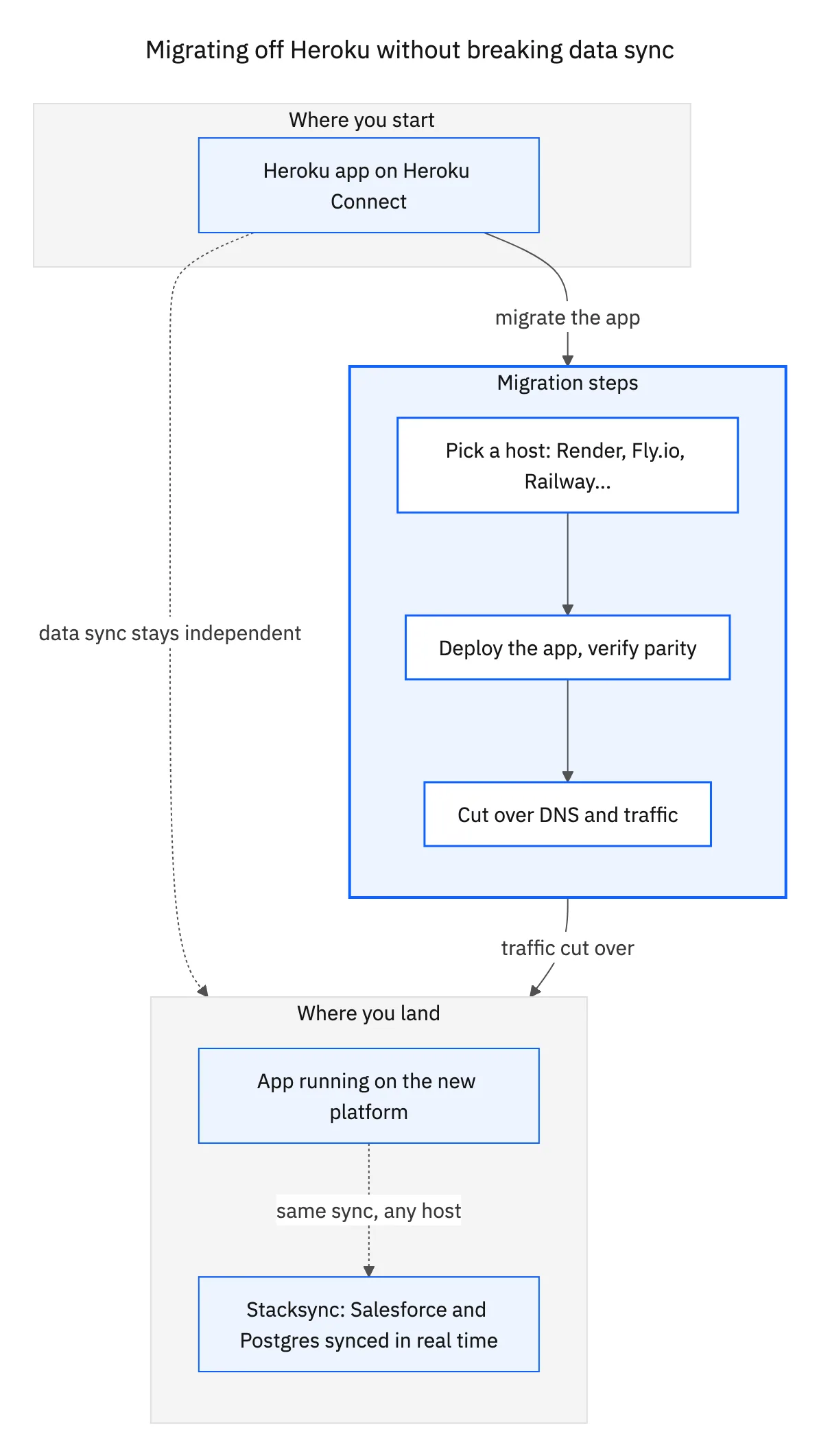
Treat the database move and the Salesforce sync as two linked tasks. Move the app and Postgres with Build.io, stand up Stacksync's two-way sync against the new database before cutover, and switch traffic only after the new sync has caught up and passed checks.
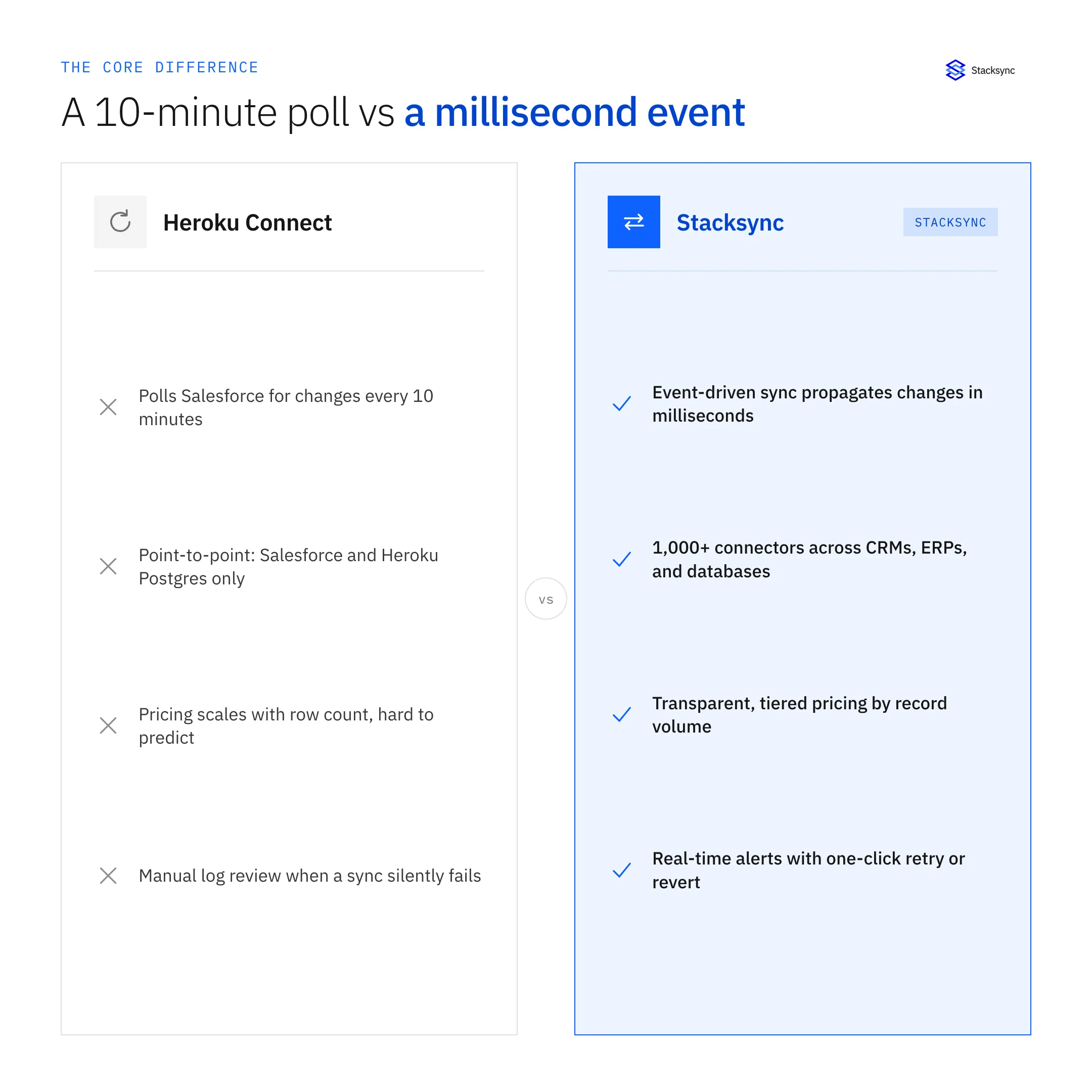
The reason is simple: Heroku Connect is tied to Heroku Postgres. When the database leaves Heroku, the sync has to be replaced, and the safest time to do that is before users notice anything changed.
Why does Salesforce sync break when Heroku Postgres moves?
Heroku Connect is a Heroku add-on. It reads and writes Salesforce objects into a schema inside a Heroku Postgres database, usually named salesforce, and tracks changes with its own trigger and log tables. That design works while everything lives on Heroku. It does not travel.
If you dump and restore the database somewhere else, you get a copy of the synced tables but not the process that keeps them current. Records written in Salesforce after the dump never arrive. Rows your app writes to the copied tables never reach Salesforce. The data looks fine on day one and drifts from there.
What should you inventory before the move?
Before touching the database, write down what Heroku Connect actually does for you today. Most teams find the list is longer than they remembered.
- Every mapped Salesforce object and the fields on each mapping.
- Which mappings are read-only and which are read-write.
- Tables, columns and indexes your app queries directly in the Heroku Connect schema.
- Any app logic that depends on Heroku Connect system columns, such as the record state or external ID columns.
- Jobs, reports or other services that read the same tables.
- How often the business expects changes to show up on each side.
This inventory becomes the spec for the replacement sync. If the new tables keep the same shape, application changes stay small.
Who handles which part: Build.io or Stacksync?
The work splits cleanly along the line between platform and data sync.
| Area | Build.io | Stacksync |
|---|---|---|
| Application hosting and dynos | Moves the app off Heroku | Not involved |
| Postgres database | Moves the database tier off Heroku | Connects to the new database |
| Add-ons and pipelines | Moves platform pieces off Heroku | Not involved |
| Salesforce to Postgres sync | Not involved | Replaces Heroku Connect with two-way sync |
| Other CRMs and ERPs | Not involved | Syncs HubSpot, NetSuite and others with Postgres |
| Cutover | Switches app traffic | Confirms sync health before and after |
Because the two pieces are independent, each team can test its part without waiting on the other, and the joint plan only has to agree on the cutover date.
What are the steps for a clean cutover?
- 01Map the current Heroku Connect schemaExport the list of mapped objects, fields and directions. Note every table and column the app reads.
- 02Provision the new Postgres databaseBuild.io sets up the target platform and database. Keep table and column names compatible with the Heroku Connect schema.
- 03Connect Stacksync to Salesforce and the new databaseUse the <a href="/connectors/salesforce">Salesforce connector</a> and a Postgres connection. Configure each object as one-way or two-way to match what Heroku Connect did.
- 04Run the initial load and let it catch upStacksync backfills the Salesforce records into the new tables. Leave Heroku Connect running on the old database so production is unaffected.
- 05Validate counts and sample recordsCompare record counts per object and spot-check field values. Test a write from Postgres to Salesforce and from Salesforce to Postgres.
- 06Switch application trafficPoint the app at the new database through Build.io. Watch sync activity for errors in the first hours.
- 07Retire Heroku ConnectOnce the new setup is stable, turn off the Heroku Connect mappings and remove the add-on.

How do you validate Salesforce data during cutover?
Validation does not need special tooling. It needs a short checklist that someone owns.
Counts per object
For each mapped object, compare the number of records in Salesforce with the rows in the new Postgres table. Differences usually point to filters, deleted records or fields that failed to map.
Field-level samples
Pick a handful of records per object, including recently edited ones, and compare field values on both sides. Pay attention to picklists, dates, time zones and lookup IDs.
Write tests in both directions
Create or update a test record from the app and confirm it lands in Salesforce. Do the reverse from Salesforce. This is the check that catches permission and field-level security issues.
What changes after Heroku Connect is gone?
The day-to-day work of the app stays the same: it reads and writes Postgres tables. What changes is the sync engine behind those tables. Stacksync reads changes from Salesforce and the database and applies them to the other side, so engineers stop maintaining trigger logs or polling jobs.
Teams also gain the option to sync more than Salesforce. If sales runs on HubSpot or finance runs on NetSuite, those systems can sync into the same Postgres database. For a full comparison with Heroku Connect, see our Heroku Connect alternative page.
If you are planning a Heroku exit and want to walk through your current mappings, book a demo and bring your list of objects.

FAQ
Frequently asked questions
Related articles





