






















Heroku Exit Checklist: Apps, Postgres, Add-ons, Heroku Connect
A complete Heroku exit checklist covering apps and dynos, Postgres, add-ons, pipelines and Heroku Connect, with who handles each item: Build.io or Stacksync.
- Author
- Stacksync · App tips writer
- Published
- Read time
- 4 min read

What belongs on a Heroku exit checklist?
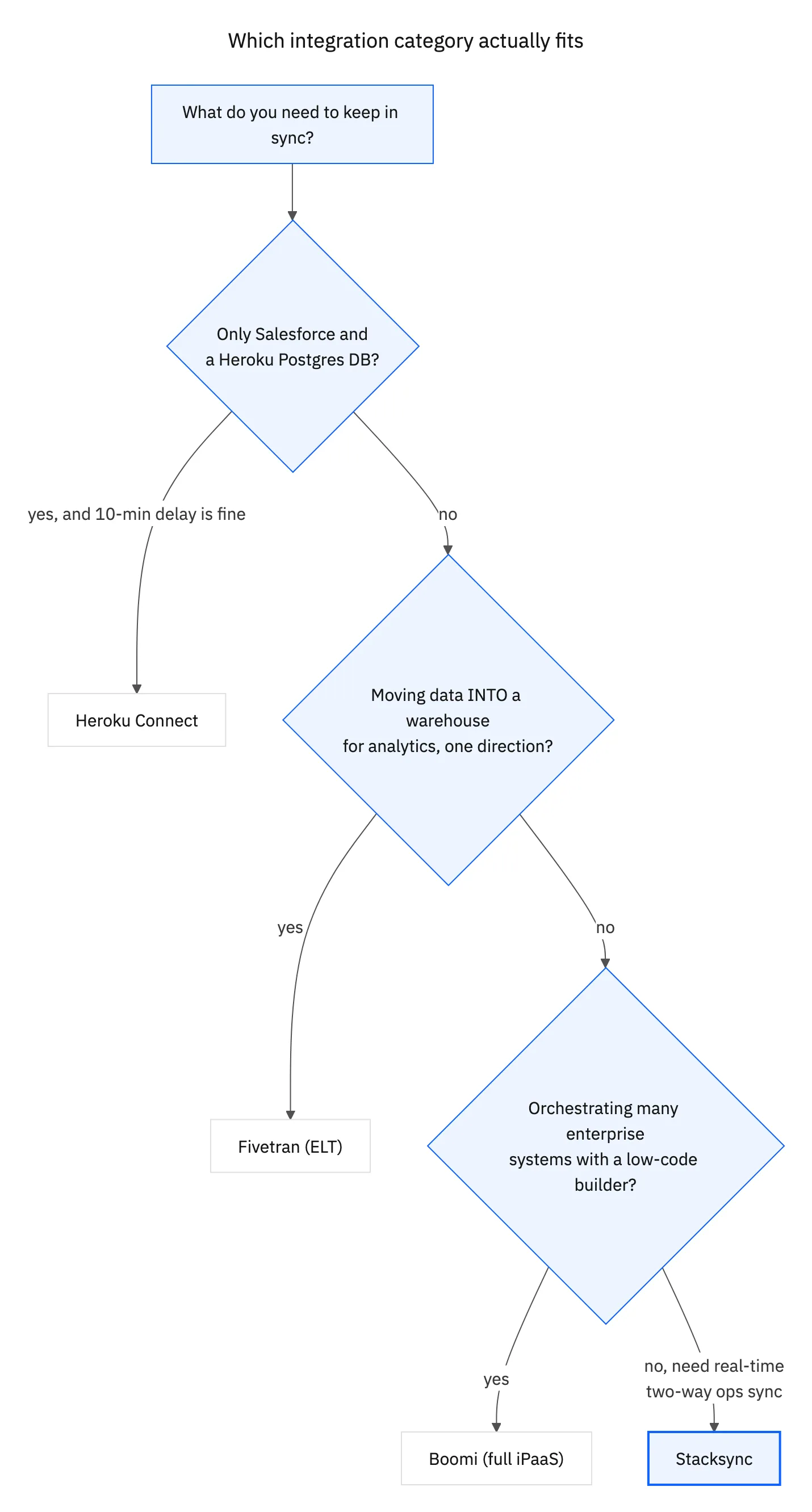
A Heroku exit checklist should cover five areas: apps and dynos, Heroku Postgres, add-ons, pipelines and configuration, and Heroku Connect. Build.io moves the first four off Heroku. Stacksync replaces Heroku Connect with real-time, two-way Salesforce to Postgres sync, which keeps the data your app depends on flowing after the move.
Use the lists below as a working document. Each item should have an owner and a verification step before cutover.
What do you need to check for apps and dynos?
- List every app, including staging and review apps.
- Record web, worker and scheduled process types and their scaling.
- Capture config vars and secrets, and decide where they will live.
- Note custom domains and TLS certificates.
- Document buildpacks or build settings each app uses.
This is the core of the platform move and sits with Build.io. Capture the current state in writing even if the plan is to replicate it exactly, because the inventory becomes the acceptance test for the new environment. Teams that skip this step tend to discover a missing worker or config var after traffic has moved.
What do you need to check for Heroku Postgres?
- Identify every Postgres database and which apps attach to it.
- Flag which tables are written by Heroku Connect.
- Note extensions, connection pooling and follower databases.
- Plan the data move and a final sync point for cutover.
- Confirm backup and restore on the target platform.
What do you need to check for add-ons and pipelines?
- List each add-on and what it provides: logging, caching, queues, monitoring, email and similar services.
- Decide on a replacement or a direct vendor account for each.
- Document pipeline stages and promotion steps.
- Record deploy hooks and CI integrations.
Add-ons and pipelines are part of the platform move with Build.io.
What do you need to check for Heroku Connect?
- Export every mapping: object, fields, direction and table name.
- Identify services outside the app that read those tables.
- Choose the Salesforce sandbox for testing.
- Recreate mappings in Stacksync against the new database.
- Plan how existing rows will be matched by Salesforce ID.
This is the part of the checklist Stacksync owns. Review supported objects on the Salesforce connector page and our overview of Stacksync as a Heroku Connect alternative.
Who owns each part of the checklist?
| Area | Owner | Verify before cutover |
|---|---|---|
| Apps and dynos | Build.io | App runs on the new platform with production config |
| Heroku Postgres | Build.io | Data moved, extensions present, backups configured |
| Add-ons | Build.io and your team | Each service replaced or re-provisioned |
| Pipelines and deploys | Build.io | A build can be promoted to production |
| Heroku Connect | Stacksync | Counts match, inserts and write-backs work in staging |
| Other CRM and ERP integrations | Stacksync | HubSpot, NetSuite or other syncs tested |

What about integrations beyond Salesforce?
Heroku Connect only covers Salesforce, but many Heroku apps also pull data from other systems through custom scripts, scheduled jobs or add-ons. A Heroku exit is a good moment to list those too, because scripts that ran on Heroku Scheduler or worker dynos move with the platform and may need to be rebuilt anyway.
- CRM data from HubSpot synced into Postgres for the app or reporting.
- ERP data from NetSuite such as customers, orders or invoices.
- One-off scripts that copy data on a schedule and fail silently.
- Webhooks that update tables when records change in another system.
Stacksync syncs Postgres with HubSpot, NetSuite and other business systems in real time and in both directions, so these integrations can move to the same place as the Salesforce sync instead of being rewritten one by one.
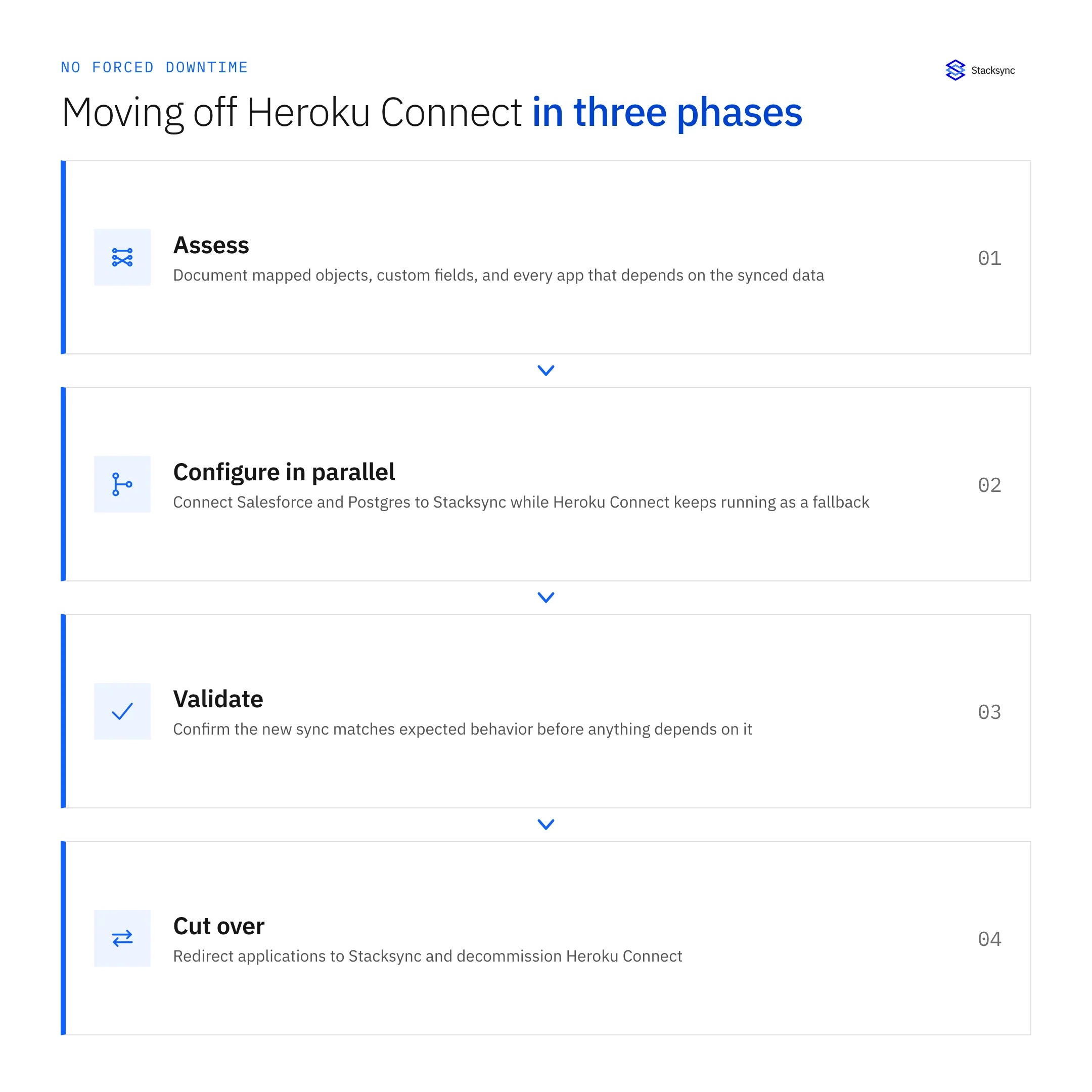
In what order should you cut over?
- 01Freeze writes to synced tablesStop the app from writing to tables Heroku Connect manages.
- 02Stop Heroku ConnectPrevent a second sync from writing during the switch.
- 03Finish the database moveTake the final data move to the new Postgres.
- 04Enable StacksyncStart the sync and confirm existing rows are matched, not duplicated.
- 05Switch trafficPoint domains to the app on the new platform.
- 06Reopen writes and verifyTest a create and an update in each direction.
Then, after a stable period, decommission Heroku resources. If you are building this checklist now, book a demo to go through the Heroku Connect section with our team.

FAQ
Frequently asked questions
Related articles





