






















Heroku Connect Pricing and Lock-In: Plan Your Heroku Exit
Heroku Connect pricing and its tie to Heroku Postgres create lock-in. What costs and work to plan for when leaving Heroku with Build.io and Stacksync.
- Author
- Stacksync · App tips writer
- Published
- Read time
- 5 min read

What should teams leaving Heroku plan for with Heroku Connect?
Plan for two things: the cost structure of Heroku Connect itself, and the lock-in that comes from it only working with Heroku Postgres. Leaving Heroku means replacing the sync, not only the hosting, so the budget needs a line for a new sync and for the time to validate it.
This guide does not list prices, because Heroku Connect terms vary by contract. It explains how the costs are structured and where they show up in a migration plan.
How is Heroku Connect pricing structured?
Heroku Connect is an add-on in the Heroku ecosystem. Its cost sits alongside the other Heroku line items: dynos, Heroku Postgres plans and other add-ons. Depending on the plan, the price can relate to how many rows you sync and the level of support, and some teams buy it as part of a wider Salesforce agreement.
Because of that, the real cost of Heroku Connect is rarely one line. It includes:
- The Heroku Connect add-on or contract line itself.
- The Heroku Postgres plan it requires, sized for synced data.
- The dynos and add-ons that stay on Heroku because the database does.
- Engineering time spent working around sync limits or errors.
Where does the lock-in come from?
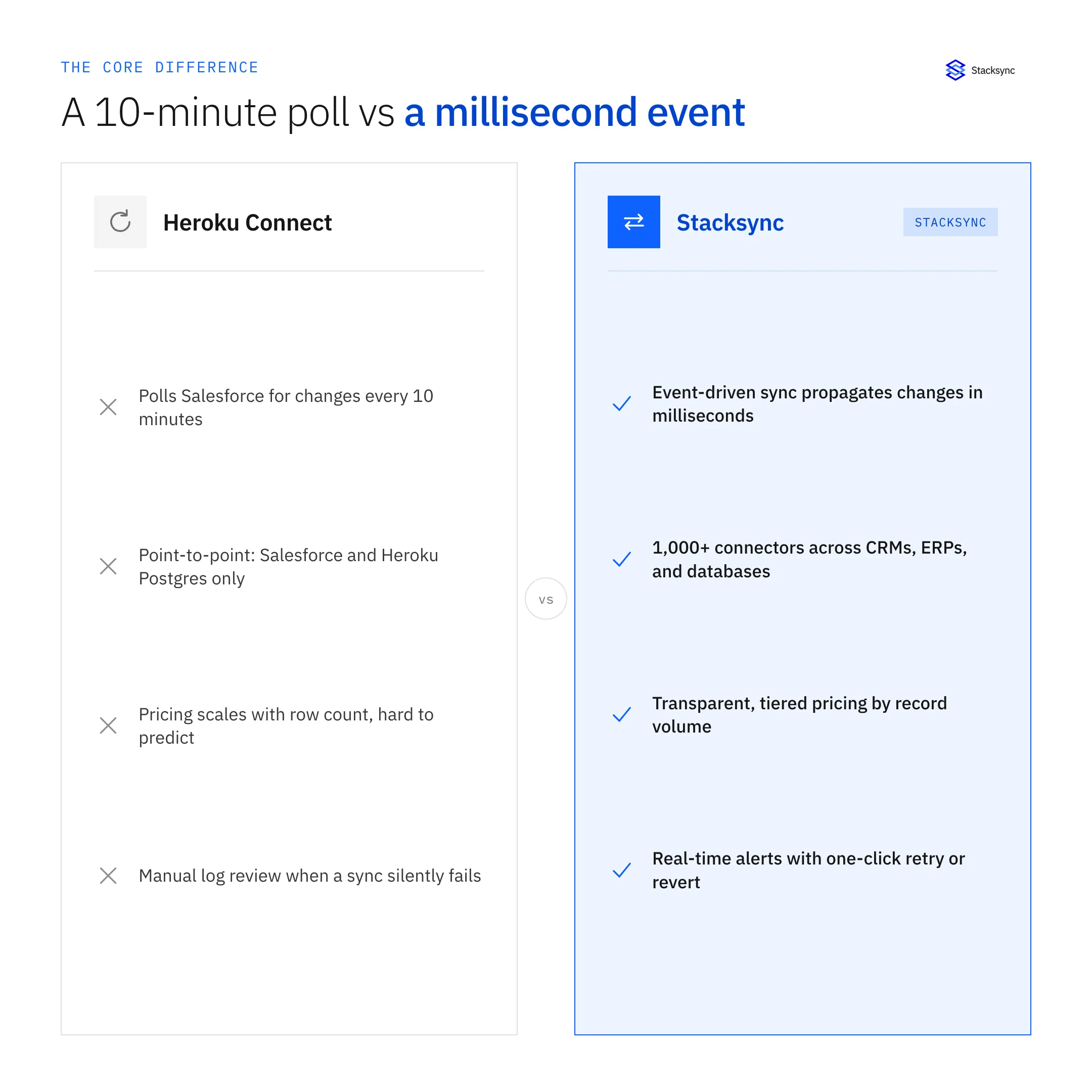
The lock-in is architectural, not contractual. Heroku Connect writes Salesforce data into Heroku Postgres and nowhere else. Once the app depends on that schema, moving the database means losing the sync, and moving the app without the database adds latency and complexity.
Heroku Connect also only covers Salesforce. Teams that add HubSpot, NetSuite or other systems end up running separate integrations next to it, which adds cost and more places for data to drift.
| Cost driver | Staying on Heroku Connect | Moving to Build.io + Stacksync |
|---|---|---|
| Platform | Heroku dynos, Postgres and add-ons | Build.io moves apps and platform off Heroku |
| Salesforce sync | Heroku Connect add-on | Stacksync two-way sync with Postgres |
| Database location | Must stay on Heroku Postgres | Any Postgres the platform provides |
| Other CRMs and ERPs | Separate tools or custom code | Same sync layer covers HubSpot, NetSuite and others |
| Migration effort | None now, deferred | One-time mapping, parallel run and cutover |
A practical way to measure lock-in is to ask what it would take to move only the database next quarter. If the honest answer is that the Salesforce sync would stop, the sync is the constraint, and it should be planned before the platform.
What one-time costs come with a Heroku exit?
Leaving is not free, and it is better to plan for the one-time costs than to discover them mid-project.
- Mapping work. Documenting Heroku Connect objects, fields and directions.
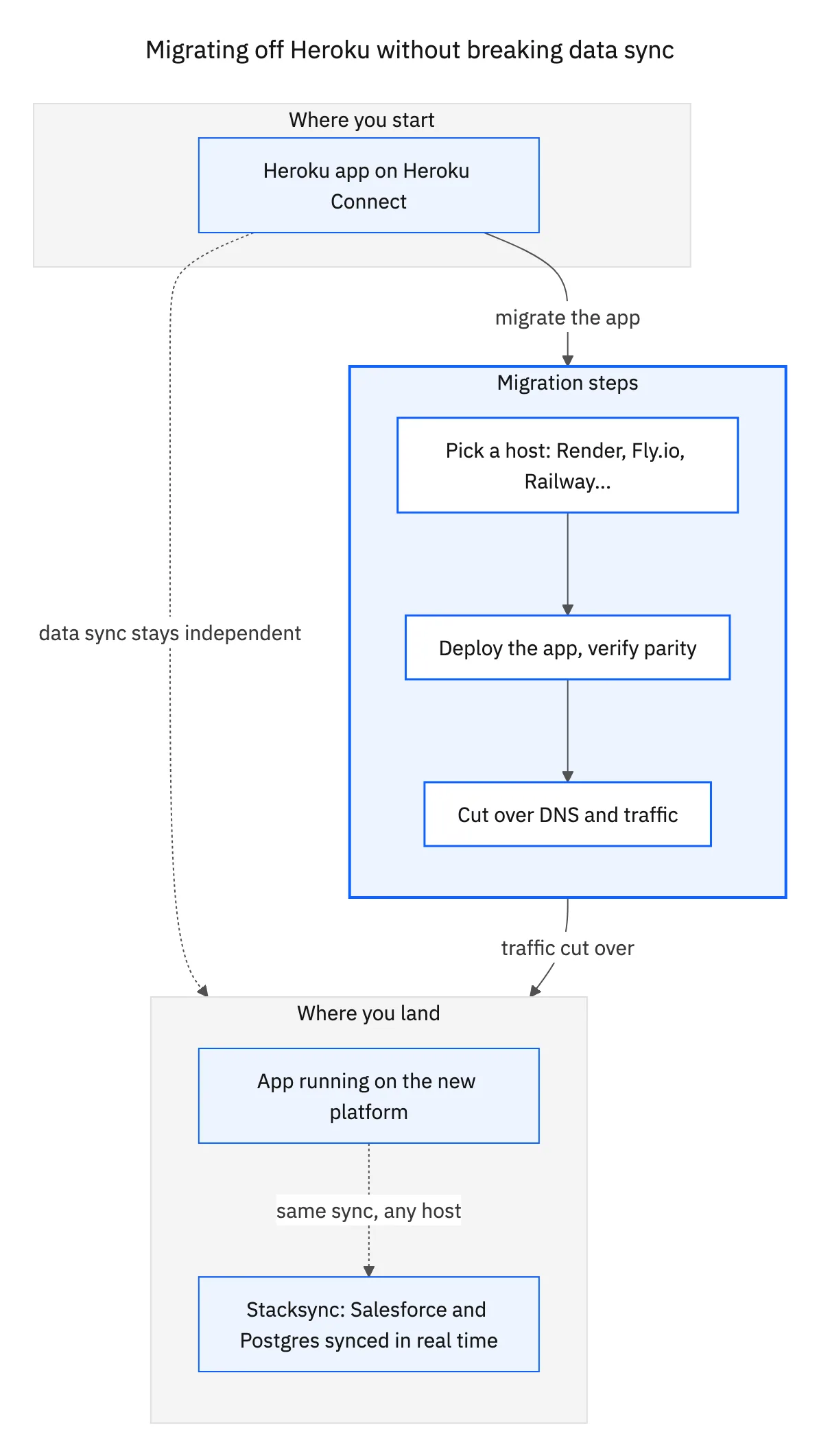
- Platform migration. Moving apps, the database, add-ons and pipelines with Build.io.
- Parallel run. A period where both Heroku Connect and Stacksync run, so you pay for both.
- Salesforce API usage. Extra calls while two syncs read the same org.
- Validation. Engineering time to compare data and test writes.
These are bounded costs. The ongoing cost of staying tied to one database and one CRM keeps running.
How should you build the budget?
- 01Collect current spendGather Heroku invoices and the Salesforce contract terms covering Heroku Connect.
- 02Separate platform from syncSplit current costs into platform (dynos, Postgres, add-ons, pipelines) and sync (Heroku Connect).
- 03Price the replacement platformGet a proposal from Build.io for moving the app and platform off Heroku.
- 04Price the replacement syncGet a Stacksync quote based on your Salesforce objects, other systems and record volumes.
- 05Add one-time migration costsInclude mapping, the parallel run, API usage and validation time.
- 06Compare over a realistic periodWeigh ongoing costs over the time you expect to run the app, not only the first month.

When is the right time to act?
Contract renewal is the natural decision point. Starting the mapping and a Stacksync test a few months before renewal gives you real data on effort and a working alternative before you have to commit to another term.
Compare the two approaches in detail on our Heroku Connect alternative page, review supported objects on the Salesforce connector page, or book a demo to get pricing for your setup.

FAQ
Frequently asked questions
Related articles





