






















What Is Boomi Integration Platform? Best Alternatives in 2026
Boomi alternatives compared: Stacksync, MuleSoft, Workato, Celigo, and ONEiO, rated on real-time sync, connector depth, migration effort, and total cost.
- Author
- Ignacio Malpartida · GTM Engineer
- Published
- Updated
- Read time
- 7 min read

If you have been researching enterprise data integration, you have probably asked two questions: what is Boomi, and what are the best Boomi alternatives? Boomi is one of the best-known iPaaS (integration platform as a service) tools, and it connects applications, data, and systems for thousands of companies. But many teams now look for a Boomi integration platform alternative that offers faster, real-time synchronization and lower operational overhead.
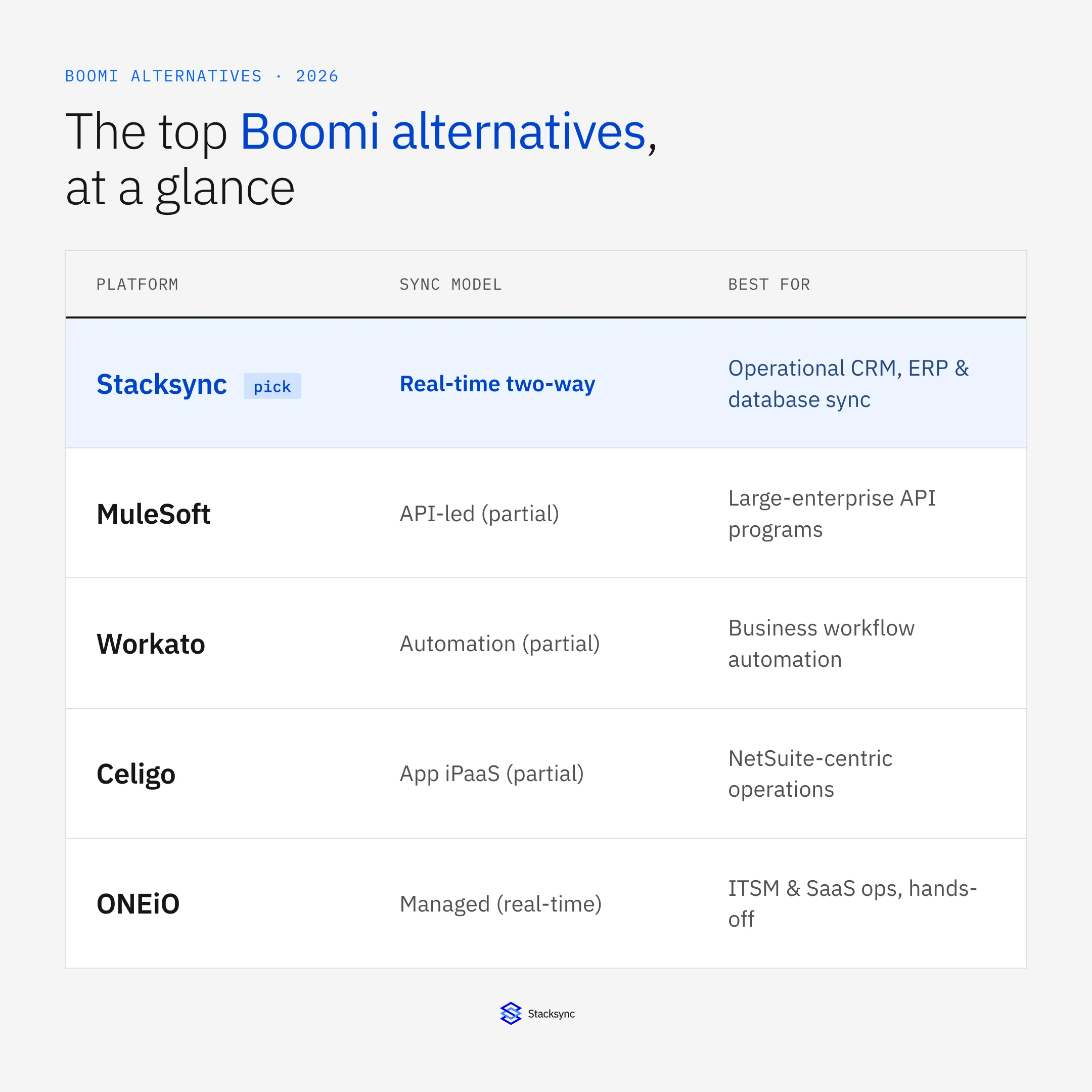
The short answer: the top Boomi alternatives in 2026 are Stacksync for real-time bi-directional sync, MuleSoft for API-led enterprise integration, Workato for workflow automation, Celigo for NetSuite-centric iPaaS, and ONEiO for fully managed integration. This guide explains what Boomi is, why teams switch, how to evaluate the options, and how each alternative compares on sync model, connectors, and cost.
What Is Boomi? (Quick Overview)
Boomi, formerly Dell Boomi, is a cloud-based integration platform founded in 2000 and acquired by Dell Technologies in 2010. It connects on-premises and cloud systems, automates workflows, and helps keep data consistent across multiple applications.
The core product, Boomi AtomSphere, bundles tools for ETL, API management, B2B/EDI, and master data management.
Key Boomi integration features
- Pre-built connectors for apps like Salesforce, NetSuite, and SAP
- Drag-and-drop interface for visual workflow building
- Workflow automation and low-code integration design
- Master data hub for unified data governance
- API management and event-based integrations
In short, Boomi simplifies complex data movement and system connectivity. It also carries trade-offs that push modern teams toward more real-time options.
Why Businesses Look for a Boomi Alternative
Boomi remains a trusted enterprise platform, but it is not the right fit for every team. The common reasons companies evaluate a Boomi alternative fall into five buckets.
1. Cost and licensing complexity
Boomi pricing is connector-based, and costs rise as data volumes grow. For companies running several integrations, total ownership costs can exceed $50K per year.
2. Learning curve and maintenance
Despite the low-code label, building and maintaining Boomi workflows takes technical experience. Ongoing upkeep consumes engineering time that many mid-market teams do not have to spare.
3. Batch latency and real-time limits
Boomi runs primarily on batch-based synchronization. For teams that need real-time, bi-directional sync, that scheduling model introduces latency between systems. The difference between batch and real-time integration is well covered by GigaSpaces, and RudderStack explains the benefits real-time brings over batch.
4. Customization limits
Niche use cases often need scripting or workarounds. Boomi’s ecosystem is large, but it is not always flexible enough for custom data models or unusual field mappings.
5. Scalability and performance
Handling millions of records can introduce sync delays or failures. Mid-market teams increasingly prefer cloud-native, auto-scaling platforms built for modern, event-driven architectures.
How to Evaluate Boomi Alternatives (Decision Framework)
When you compare Boomi alternatives, weigh five criteria against how your team actually uses data.
Real-time vs. batch synchronization
Does the platform offer true bi-directional sync and sub-second propagation? Traditional iPaaS tools like Boomi, MuleSoft, and Informatica lean on batch updates, while newer platforms emphasize real-time event streaming and change data capture.
Connector coverage and custom objects
Look for support for both standard and custom fields across CRMs, ERPs, and databases. A large connector library (1,000+ integrations) cuts setup time and avoids one-off custom builds.
Security and compliance
Choose vendors with SOC 2, GDPR, HIPAA, and ISO 27001 coverage. Enterprise integration handles sensitive data that needs regulatory-grade protection.
Total cost of ownership (TCO)
Account for the hidden costs: development time, maintenance, error handling, and infrastructure. Managed and usage-based platforms often lower TCO by removing operational overhead.
Operational transparency
Modern platforms provide monitoring dashboards, rollback, and conflict resolution so synchronization stays reliable and auditable.
Best Boomi Alternatives in 2026
The integration landscape has shifted toward real-time and managed models. Here are the most prominent Boomi alternatives, grouped by strength and use case.
Stacksync (real-time bi-directional sync)
Stacksync is built for real-time, two-way synchronization between systems like Salesforce, HubSpot, NetSuite, and Postgres. Unlike Boomi or traditional ETL tools, it delivers:
- Sub-second synchronization latency
- 1,000+ pre-built connectors
- No-code workflows and change data capture (CDC)
- SOC 2, HIPAA, and ISO 27001 compliance
That makes it a strong fit for mid-market and enterprise teams that need operational data consistency across CRMs, ERPs, and databases without heavy IT dependency.
MuleSoft Anypoint Platform
Best for large enterprises that need deep, API-led integration. MuleSoft offers an extensive API management toolkit, though implementation complexity stays high. See the MuleSoft vs Boomi vs Workato vs Stacksync showdown for a side-by-side.
Workato
Ideal for automation-driven workflows. Workato pairs iPaaS features with low-code process automation, though pricing scales quickly as recipes grow.
Celigo
Known for simplifying cloud app integrations, and strong with NetSuite and mid-market apps, but less suited to heavy database use cases. For a direct comparison, see Celigo vs Boomi in 2026, or read our full Celigo alternative comparison.
Informatica Intelligent Cloud Services
Informatica is a robust data management platform with advanced governance, metadata, and data-quality features. Best for enterprises running large-scale data operations.
Jitterbit Harmony
Balances API management and low-code workflow creation. Jitterbit does well on usability and compliance, especially for regulated industries.
SnapLogic
Offers AI-assisted automation with a drag-and-drop interface. A good fit for teams that want fast deployment and flexible scaling.
ONEiO (managed integration service)
Provides a fully managed, hands-off alternative. ONEiO runs integrations on behalf of clients, keeping them live without in-house maintenance. Its blog also covers moving beyond traditional iPaaS.
Boomi vs. Alternatives: Quick Comparison
| Platform | Type | Real-Time Sync | Ease of Use | Connectors | Best For |
|---|---|---|---|---|---|
| Boomi | General iPaaS | Batch-based | Moderate | 1,500+ | Enterprises with IT teams |
| MuleSoft | API-first iPaaS | Partial | Complex | 400+ | Large enterprises |
| Workato | Automation-first | Partial | Easy | 1,000+ apps | Business automation |
| Celigo | App/iPaaS | Partial | Moderate | 300+ | NetSuite-centric ops |
| ONEiO | Managed service | Yes | Hands-off | 100+ | ITSM & SaaS ops |
| Stacksync | Real-time sync | Yes | Easy | 1,000+ | Mid-market & enterprise ops |
Key takeaways
- Stacksync delivers true real-time, bi-directional sync with an ops-friendly setup and 1,000+ connectors, a fit for mid-market and enterprise teams.
- Boomi is capable as a general iPaaS but depends on batch jobs and usually needs heavier IT involvement.
- MuleSoft fits API-led programs at large enterprises, with strong control and higher complexity.
- Workato shines on business-automation usability, though real-time support is only partial.
- ONEiO offers a managed, hands-off approach oriented to ITSM and SaaS operations.
Pricing Snapshot and TCO Considerations
| Platform | Pricing Model | Key Note |
|---|---|---|
| Boomi | Connector-based | Costs rise per integration, roughly $5K per connector per year |
| MuleSoft | Enterprise license | High setup and maintenance cost |
| Workato | Recipe-based | Scales with workflows and can climb quickly |
| ONEiO | Subscription | Managed service with predictable pricing |
| Stacksync | Usage-based | Starts around $1K/mo and scales with data volume |
Key takeaways
- Stacksync uses a usage-based model starting around $1K/month, which keeps scaling predictable and tied to data volume.
- Boomi charges per connector, so costs climb as integrations grow.
- MuleSoft is the most enterprise-focused option and carries the highest setup and maintenance investment.
- Workato scales by recipes and can get costly with complex automations, while ONEiO keeps pricing predictable through managed subscriptions.
Organizations replacing legacy Boomi setups often report 30 to 50 percent lower total cost of ownership after switching to event-driven or managed synchronization platforms.

Keeping Your Stack in Sync After Boomi
The reason most teams leave Boomi is not the connector catalog, it is the batch model. Once the same customer, order, or account lives in more than one system, scheduled jobs let records drift between runs, and one-directional flows cannot keep both sides consistent.
A dedicated real-time sync layer solves that directly. Stacksync propagates changes bi-directionally between CRMs, ERPs, and databases such as Salesforce, NetSuite, PostgreSQL, and Snowflake, so an edit in either system appears in the other within seconds. Unlike generic iPaaS recipes, purpose-built two-way sync handles conflict resolution, schema mapping, and field-level change detection rather than firing one-directional workflows. For a walkthrough, see bi-directional sync explained with three real-world examples, and browse the full connector catalog to check coverage for your stack.
If your Boomi setup is stable for nightly analytics loads, there is no urgency to move. If it is slow for operational sync, the fix is real-time consistency, a different problem than batch iPaaS was built to solve. Teams hitting that wall often start with a real-time CRM and ERP sync setup and expand from there.
Implementation Tips and Migration Path
- 01Map your current integrations: list every system connected through Boomi.
- 02Configure two-way sync with field-level direction controls, keeping reporting-only fields read-only where appropriate.
- 03Validate data structures: confirm field mapping and object consistency across systems.
- 04Run parallel tests: verify real-time sync accuracy before cutting over.
- 05Monitor performance: set alerts for error detection and retry handling.
Conclusion
Boomi is still a capable integration platform, but operational demands keep pushing teams toward real-time, bi-directional alternatives. Whether you prioritize no-code automation (Workato), a managed service (ONEiO), API-led integration (MuleSoft), or real-time synchronization (Stacksync), the right choice comes down to your data flow, latency needs, and total cost of ownership. For a deeper comparison of the real-time options, see the top enterprise sync platforms compared.

FAQ
Frequently asked questions










Related articles





