






















Acumatica Integrations: The Complete Guide
A practical guide to Acumatica integrations: the REST API, which systems you can connect (CRM, ecommerce, ERPs, warehouses), and why real-time two-way sync wins for operational data.
- Author
- Ruben Burdin · Founder & CEO
- Published
- Updated
- Read time
- 10 min read

What integrations does Acumatica support?
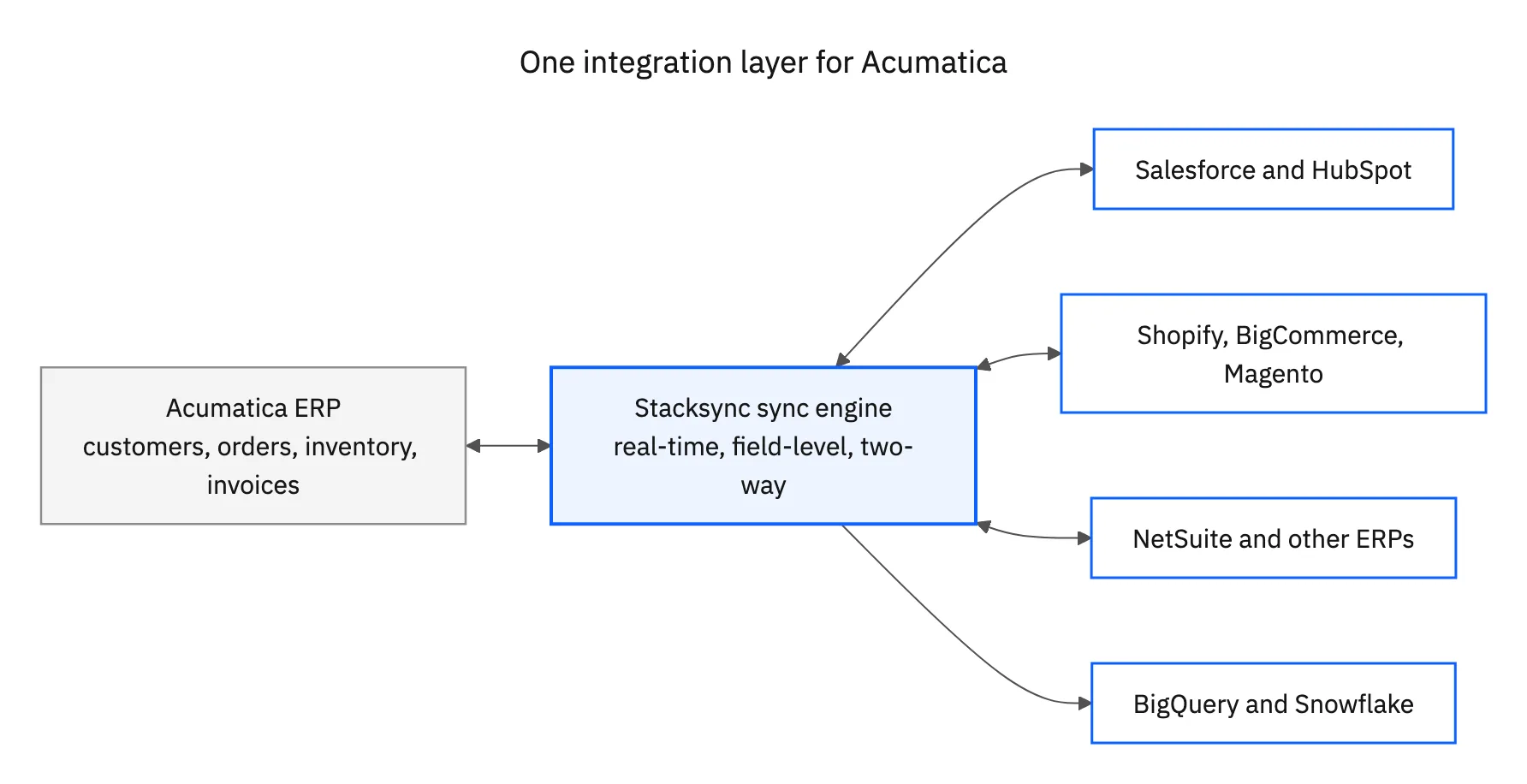
Acumatica integrates with CRMs like Salesforce and HubSpot, ecommerce platforms like Shopify, BigCommerce and Magento, other ERPs such as NetSuite, data warehouses including BigQuery and Snowflake, SQL databases, and hundreds of SaaS tools. You connect them through the Acumatica REST API in one of three ways: native ISV add-ons from the Acumatica marketplace, a generic iPaaS with prebuilt Acumatica actions, or a real-time two-way sync layer that keeps records matched in both systems continuously.
Acumatica is a cloud ERP, so most integration work is about keeping operational records consistent across the tools that touch them: customers, sales orders, inventory items, shipments, invoices and payments. The right approach depends less on which logo you are connecting and more on the direction and freshness the data needs. A finance report can tolerate a nightly batch. An order that a warehouse is about to pick cannot.
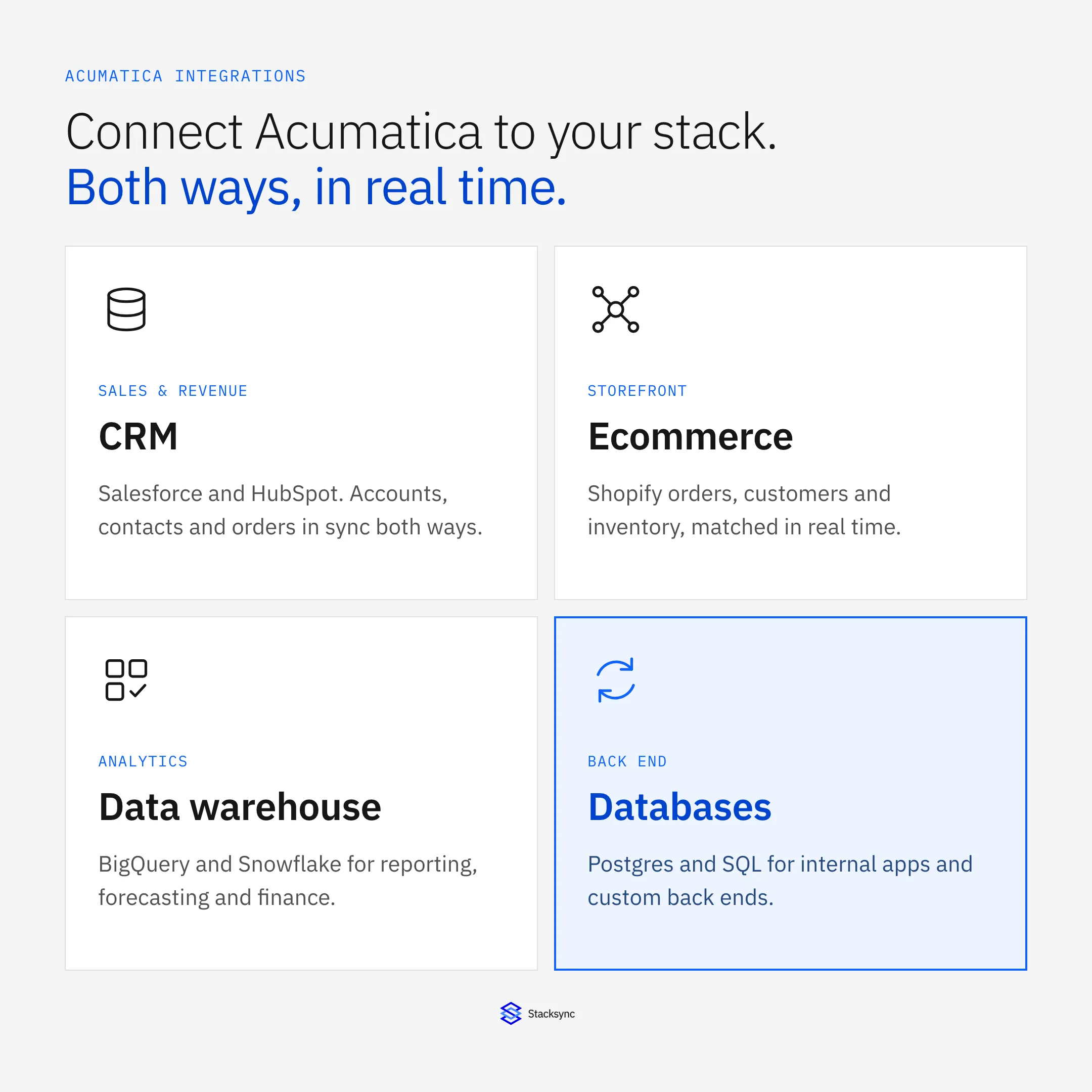
- CRM: Salesforce and HubSpot for accounts, contacts, quotes and orders
- Ecommerce: Shopify, BigCommerce and Magento for orders, customers and inventory
- ERP and finance: NetSuite and other systems during migrations or multi-entity setups
- Data warehouses: BigQuery and Snowflake for analytics and reporting
- Databases: Postgres and MySQL for internal apps and custom back ends
Skipping integration has a real cost. Teams that keep Acumatica separate end up re-keying orders by hand, reconciling customer lists in spreadsheets, and shipping against inventory counts that were accurate yesterday. Every manual hop adds latency and a chance to get a number wrong, and those errors land in the parts of the business (fulfilment, billing, support) where mistakes are expensive. If you want the shortest path to a specific pairing, the pre-built Stacksync Acumatica connector covers the common systems below with two-way sync out of the box.
The Acumatica API, in plain terms
Yes, Acumatica has an API. In fact it has a few, and knowing which is which saves a lot of time.
- Contract-based REST API: the main integration surface. It exposes business entities (Customer, SalesOrder, StockItem, Invoice, Bill, Shipment) as JSON, and it is versioned so upgrades do not break your mappings.
- Screen-based API: mirrors the ERP screens for cases where no contract entity exists yet.
- OData feeds: read-only endpoints built from generic inquiries, handy for reporting and warehouse extracts.
- Webhooks (push notifications): Acumatica can notify an external endpoint when a record changes, which is what makes near real-time integration possible without constant polling.
For any integration that writes back to Acumatica (creating an order, updating a customer, adjusting stock), the contract-based REST API is the endpoint you will use. It authenticates with OAuth 2.0 or cookie-based sessions, respects Acumatica roles and permissions, and returns clear per-field errors, which matters when you are syncing thousands of records and need to know exactly which one failed and why.
One practical note: the contract-based API is rate limited and paginates large result sets, so a naive full export can time out or hit throttling. A good integration batches requests, follows the paging links, and uses webhooks to react to individual changes instead of re-reading the whole customer list every few minutes. This is exactly the kind of plumbing a sync platform handles for you.
Connect Acumatica to your CRM
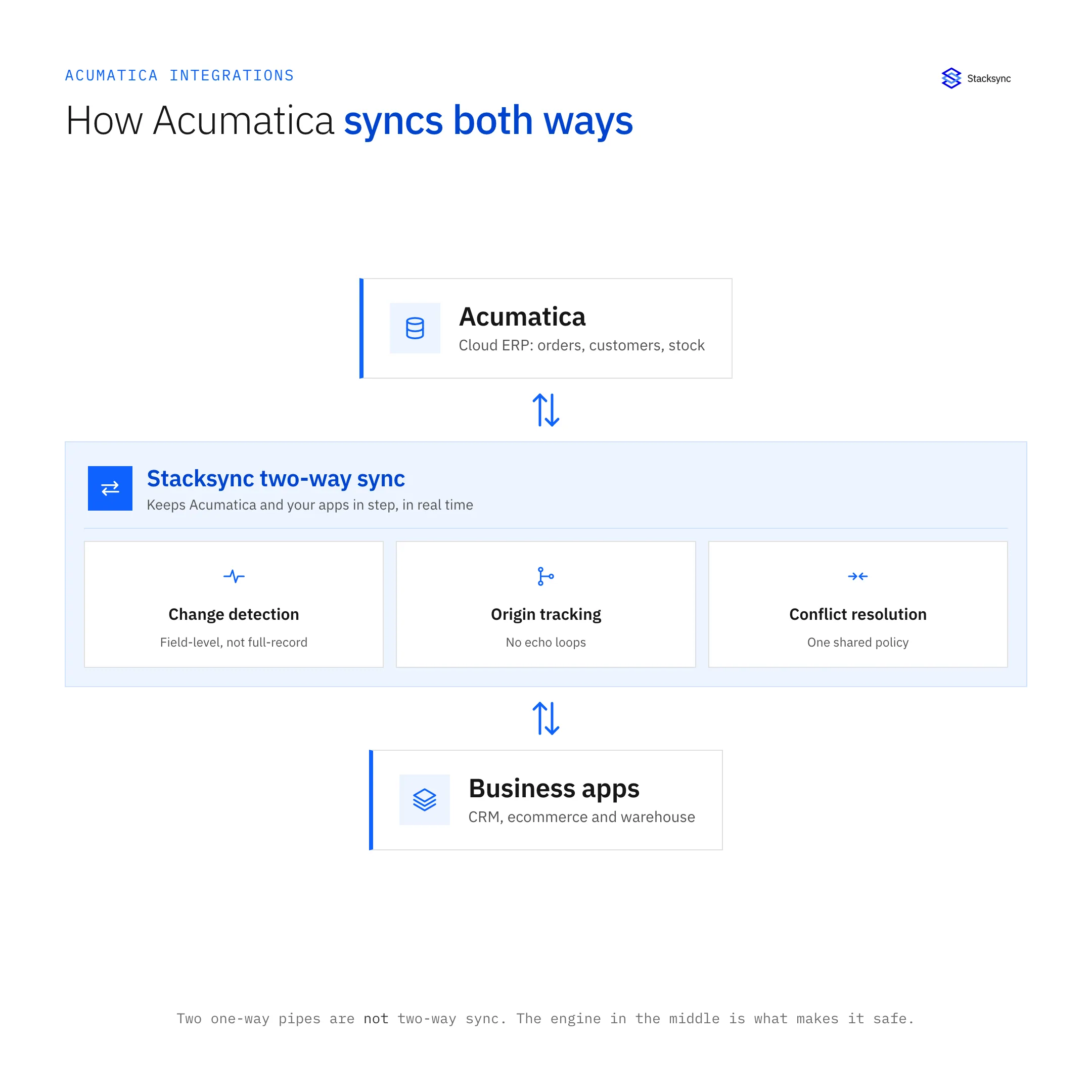
Sales and finance almost always disagree about who the customer is, because the CRM and the ERP each hold a version of the truth. Syncing them fixes that. On the Salesforce side, you map Acumatica customers and sales orders to Salesforce accounts and opportunities, so a closed-won deal can create an order in the ERP and an order status change can flow back to the rep. See the Acumatica and Salesforce integration for the entity mapping.
This is the backbone of a quote-to-cash flow: a rep closes in Salesforce, the order and customer land in Acumatica for fulfilment and billing, and the invoice or shipment status returns to the account so the rep can answer "where is my order" without pinging finance. HubSpot works the same way for teams that run revenue there. Companies and deals line up with Acumatica customers and orders, and billing status can post back to the deal record. The Acumatica and HubSpot integration keeps both directions in sync so a change in either tool is reflected in the other within seconds.
Acumatica for ecommerce and multi-ERP setups
Ecommerce is where real-time direction matters most. When a Shopify order comes in, it should create a sales order in Acumatica, decrement available inventory, and send fulfilment and tracking back to the shopper. When stock changes in the ERP, the storefront should reflect it before a customer oversells an item. The Acumatica and Shopify integration handles orders, customers and inventory in both directions rather than on a nightly schedule.
Inventory is the field most likely to burn you. If the storefront and the ERP fall out of step, you either oversell items you cannot ship or hide stock you could have sold. Real-time, two-way updates on stock items and order status keep the shelf count honest across Shopify, Acumatica and any 3PL in the middle.
Multi-ERP situations are common during migrations, acquisitions, or when different business units run different systems. If part of the business is on NetSuite, you can keep shared customers, items and invoices aligned across both platforms while you consolidate. The Acumatica and NetSuite integration lets the two ERPs coexist without manual re-keying or brittle export scripts.
Get Acumatica data into your warehouse
Analytics teams want Acumatica data next to everything else in the warehouse. You can extract financials, orders and inventory into BigQuery for dashboards, forecasting and finance models. The Acumatica and BigQuery integration moves ERP tables into the warehouse and keeps them current, so a report is not reading last week's numbers.
For pure reporting, one-way replication is fine. The moment you want the warehouse to write back (for example, pushing a recalculated credit limit or a churn-risk score into the ERP), you need two-way sync instead. The same pattern applies to Snowflake and to reverse-ETL use cases, where a metric computed in the warehouse needs to land back in Acumatica as a field customer service can actually act on.
Why real-time two-way sync beats one-way connectors
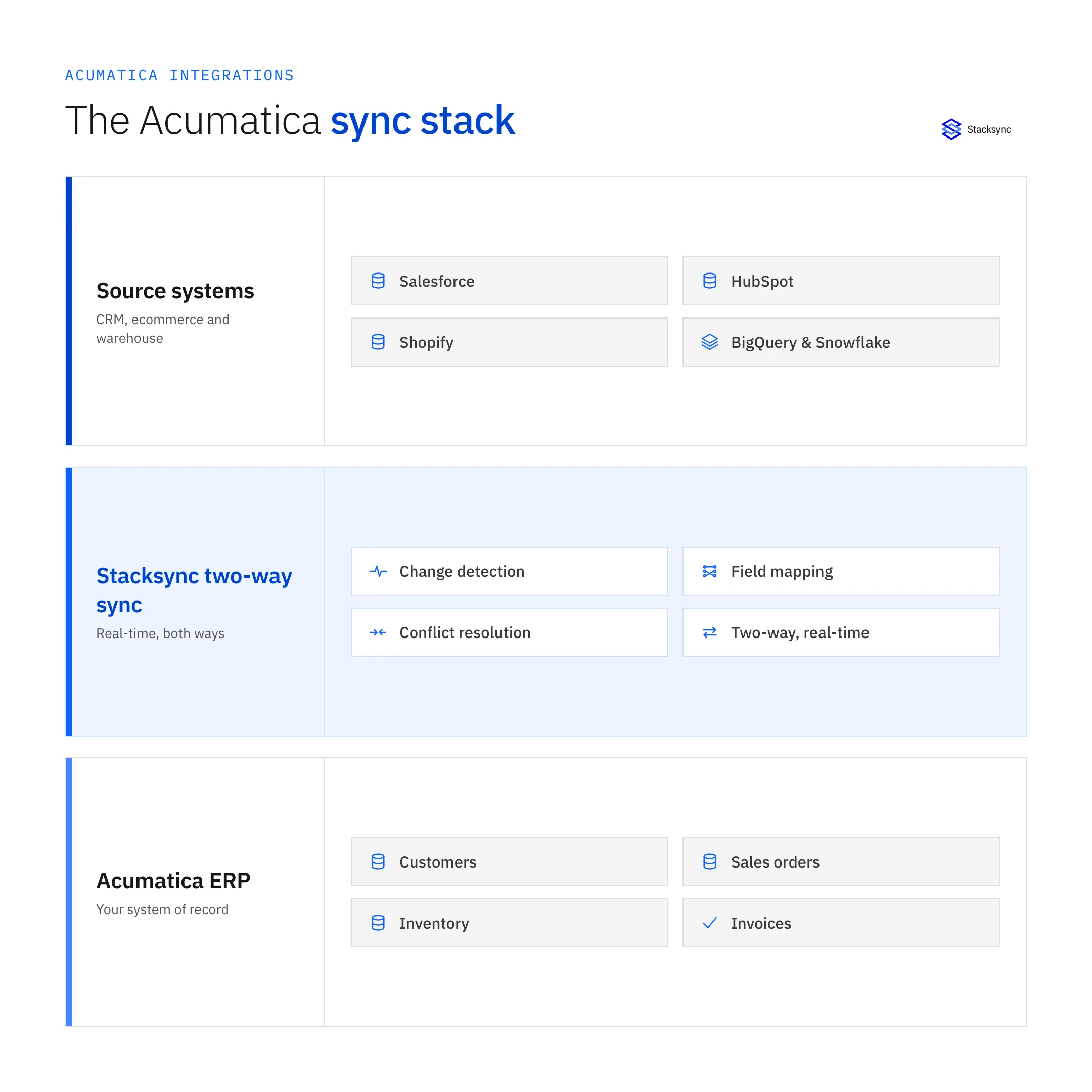
Most Acumatica connectors move data one way on a schedule. That is fine for a report and wrong for operations. Operational records (orders, customers, inventory, invoices) change on both sides, so a one-way flow either overwrites edits or leaves the two systems disagreeing. Two-way sync reads and writes both systems, detects what changed, and resolves conflicts so each record stays consistent everywhere it lives.
| Approach | Sync direction | Real-time? | Maintenance |
|---|---|---|---|
| Native / point connectors | Usually one-way | Often batch or scheduled | You maintain each connector separately |
| Generic iPaaS | One-way per flow (two-way needs two flows) | Polling, near real-time at best | High: you build and own every flow |
| Stacksync | Two-way | Yes, real-time | Low: managed sync, conflict handling built in |
What conflict resolution actually means
When the same customer's phone number changes in both the CRM and Acumatica between syncs, something has to decide which value wins. One-way connectors dodge this by always overwriting one side. A real two-way sync applies rules (last write wins, a source-of-truth per field, or custom logic) so you keep the correct value instead of silently clobbering an edit.
The maintenance column is the one that surprises teams. A generic iPaaS asks you to build a flow for every object and every direction, then own them as the schemas drift. Stacksync manages the change detection, field mapping and conflict rules as one sync, and gives you a no-code UI with full SQL and Python control when a mapping needs custom logic. That is the difference between wiring the plumbing yourself and running a managed sync over the roughly 86 Acumatica integration pairs it already supports.

How to choose your Acumatica integration approach
There is no single right answer; the best approach depends on the data. Use this quick decision path.
- 01Classify the data by freshnessReporting and analytics can run on scheduled, one-way replication. Orders, inventory and customer records need real-time updates because a stale number causes an oversell or a duplicate.
- 02Decide the directionIf only one system is the source of truth, one-way is enough. If both systems create or edit the same records, you need two-way sync with conflict handling.
- 03Check for a native connectorA marketplace add-on can be the fastest start for a single, well-defined flow. Confirm whether it is one-way and how often it runs before you commit.
- 04Plan for maintenanceCount the objects and directions you will own. A managed sync platform absorbs schema changes and retries so your team is not on the hook for every API update.
Apply this in electrical and electronic components: approved assembly configuration and commercial quote line
Electrical assembly quotes are a specific Acumatica integration use case where approved configuration matters as much as customer identity. The Salesforce handoff preserves the accepted assembly and order reference while routing unapproved configuration changes for review.
| Record to reconcile | Responsible owner | Rule to preserve |
|---|---|---|
| Approved assembly configuration | Application engineering | Retain the accepted option set and applicable customer requirements with their revision. |
| Commercial quote line | Sales operations | Preserve selected quantities, services and terms separately from unaccepted quote alternatives. |
| Configuration change request | Engineering and order management | Record later differences without replacing the accepted build automatically. |
An exception to plan for: The customer provides a new requirement after acceptance. Retain it as a scoped change request and obtain the required technical and commercial decisions. Acceptance check for the pilot: the ERP order identifies the exact approved assembly configuration.
The electrical and electronic components hub connects the broader operating context. These guides develop the specific record mappings and decisions for this application:
Putting it together
Acumatica is built to integrate: a versioned REST API, OData feeds and webhooks give you everything needed to connect it to the CRM, storefront, other ERPs and warehouse your business already runs on. The open question is direction and freshness. For dashboards, one-way replication is fine. For the operational records that run the business, real-time two-way sync keeps every system honest without manual re-keying or nightly surprises.
See how the Stacksync Acumatica connector maps to your stack, or book a demo and we will walk through your exact sync in real time.

FAQ
Frequently asked questions










Explore these integrations and topics
Related articles





