






















Acumatica Pricing: Cost and Licensing Explained
Acumatica has no fixed price. This guide explains its consumption-based model, unlimited-user licensing, editions, deployment options, and the real factors that shape your quote.
- Author
- Ruben Burdin · Founder & CEO
- Published
- Updated
- Read time
- 8 min read

What Acumatica pricing actually looks like
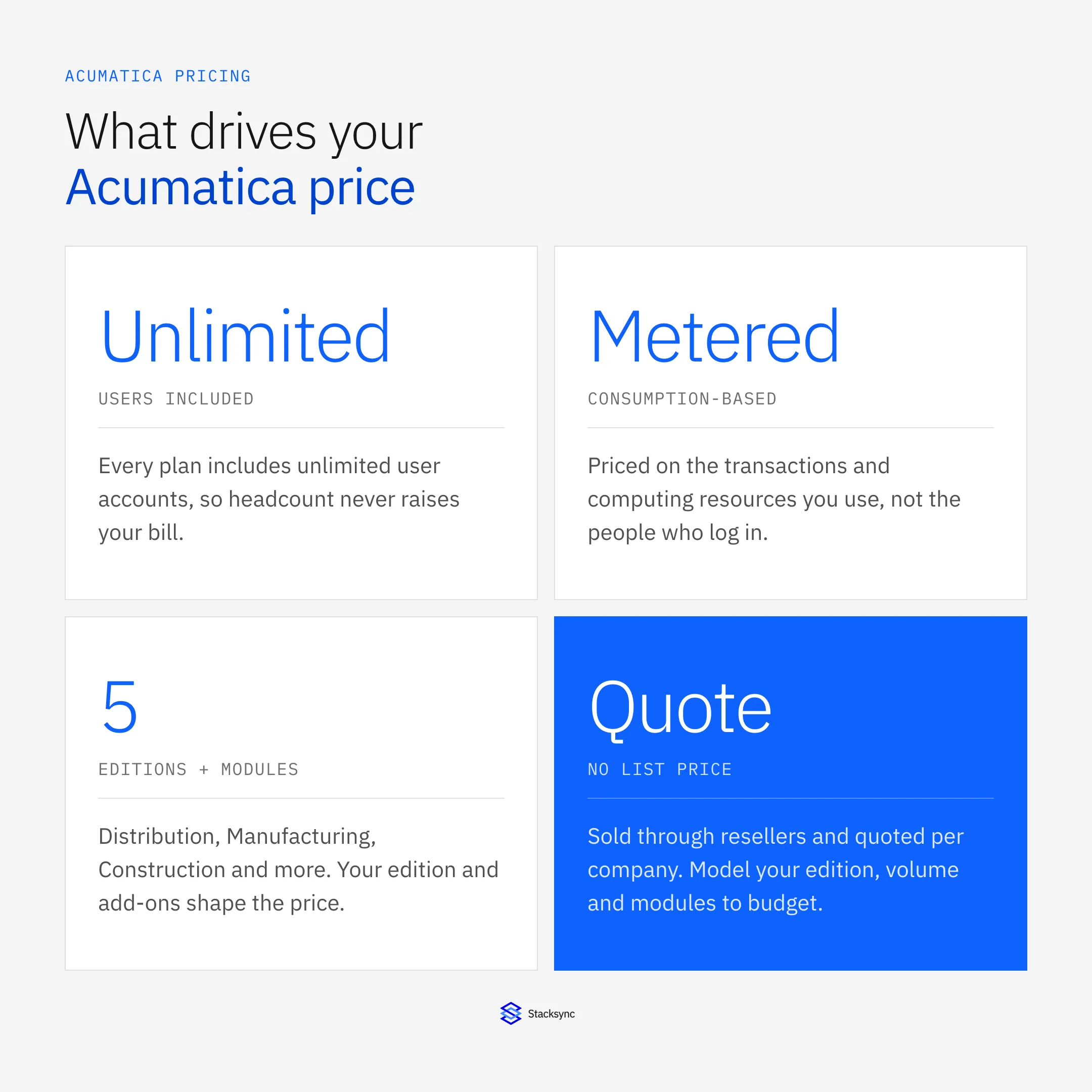
Acumatica does not publish a fixed price list, so there is no single monthly number to quote. Acumatica Cloud ERP is sold through a network of resellers, or VARs, and priced with a consumption-based model: you pay for the edition and applications you license and the volume of transactions and computing resources you actually use, not for the number of people who log in. User accounts are unlimited on every plan, which is the biggest structural difference from per-seat ERPs. Because of this, cost ranges widely, from modest annual subscriptions for a small single-entity company to six-figure commitments for a large multi-entity manufacturer.
This guide breaks down how that model works, what an Acumatica quote is actually made of, how the editions and deployment options change the price, and how to estimate a realistic budget. It also covers the part most pricing pages skip: the ongoing cost of implementation, add-on modules, and keeping Acumatica in sync with the rest of your systems. If you are comparing Acumatica against NetSuite, Sage, or a Microsoft Dynamics plan, the sections below will help you compare like for like instead of matching a per-user rate against a consumption tier.
How Acumatica is priced: consumption, not seats
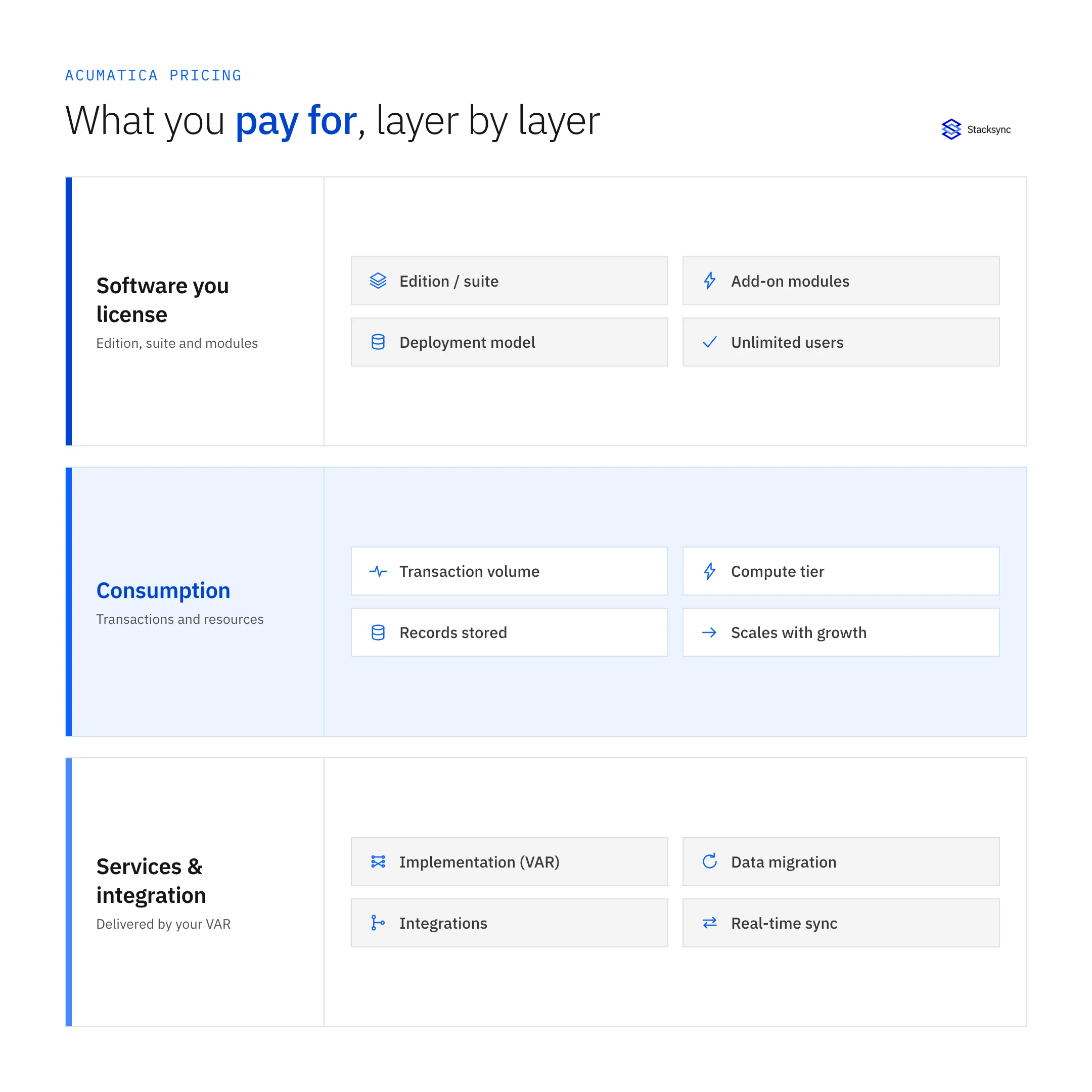
An Acumatica subscription is built from three levers. The first is the software you license, meaning the edition and any extra modules or connectors you turn on. The second is a resource tier tied to how much you transact, which Acumatica measures through consumption of computing resources rather than named users. The third is how you deploy, either as a SaaS subscription hosted by Acumatica or as a private cloud or perpetual license you run yourself. Your reseller combines these into a single annual figure and adds services on top.
How the resource tier works
Instead of counting seats, Acumatica sizes your plan by the workload you put through it. A company posting a few hundred sales orders a month sits in a lower tier than one processing tens of thousands. As your transaction volume grows, you move up resource tiers, and the subscription rises with it. This keeps small deployments genuinely affordable while scaling cost with the business, but it also means high-volume operations should model their growth before signing, since a jump in order or invoice volume can push you into the next tier.
The practical takeaway is that two companies with identical headcounts can pay very different amounts. A ten-person distributor pushing high order volume can land in a higher tier than a fifty-person services firm with light transaction activity. When you ask a reseller for a quote, come with real numbers on orders, invoices, and records, because those figures move the price far more than how many people will log in.
Editions change what you pay for
Acumatica packages functionality into industry editions. You license the one that matches your business, and each carries a different base scope and price.
General Business: core financials, CRM, and reporting for service and professional-services companies. The lightest and usually least expensive starting point.
Distribution: adds inventory, purchasing, order management, and warehouse features for wholesalers and distributors.
Manufacturing: adds production management, MRP, bill of materials, and shop-floor control on top of distribution, and sits at the higher end.
Construction: adds job costing, project accounting, subcontracts, and compliance tools for contractors and homebuilders.
Retail-Commerce: adds ecommerce connectors, point of sale, and order fulfillment for retailers selling across channels.
The heavier the edition, the more it typically costs, both because the software scope is larger and because those businesses tend to transact at higher volumes.
Unlimited users is the headline difference
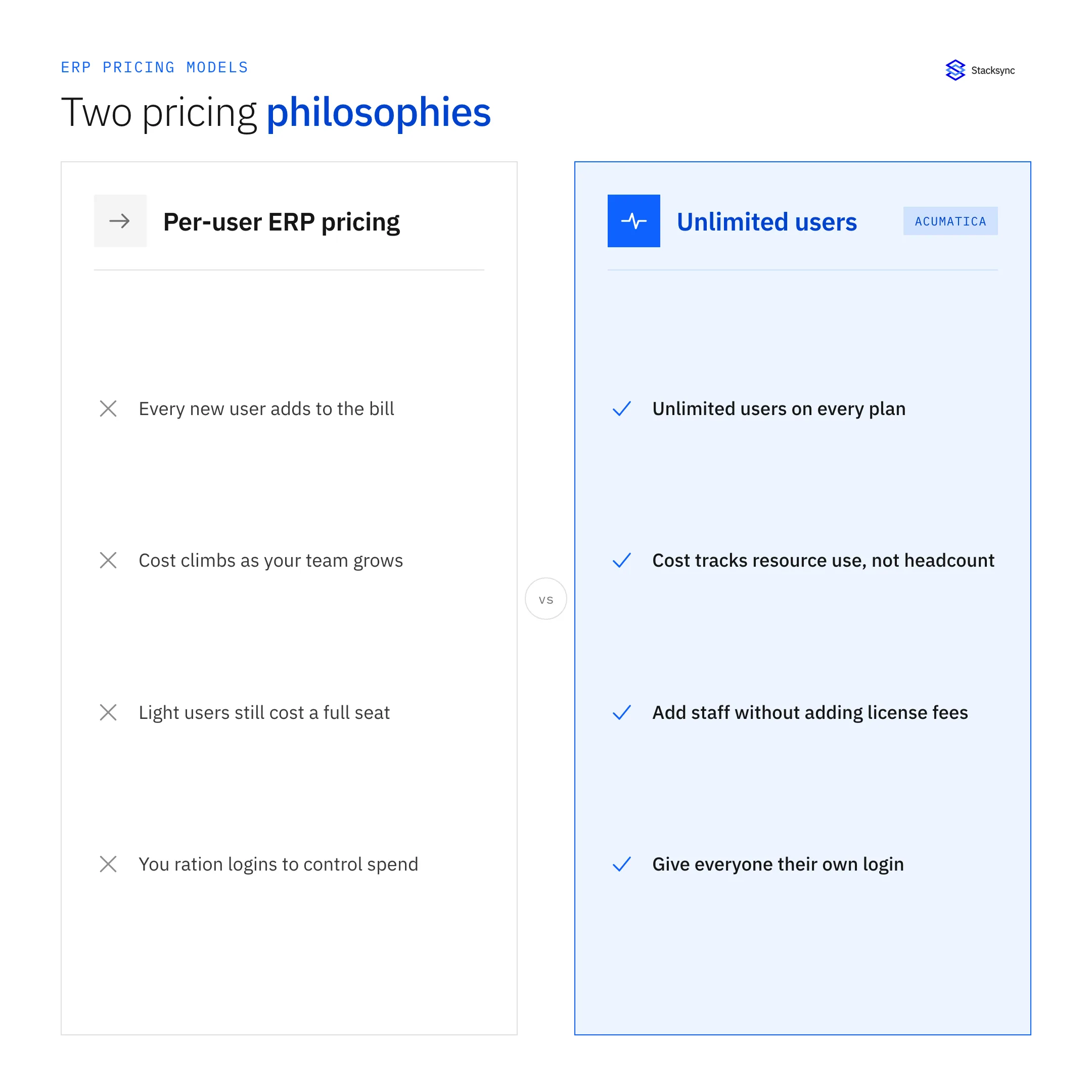
Most ERP platforms, including NetSuite and many Microsoft Dynamics plans, charge per named user, so adding staff to the system raises the bill every time. Acumatica does not. Every subscription includes unlimited user accounts, so you can give warehouse staff, field technicians, finance, and external partners their own logins without a per-seat penalty.
This changes the math for companies with many light or occasional users. If you have fifty employees who each need to touch the ERP a few times a week, a per-user platform can cost far more than Acumatica for the same headcount. It is one reason direct price comparisons are hard: the pricing model is fundamentally different, so you have to compare total annual cost for your specific user and transaction profile, not a per-user rate.
SaaS, private cloud, or perpetual license
Your deployment choice affects both the price and how you pay it.
SaaS subscription: Acumatica hosts the software on its cloud, and you pay a recurring annual fee that bundles hosting, maintenance, and upgrades. Lowest upfront cost and the most common choice.
Private cloud subscription: you run Acumatica on your own infrastructure or a hosting provider of your choice, paying an annual subscription for the license while controlling the environment.
Perpetual license: you buy the license outright with a larger upfront payment, then pay annual maintenance for support and updates. Higher initial cost, potentially lower over a long horizon.
SaaS shifts cost into a predictable operating expense, while a perpetual license front-loads it as a capital purchase. Which one is cheaper depends on your time horizon and whether you want to manage hosting yourself.
What actually drives an Acumatica quote
When a reseller builds your quote, these are the factors they weigh. Understanding each one helps you see where the number comes from and where you can control it.
Resellers earn part of that margin by adding implementation and support. How value-added resellers make money in software explains where the quote comes from on their side.
| Factor | What it is | Effect on price |
|---|---|---|
| Edition / suite | The industry edition you license: General Business, Distribution, Manufacturing, Construction, or Retail-Commerce. | Higher for heavier editions. Manufacturing and Construction sit above General Business. |
| Transaction volume / resource consumption | The workload you push through the system, measured as computing resource use rather than user count. | Rises as you move up resource tiers. High-volume operations pay more. |
| Deployment model | SaaS subscription, private cloud subscription, or perpetual license. | SaaS lowers upfront cost. Perpetual front-loads it. Private cloud shifts hosting to you. |
| Implementation / VAR services | Setup, configuration, data migration, training, and customization delivered by your reseller. | Often a large one-time cost, sometimes matching or exceeding first-year software. |
| Add-on modules | Extra applications such as advanced financials, field service, payroll, or third-party ISV products. | Each module added increases the recurring subscription. |
| Integrations | Connecting Acumatica to your CRM, ecommerce, or database, and keeping the data in sync. | Ongoing cost in tooling and maintenance. Underestimating it inflates real total cost of ownership. |

How to estimate your Acumatica cost
You cannot self-serve a price, but you can walk into the reseller conversation with a realistic budget by working through these steps.
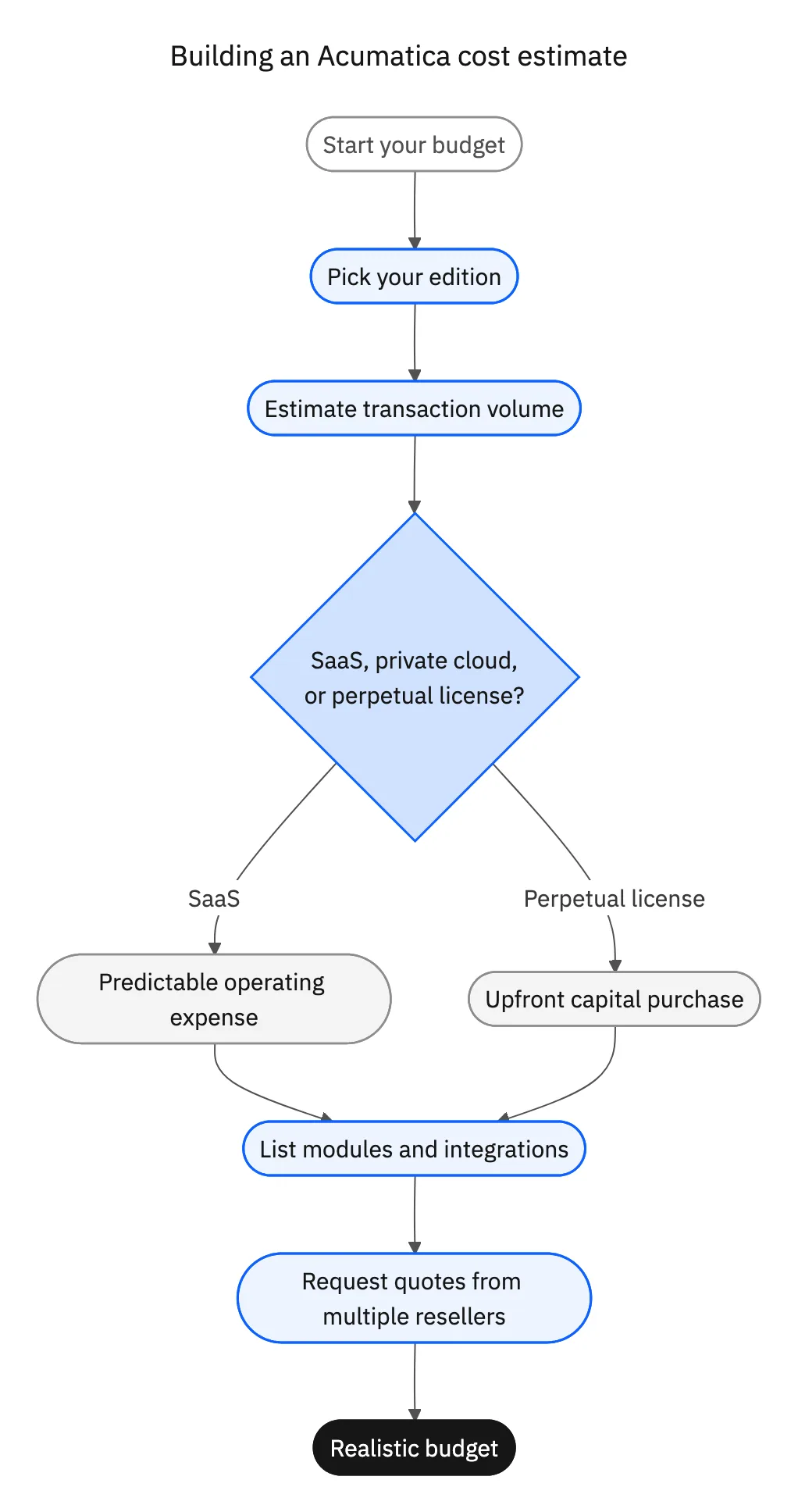
- 01Pick your editionMatch your industry to General Business, Distribution, Manufacturing, Construction, or Retail-Commerce. This sets your baseline scope and price band.
- 02Estimate transaction volumeCount the sales orders, invoices, and other core transactions you process monthly, and project 12 to 24 months of growth so you land in the right resource tier.
- 03Choose a deployment modelDecide between SaaS, private cloud, or perpetual license based on your cash-flow preference and whether you want to manage hosting yourself.
- 04List required modules and integrationsWrite down every add-on module and every system Acumatica must connect to. These line items are easy to forget and add up quickly.
- 05Request quotes from more than one resellerBecause resellers price and bundle services differently, comparing two or three quotes for the same requirements protects you from overpaying on implementation.
Quotes climb fastest when scope expands after signing. Heavy customization, unplanned add-on modules, large data-migration efforts, and integrations built as one-off custom code are the usual culprits. Locking down requirements before you sign keeps the number honest.
Total cost of ownership, including sync
The subscription is only part of what Acumatica costs to run. A realistic total cost of ownership includes implementation and training, add-on modules, any perpetual-license maintenance, and the ongoing work of keeping Acumatica connected to the rest of your stack. That last item is routinely underestimated.
Most companies do not run Acumatica alone. It sits alongside a CRM, an ecommerce platform, a data warehouse, and other tools, and those systems have to agree on the same customers, orders, and inventory. If that connection is batch-based or hand-built, you pay for it twice: once to build it, and again every time it breaks or drifts out of date. Real-time two-way sync keeps records consistent in both directions without manual reconciliation, which turns integration from a recurring fire drill into a fixed line item.
Stacksync provides a real-time Acumatica connector that syncs data both ways with your CRM, ERP, and databases, including common pairings like Acumatica and NetSuite. Folding a reliable sync layer into your budget from the start gives you a truer picture of what Acumatica will cost over three to five years than the subscription line alone.
Ready to factor integration into your Acumatica budget the right way? Book a demo to see real-time two-way sync applied to your own CRM, ERP, and database records.

FAQ
Frequently asked questions










Related articles





