Two-Way Sync Error Handling: Retries and Replay
Design recoverable two-way sync: classify failures, prevent duplicate effects, distinguish retry from replay, and reconcile records after an outage.
- Author
- Ignacio Malpartida · GTM Engineer
- Published
- Updated
- Read time
- 8 min read

A retry is safe only when you know what it repeats
Reliable two-way sync error handling separates temporary delivery failures from invalid records, preserves record identity during retries, and checks the destination after recovery. Retry, replay, and reconciliation are different operations: a retry attempts delivery again, replay processes historical changes, and reconciliation compares the current states to find differences.
The distinction matters when a CRM update reaches an ERP but the acknowledgment is lost. Retrying a blind create may produce a second customer. Replaying an old value may overwrite a later correction. Marking the error resolved without checking the target may hide a broken business workflow.
This guide explains the architectural choices and a practical recovery procedure. The generic patterns describe requirements you should verify in any integration. The Stacksync section identifies the behavior documented for its Issues dashboard without assuming it is an event-history replay service.
Classify the failure before deciding to retry
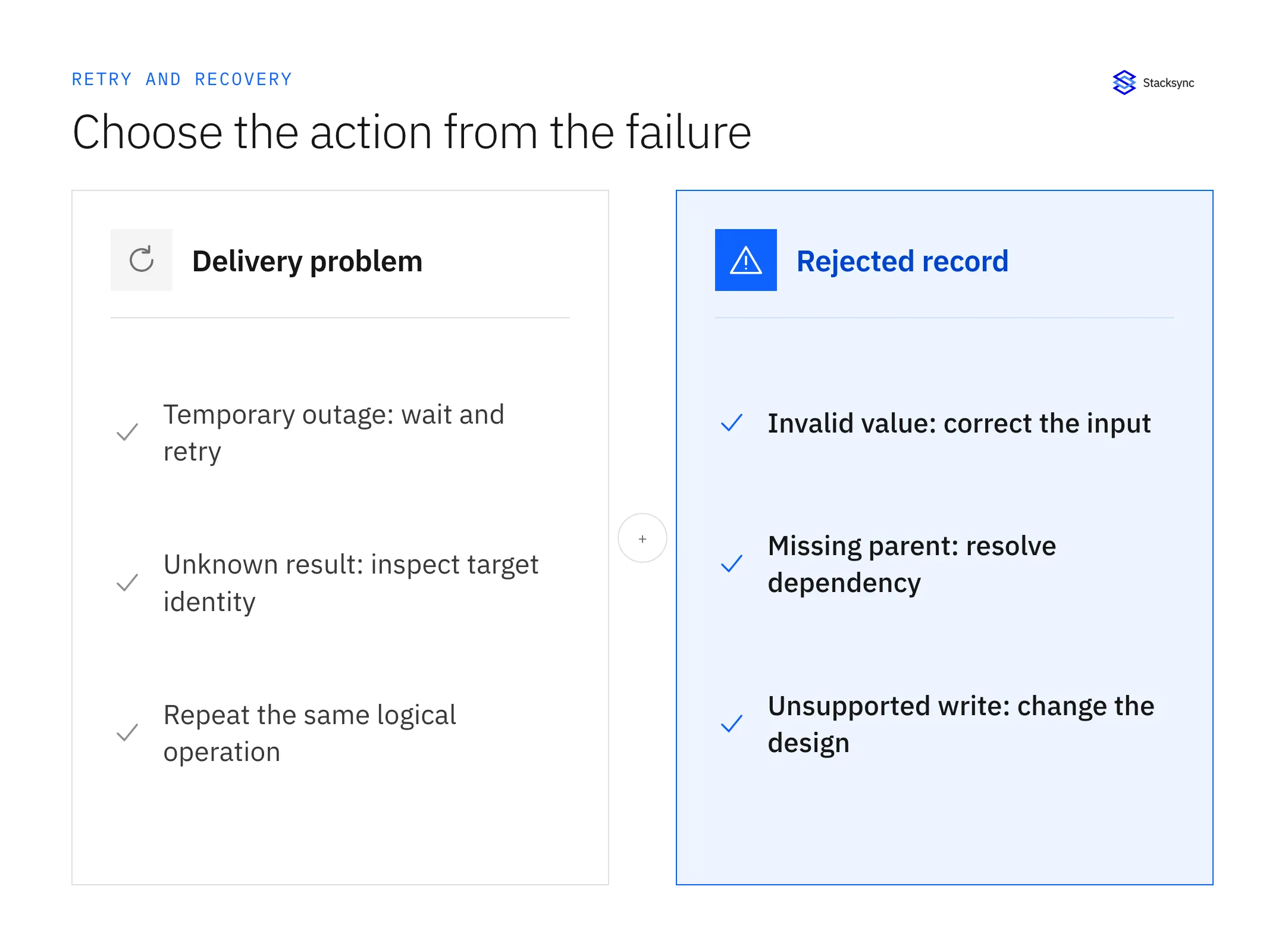
An HTTP error alone rarely explains the business outcome. Combine the status with the endpoint’s response, the record identity, and what happened at the destination. A timeout is ambiguous: the target may have committed the write before the response was lost.
| Failure | First action | When to try again |
|---|---|---|
| Rate limit or temporary service outage | Respect the provider’s retry guidance; reduce pressure | After the advised wait, within a bounded retry budget |
| Network timeout after sending a write | Look up the operation or record by its stable identity | When duplicate effects are prevented or the prior result is known |
| Missing permission or expired authorization | Repair the connection or access policy | After the intended identity passes an access test |
| Invalid enum, type or required field | Correct the data or mapping | After a representative record passes validation |
| Missing parent relationship | Resolve the parent identity and creation order | After the dependency is available |
| Unsupported write or immutable field | Change the scope or design | Only after the destination supports the intended operation |
Avoid repeatedly sending a value that a validation rule will always reject. Retrying such a record consumes capacity and delays healthy records. Preserve the error context in a visible exception queue and assign an owner who can decide whether to correct the data, alter the mapping, or intentionally exclude the field.
Prevent duplicate business effects
Idempotency means repeating the same logical operation does not add another effect. For a sync, stable record matching is necessary, but it is not always sufficient. Updating a contact twice may be harmless while firing an automation twice can create two orders or send two messages.
Use a stable operation identifier when the receiving API supports one. Keep that identifier unchanged across attempts for the same operation; use a different identifier for a genuinely new action. Record the source entity, logical operation, target identity, and known result so that recovery can answer “did this already happen?” AWS’s idempotent API guidance explains why caller-provided request identifiers help make retries safe.
Do not deduplicate all changes to a record using the record ID alone. A second legitimate update has the same record ID but different intent. Conversely, do not generate a new random operation ID every time the same request is retried. Test both cases: repeat the same update, then make a new update to the same entity.
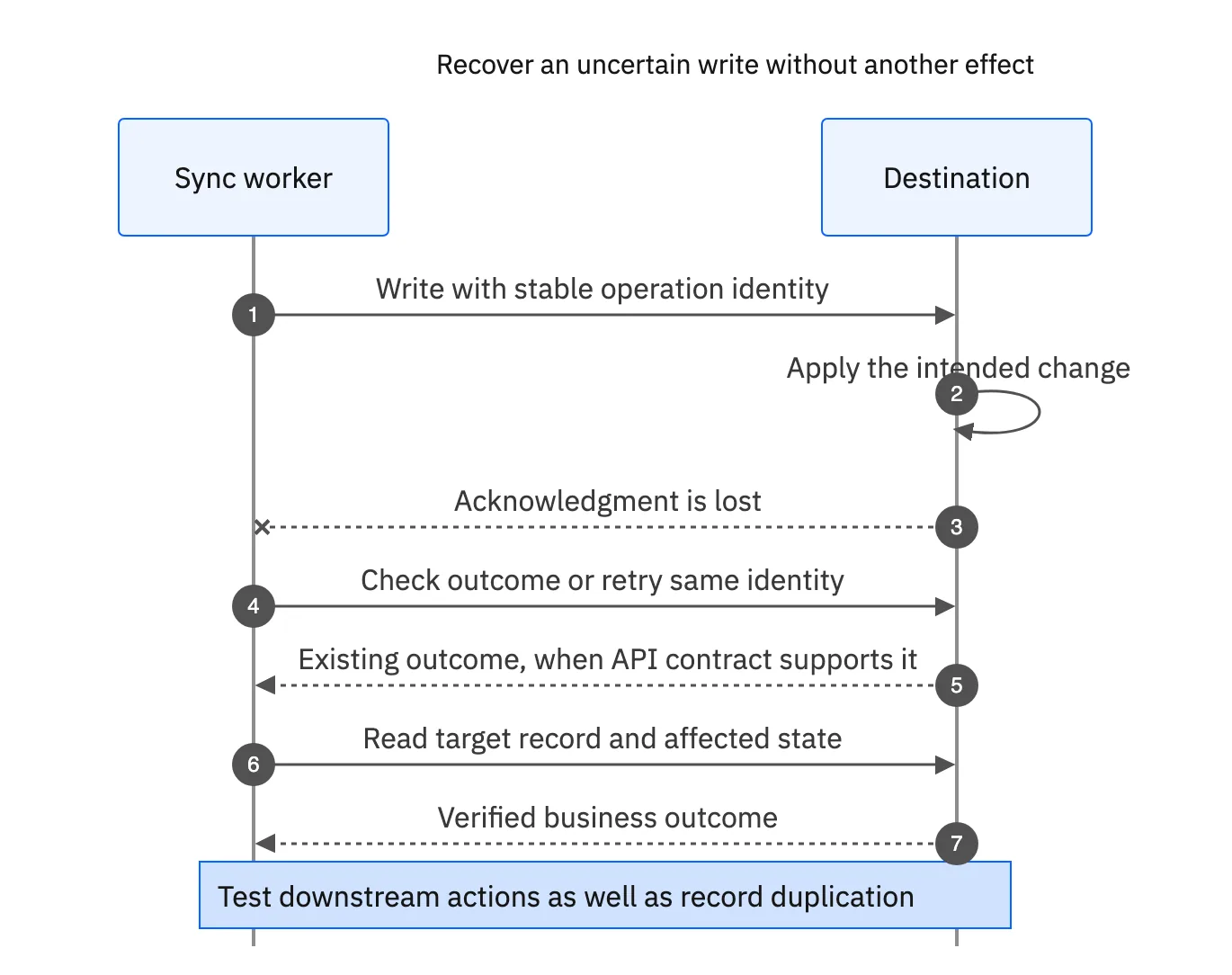
A destination upsert can prevent a second record when its unique key is correct; it does not automatically prevent downstream side effects. Include destination workflows, triggers, notifications, and financial actions in your duplicate test. Document what is protected by the sync layer and what requires protection in the receiving application.
Bound retries so an outage does not become overload
Choose timeouts, a maximum retry budget, and increasing delays with jitter. Jitter spreads retries over time so many blocked records do not hit a recovering API together. Honor a valid Retry-After instruction when provided, and coordinate retries with the connector’s quota and concurrent requests.
Retry at one owned layer where possible. If a client, worker, and workflow each repeat a call, their attempts can multiply. AWS’s retry-control guidance recommends limiting retry pressure and verifying idempotency. Your acceptance test should include a sustained outage, not just a single artificial error.
- Measure both new traffic and backlog traffic against the same destination limits.
- Keep retries for one rejected record from starving unrelated healthy records.
- Escalate when retry age exceeds the workflow’s freshness target.
- Record the last error and next action; a retry counter alone is insufficient.
- Require a deliberate decision before retrying a non-idempotent create with an unknown result.
There is no universal retry count that makes every connector reliable. A short-lived rate limit and a missing administrator permission need different responses. Tune the policy to the endpoint, the recovery objective, and the cost of repeating the business action.
Distinguish historical replay from current-state repair
Historical replay requires the original change, a retained history, and a policy for ordering it against newer changes. Current-state repair reads what the source says now and attempts to bring the destination into agreement. Both can be useful; they solve different problems.
| Operation | Input | Main risk to test |
|---|---|---|
| Retry the original event | The original operation and payload | Duplicate effects or an expired idempotency window |
| Replay retained history | A selected historical sequence | Old events overwriting newer state or recreating deleted entities |
| Repair from current source | The latest authoritative value | Losing an intermediate transition required by a business process |
| Reconcile current state | Both systems’ current keys and values | Mistaking intentional differences or filtered records for errors |
For example, a shipment may move from packed to shipped to delivered during an outage. A customer-facing status field may only need “delivered.” A billing workflow that must act on the “shipped” transition may require preserved event history. Decide which contract applies before choosing a recovery action.
Keep replay scope narrow: select the time window, entities, mapping version, and expected target state. Test a small representative set before expanding. A successful replay job is not proof of correctness; compare affected record identities and critical values afterward.
What the Stacksync Issues dashboard does
The Issues dashboard documentation describes three actions. Retry to sync reads the source record’s latest values and attempts the write again. Revert change reads the corresponding destination values and writes them back to the source. Ignore issue removes the issue from the dashboard and can leave different values in the two systems. Bulk resolution is also documented.
That retry behavior is current-state repair, so do not assume it reproduces an older event payload. Before choosing an action, inspect both records and confirm which value the business wants to keep. Reverting is an additional write, not merely dismissing an alert.
After resolving the immediate issue, check dependent records and the original business outcome. A contact may now be current while its company association or a downstream workflow still needs attention. Use the dashboard together with explicit reconciliation, rather than treating the absence of visible issues as an end-to-end proof.

Apply this in commercial flooring and interior installation: item and unit and lot or batch reference
Flooring material allocations make retry behavior observable: replaying a record must not reserve the same material twice or hide a damaged delivery. Use the allocation and shortage guides to connect technical recovery to a verified project, lot, and quantity outcome.
| Record to reconcile | Responsible owner | Rule to preserve |
|---|---|---|
| Item and unit | Inventory administration | Keep SKU identity and package-to-area conversion explicit. |
| Lot or batch reference | Warehouse | Preserve the recorded lot evidence and condition for the selected material. |
| Project allocation | Inventory owner | Record the approved quantity and lot committed to a specific phase. |
An exception to plan for: Quantity is sufficient but lot mix is unsuitable. Route the finish-continuity decision to the project owner instead of declaring automatic readiness. Acceptance check for the pilot: every planning quantity shows a unit and location.
The commercial flooring and interior installation hub connects the broader operating context. These guides develop the specific record mappings and decisions for this application:
A recovery procedure your team can rehearse
- 01Identify the affected system, objects, first failure time, stable record IDs, and current business impact.
- 02Classify the failure and determine whether the destination may already have applied the operation.
- 03Choose the authoritative state and the intended recovery method: retry, current-state repair, historical replay, or reconciliation.
- 04Fix the underlying permission, validation, dependency, capacity, or mapping problem.
- 05Test one representative record and inspect both systems plus downstream side effects.
- 06Process a bounded batch while watching destination pressure and unresolved issue age.
- 07Reconcile affected identities, values, relationships, and business totals. Record exceptions and owners.
- 08Close the incident only after the outcome is verified; add the failure to the release test set.
Download this recovery runbook. Pair it with the production-readiness checklist and field mapping workbook. For a concrete connector review, bring a failing-record example to a Stacksync demo using test data and the exact write behavior you need to verify.
FAQ
Frequently asked questions










Related articles