






















Resin certificate AI exceptions: handle lot mismatches and corrected documents
When a certificate's lot number disagrees with the receipt, the Genie keeps both values, gathers the correspondence and asks the right owner one bounded question.
- Author
- Ignacio Malpartida · GTM Engineer
- Published
- Read time
- 4 min read

The operating decision
A resin-certificate exception guide should make the uncertainty actionable: identify the receipt, the document claim and the exact mismatch. A Genie can organize evidence and prepare clarification, but it should not infer that a similar grade or nearby delivery date proves lot coverage. Separate unreadable documents, missing identifiers, conflicting versions and rejected evidence. Each category needs a named owner and a controlled path back to the quality review queue.
Explore the complete plastics and molding integration and automation hub for the systems and processes around this guide.
What this looks like in plastics and molding
A supplier sends a certificate that names a resin grade correctly but gives a lot number different from receiving’s record. The difference might be a transcription error, a repacked supplier lot or the wrong attachment. Repeatedly running document extraction will not resolve that business ambiguity. The Genie should retain both values, identify the relevant receipt and supplier correspondence, and ask the authorized owner for a bounded clarification. Until that decision is made, the material’s evidence status stays unresolved.
Records, ownership, and update rules
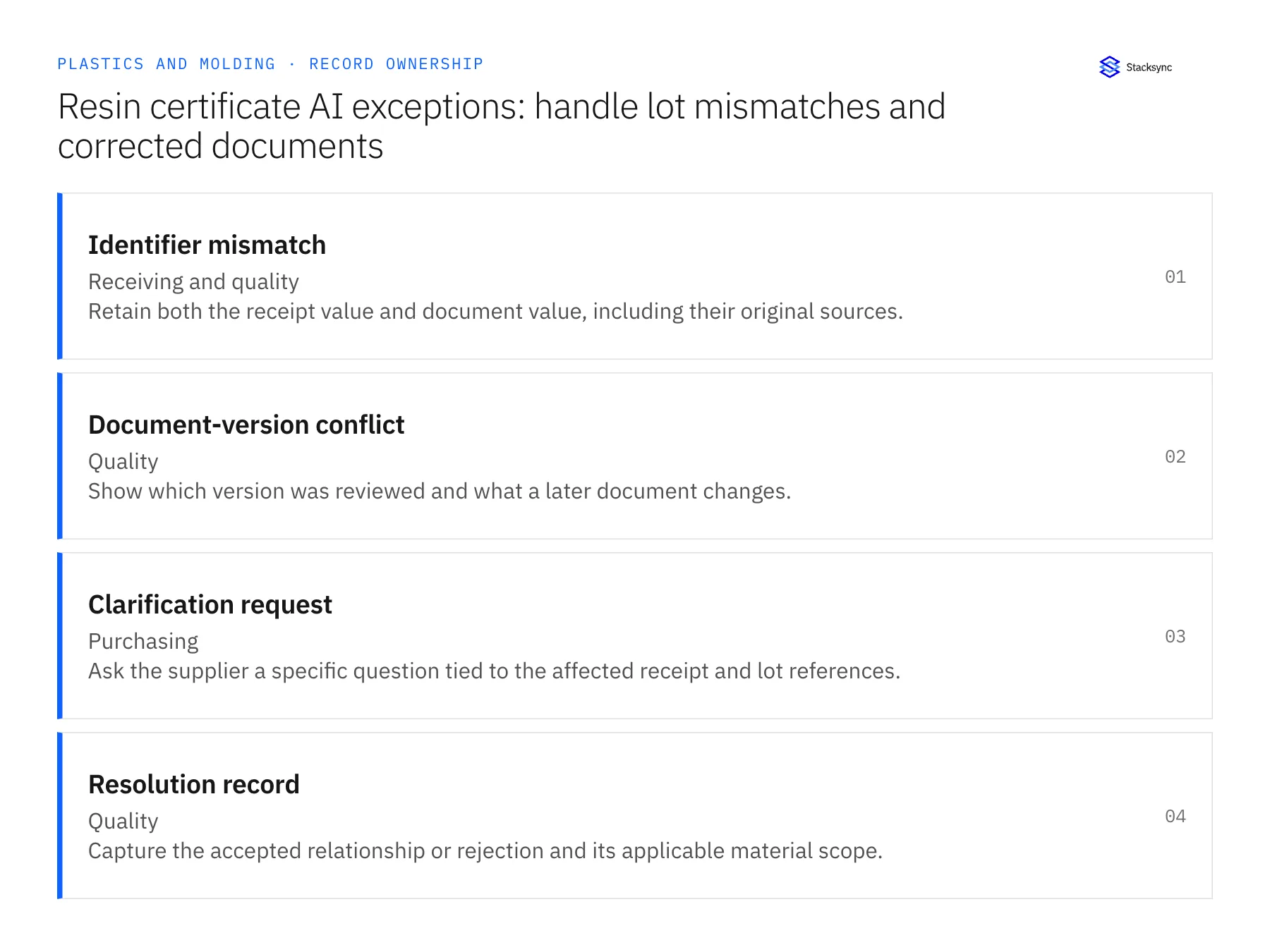
| Record | Owner | Operating rule |
|---|---|---|
| Identifier mismatch | Receiving and quality | Retain both the receipt value and document value, including their original sources. |
| Document-version conflict | Quality | Show which version was reviewed and what a later document changes. |
| Clarification request | Purchasing | Ask the supplier a specific question tied to the affected receipt and lot references. |
| Resolution record | Quality | Capture the accepted relationship or rejection and its applicable material scope. |
Work through the process
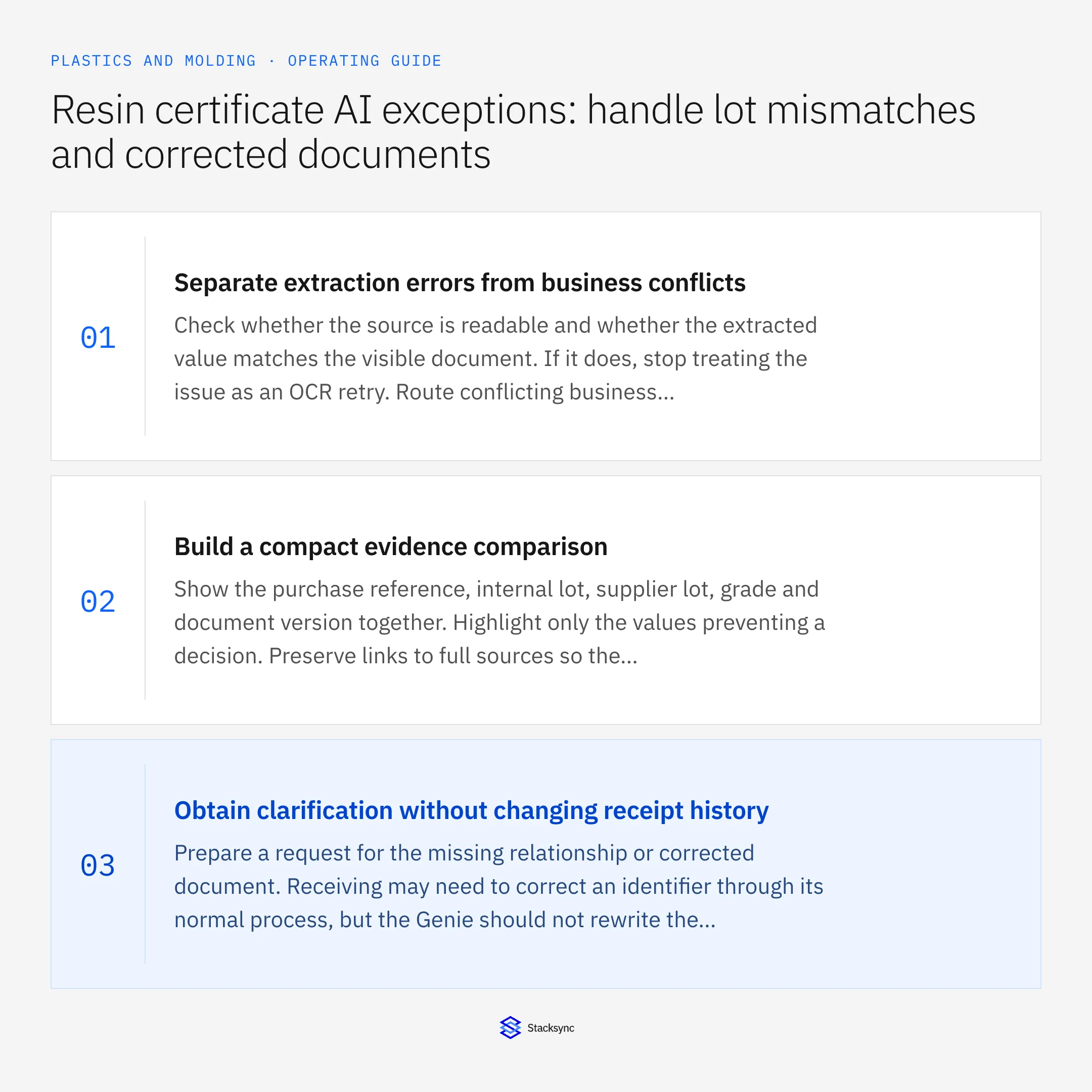
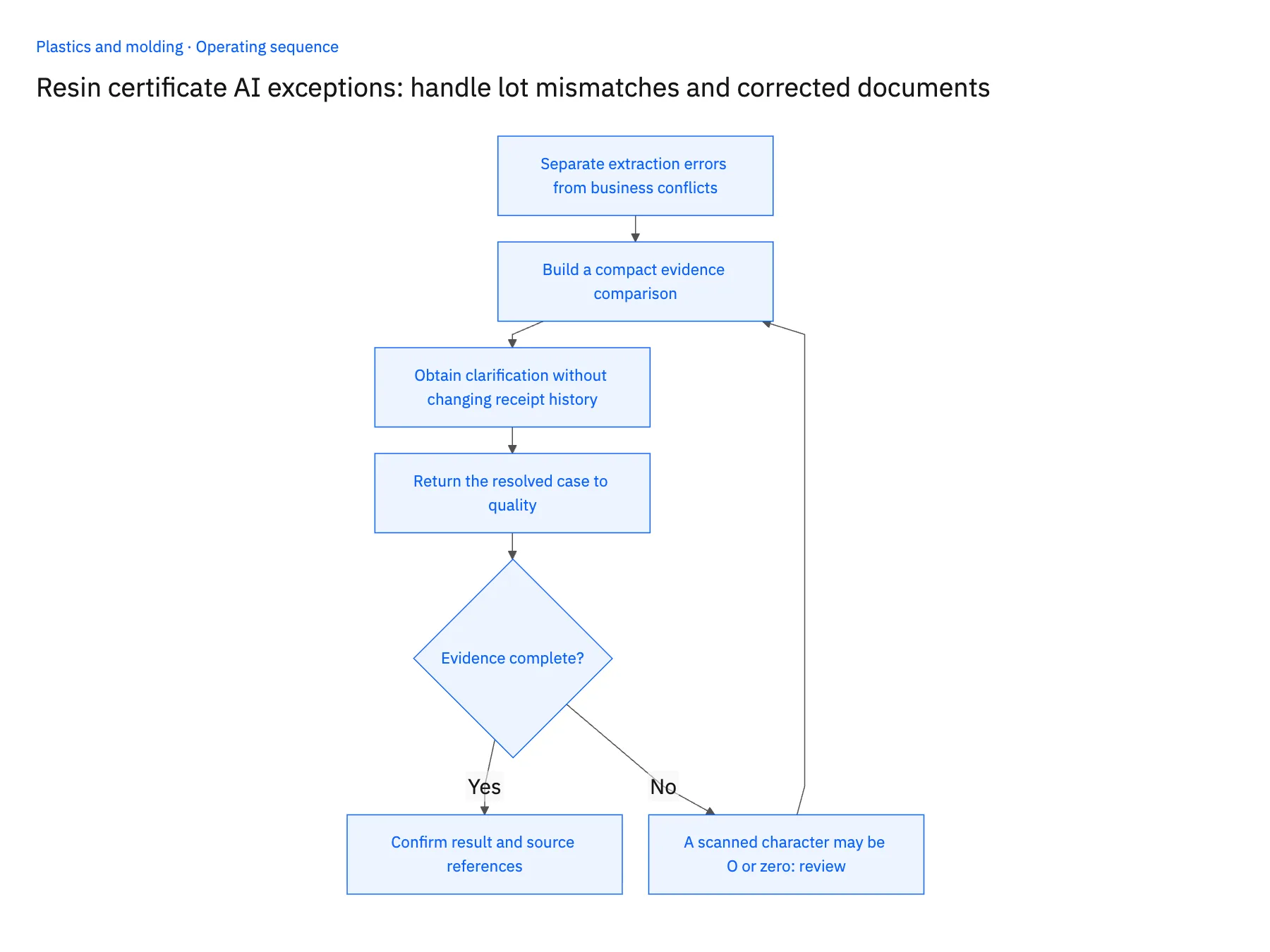
- 01Separate extraction errors from business conflictsCheck whether the source is readable and whether the extracted value matches the visible document. If it does, stop treating the issue as an OCR retry. Route conflicting business identifiers to the owner who can confirm their relationship.
- 02Build a compact evidence comparisonShow the purchase reference, internal lot, supplier lot, grade and document version together. Highlight only the values preventing a decision. Preserve links to full sources so the reviewer can inspect context without searching unrelated records.
- 03Obtain clarification without changing receipt historyPrepare a request for the missing relationship or corrected document. Receiving may need to correct an identifier through its normal process, but the Genie should not rewrite the recorded receipt merely to make it agree with the certificate.
- 04Return the resolved case to qualityRecord the reviewer’s decision and applicable scope, then update the evidence relationship through the permitted process. Keep rejected candidates and superseded versions available for explanation. If material disposition must change, route that as a separate quality action.
Handle the exceptions explicitly
A scanned character may be O or zero
Show the image context and ask for confirmation when the distinction affects identity. Do not normalize it silently.
The supplier says the lots are equivalent
Retain the statement and let quality decide whether it is adequate evidence under the process.
The corrected document changes more than the lot number
Highlight all material differences and require a new review rather than accepting the file as a clerical replacement.
What to verify before expanding
- A conflict retains both original identifier values until an approved correction.
- The reviewer can identify whether the problem is readability, missing evidence or contradictory evidence.
- Supplier clarification remains linked to the exact receipt case.
- Resolving a document match cannot silently release held material.

Connect this process to the rest of your operation
Explore Stacksync AI agents (Genies) and scope the records and actions against your actual systems. Book a demo with a real identifier mismatch example and the exception your team handles most often, for example A scanned character may be O or zero.
- AI resin-certificate collection for plastics manufacturers
- AI agents for plastics manufacturers: collect resin certificates for quality review
- Plastics manufacturing EDI: distinguish blanket orders, releases and pack quantities
- Plastics manufacturing: connect Salesforce tooling quotes and NetSuite production orders
- Design Reliable Sync: Ditch Exactly-Once Delivery, Embrace Idempotency
- How to Sync Data Between Applications with Reliable Two-Way Sync
The shared architecture guide covers record matching, ownership, and recovery across systems.
Technical references
FAQ
Frequently asked questions










Related articles






