






















Top Dynamics 365 Integration Tools for Real-Time Sync
Compare the best tools for syncing Dynamics 365 with Salesforce, HubSpot, NetSuite and databases: real-time two-way sync and what to look for.
- Author
- Ruben Burdin · Founder & CEO
- Published
- November 5, 2025
- Read time
- 8 min read

Today business landscape, Microsoft Dynamics 365 is a central hub for managing customer relationships, sales, and operations. However, its true power is often limited by disconnected data. When critical information is locked away in different applications like your marketing platform, ERP system, or a custom database it leads to inefficiency, inconsistent data, and poor decision-making.
The solution is real-time data synchronization. It ensures that every team has access to the most current and accurate data, no matter which system they are using. This article will explore the best dynamics 365 integration tools designed to make smooth, real-time data flow a reality for your business.
Why Real-Time Sync for Dynamics 365 is a major shift
Connecting your systems isn't just a technical task; it's a strategic move that open up new levels of performance and agility across your entire organization.
- Boosts Operational Efficiency: Real-time synchronization puts an end to manual data entry and reduces the risk of human error. When data is exchanged instantly between systems like your production planning software and Dynamics 365, workflows become smoother, inventory levels stay accurate, and schedules are always optimized.
- Enhances Customer Experience: A complete, unified view of customer data allows your sales, marketing, and support teams to provide a consistent and personalized experience. For instance, when marketing activities in a tool like HubSpot are immediately reflected in your Dynamics 365 sales CRM, your communication becomes more relevant and effective.
- help Data-Driven Decision-Making: Leaders can make confident strategic decisions only when they have access to up-to-the-minute information. Real-time sync ensures that reports and dashboards in tools like Power BI show the current state of your business, not what it looked like hours or even days ago.
- Gives a Competitive Edge: In a fast-moving market, businesses that can react quickly to customer needs and operational changes will always outperform their competitors. The right real-time sync tools give your business a competitive edge by making your operations more agile.
Key Features of Top-Tier Dynamics 365 Integration Tools
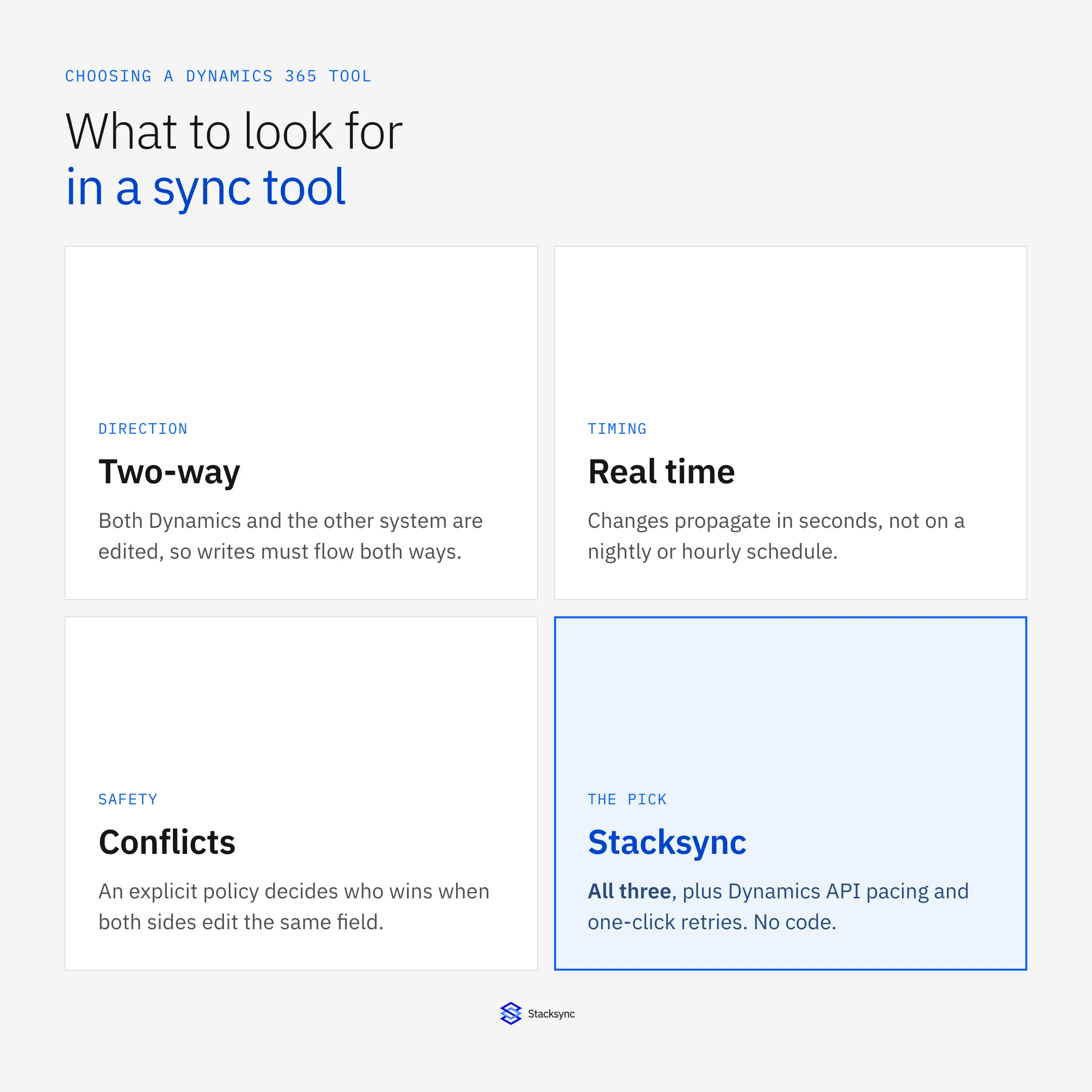
Not all integration tools are created equal. When evaluating solutions for critical data that directly impacts your operations, these features are essential.
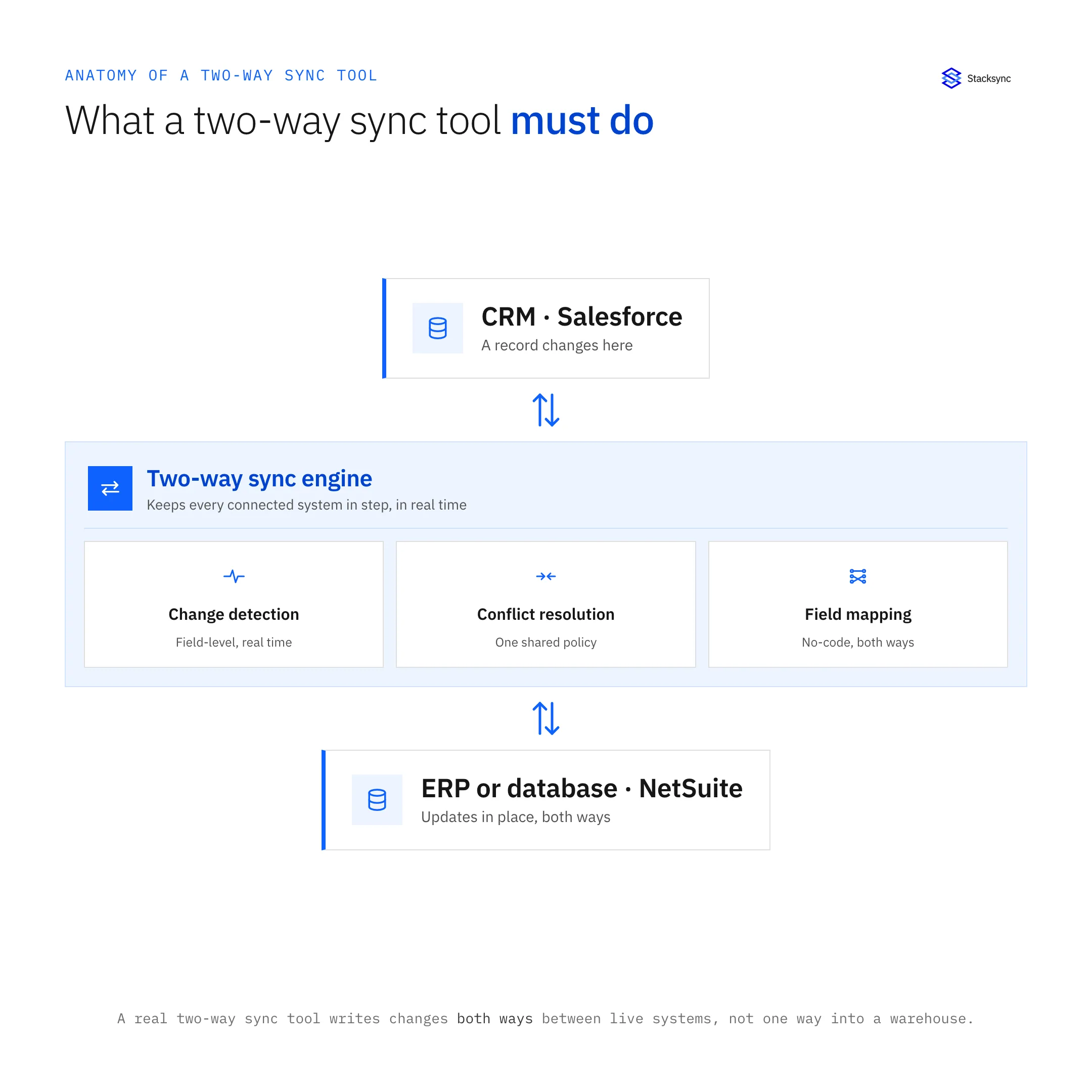
- Real-Time, Two-Way Sync: The best tools don't just push data in one direction. They enable true bidirectional synchronization, meaning a change in one system is reflected across all connected platforms in milliseconds. This is the only way to guarantee data consistency.
- Scalability and Performance: The tool must handle millions of records from day one without performance degradation. Look for platforms engineered for scale with features like smart API rate limit management, which prevents your connections from being throttled by the apps you're syncing.
- No-Code/Low-Code Setup: Platforms that allow you to configure complex integrations without writing code are invaluable. This approach saves significant engineering time and help business and data teams to manage their own data flows.
- Advanced Error Handling and Monitoring: You need absolute trust in your data. A reliable tool includes a sync issue management dashboard that provides alerts on failures and allows for one-click retries or reverts, preventing silent data loss and corruption.
- Reliable Security and Compliance: Protecting your data is paramount. Look for tools with enterprise-grade security features like SOC 2 compliance, GDPR, SSO, and secure connection options like OAuth or SSH tunneling. This ensures your data remains protected both in transit and at rest.
- Flexibility and Extensibility: Your business processes are unique, and your tools should adapt. A great integration solution supports both standard and custom objects and fields and offers the ability to trigger custom automated workflows based on data changes.
5 Best Dynamics 365 Integration Tools for Real-Time Sync
Here’s a look at the leading tools available today, each with its own set of strengths and limitations.
1. Stacksync
- Overview: Stacksync is the premier solution for real-time, two-way data synchronization with Dynamics 365. It is built for critical use cases where speed, reliability, and scale are paramount.
Key Differentiators:
- True Real-Time Sync: Stacksync updates data in milliseconds, not in 5- or 15-minute batches. This ensures your teams are always working with live data.
- Two-Way Sync: It offers the most reliable bidirectional sync on the market, with advanced conflict resolution to ensure data is always consistent across every system.
- Scalability: It's engineered to sync millions of records simple without requiring you to manage any complex infrastructure.
- No-Code Setup: You can configure and launch a production-ready Dynamics 365 integration in minutes through an intuitive, self-serve interface.
- Issue Management: It features a dedicated dashboard to monitor sync health, providing transparent logs and alerts to prevent silent failures and maintain data integrity.
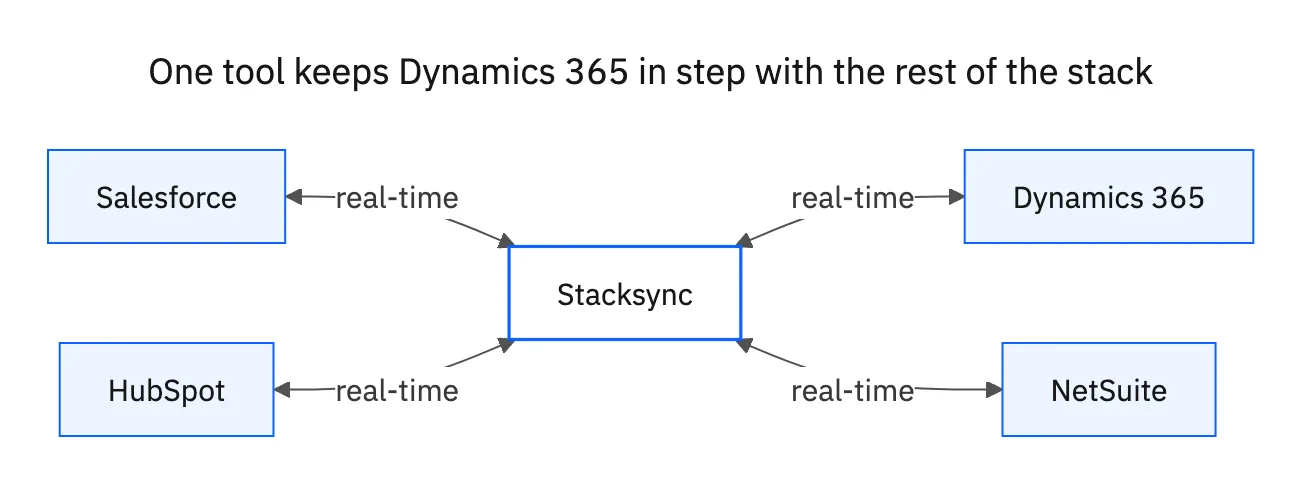
- Use Case Example: Integrating Dynamics 365 with Salesforce, HubSpot, NetSuite, or a PostgreSQL database to create a single, reliable source of truth for all your customer and operational data.
- CTA: Explore our dedicated Microsoft Dynamics 365 two-way sync integration to see how it works.
2. Microsoft Power Automate
- Overview: Power Automate (formerly Microsoft Flow) is Microsoft's native tool for creating automated workflows between its own apps and services.
- Strengths: Its main advantage is its deep integration within the Microsoft ecosystem, including Office 365, Azure, and Dynamics 365. It’s a solid choice for automating tasks between Microsoft products.
- Limitations: While great for workflow automation, it is not built for high-volume, real-time, bidirectional data synchronization. Attempting to use it for complex, two-way sync, especially with non-Microsoft platforms, can result in performance slowdowns, data latency, and consistency issues.
3. Jitterbit
- Overview: Jitterbit is a powerful iPaaS (Integration Platform as a Service) designed to connect a wide range of SaaS, on-premise, and cloud applications.
- Strengths: It combines API integration and data transformation (ETL) features, offering pre-built templates and a visual designer to accelerate integration projects.
- Limitations: Its powerful feature set can come with a steep learning curve and significant implementation costs. Jitterbit may be overly complex and expensive for businesses whose primary need is reliable, real-time, point-to-point data synchronization.
4. Zapier
- Overview: Zapier is one of the most well-known and user-friendly automation tools, famous for connecting thousands of web apps with simple "if-this-then-that" workflows called "Zaps."
- Strengths: It's incredibly easy to use for simple task automation and boasts a massive library of app connectors, making it accessible to non-technical users.
- Limitations: Zapier is not a real-time tool. It operates on polling intervals (checking for new data every 1 to 15 minutes), making it unsuitable for use cases that require instant data updates. It is not designed for complex, high-volume, or two-way data synchronization and lacks the robustness needed for critical operations.
5. MuleSoft Anypoint Platform
- Overview: MuleSoft, a Salesforce company, is an enterprise-grade integration platform built for large organizations with complex, heterogeneous IT environments.
- Strengths: It is exceptionally powerful and flexible, using an API-led approach to connect almost any system, application, or data source.
- Limitations: This power comes at a high price in both cost and complexity. MuleSoft requires specialized developers and significant resources to implement and maintain, making it a fit for large enterprises but often inaccessible and impractical for teams needing a fast, efficient data sync solution.

Choosing the Right Tool for Your Dynamics 365 Integration
The right tool depends on your specific needs, budget, and technical resources. This table offers a side-by-side comparison to help you decide.
| Feature | Stacksync | Power Automate | Jitterbit | Zapier | MuleSoft Anypoint Platform |
|---|---|---|---|---|---|
| Sync Speed | Real-Time (Milliseconds) | Near Real-Time to Polling | Batch & Real-Time | Polling (1–15 min) | Real-Time (with high dev effort) |
| Sync Type | Two-Way | Primarily One-Way | One-Way & Two-Way | One-Way (Trigger-based) | One-Way & Two-Way |
| Ease of Use | No-Code | Low-Code | Low-Code / Pro-Code | No-Code | Pro-Code |
| Scalability | High Volume | Low to Medium Volume | Medium to High Volume | Low Volume | Very High Volume |
| Primary Use Case | critical Data Sync | Internal Workflow Automation | Enterprise Application Integration (iPaaS) | Simple Task Automation | API-Led Enterprise Connectivity |
Key Takeaways
Stacksync delivers true real-time, bi-directional synchronization built for high-volume operational data, ideal for critical system syncs without coding.
Power Automate and Zapier simplify internal workflow automation, but rely on polling intervals that introduce sync delays.
Jitterbit offers solid hybrid batch and real-time integration for enterprise teams, while MuleSoft targets complex API-led architectures requiring significant developer effort.
For teams seeking fast, scalable, no-code synchronization across CRMs, ERPs, and SaaS tools, Stacksync provides the most efficient and maintenance-free path.
To find the perfect fit, ask your team these questions:
- What is the business-critical nature of your data? Do you need it in milliseconds or can you wait minutes?
- Are you syncing two systems or creating a complex web of integrations?
- What is your team's technical skill level? Do you have dedicated engineers for this project?
- What is your budget and expected ROI?
Focusing on the best iPaaS and data integration tools for operational efficiency will help you select a solution that truly aligns with your business goals.
Get Started with Real-Time Dynamics 365 Sync
Integrating Dynamics 365 is no longer a luxury it's a necessity for staying competitive. While many tools offer some form of integration, only a dedicated platform like Stacksync provides the true real-time, two-way sync, scalability, and reliability needed for critical operations.
Don't let disconnected data hold your business back. open up the full potential of your tech stack today. Book a demo with a Stacksync engineer and see how you can set up a real-time Dynamics 365 sync in just minutes.

FAQ
Frequently asked questions










Related articles



