






















Introducing the Airtable connector for Stacksync workflows
Stacksync's Airtable connector syncs Airtable with your CRM, ERP, or database in real time, both ways, no code required.
- Author
- Ruben Burdin · Founder & CEO
- Published
- Updated
- Read time
- 3 min read

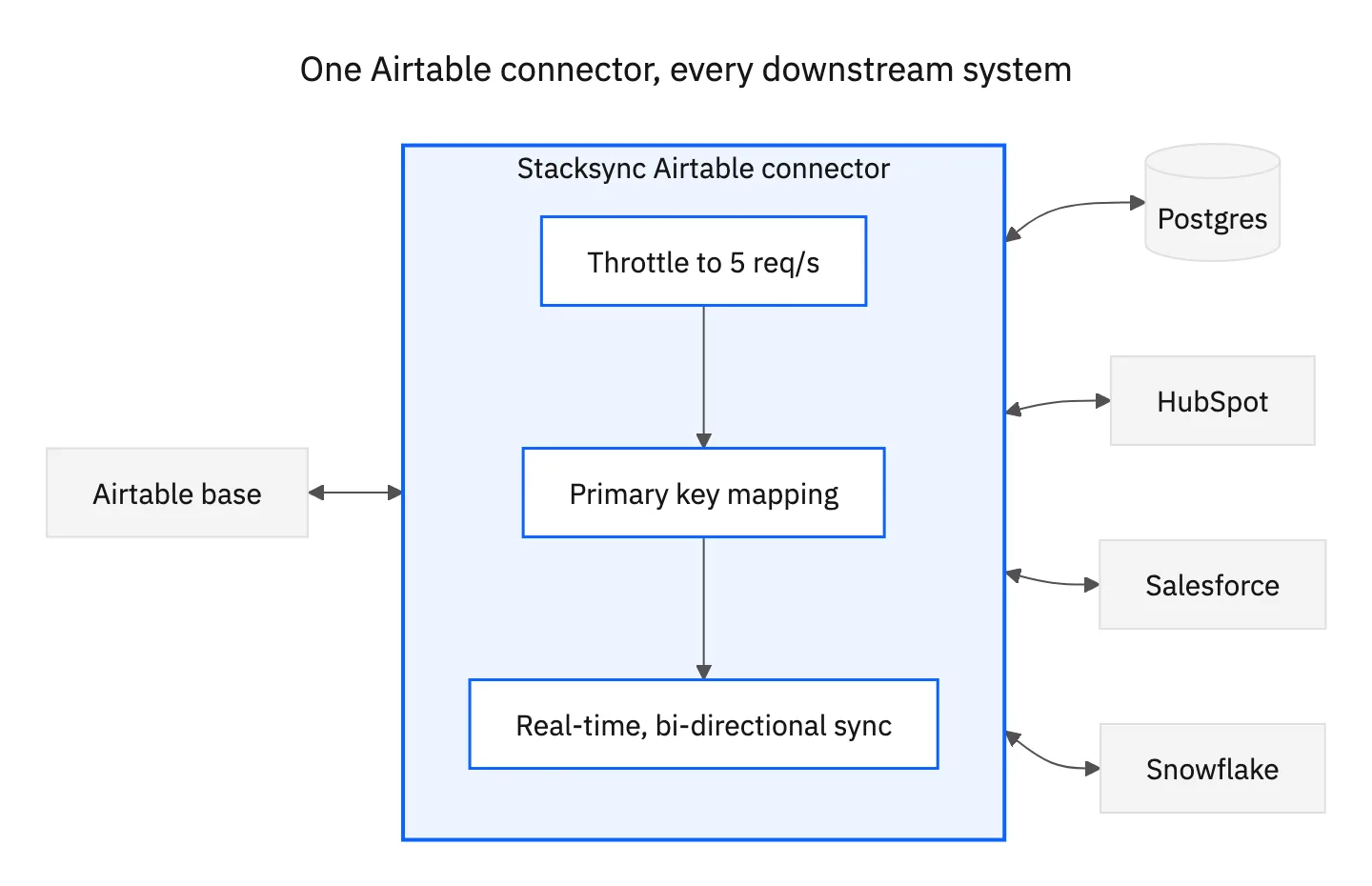
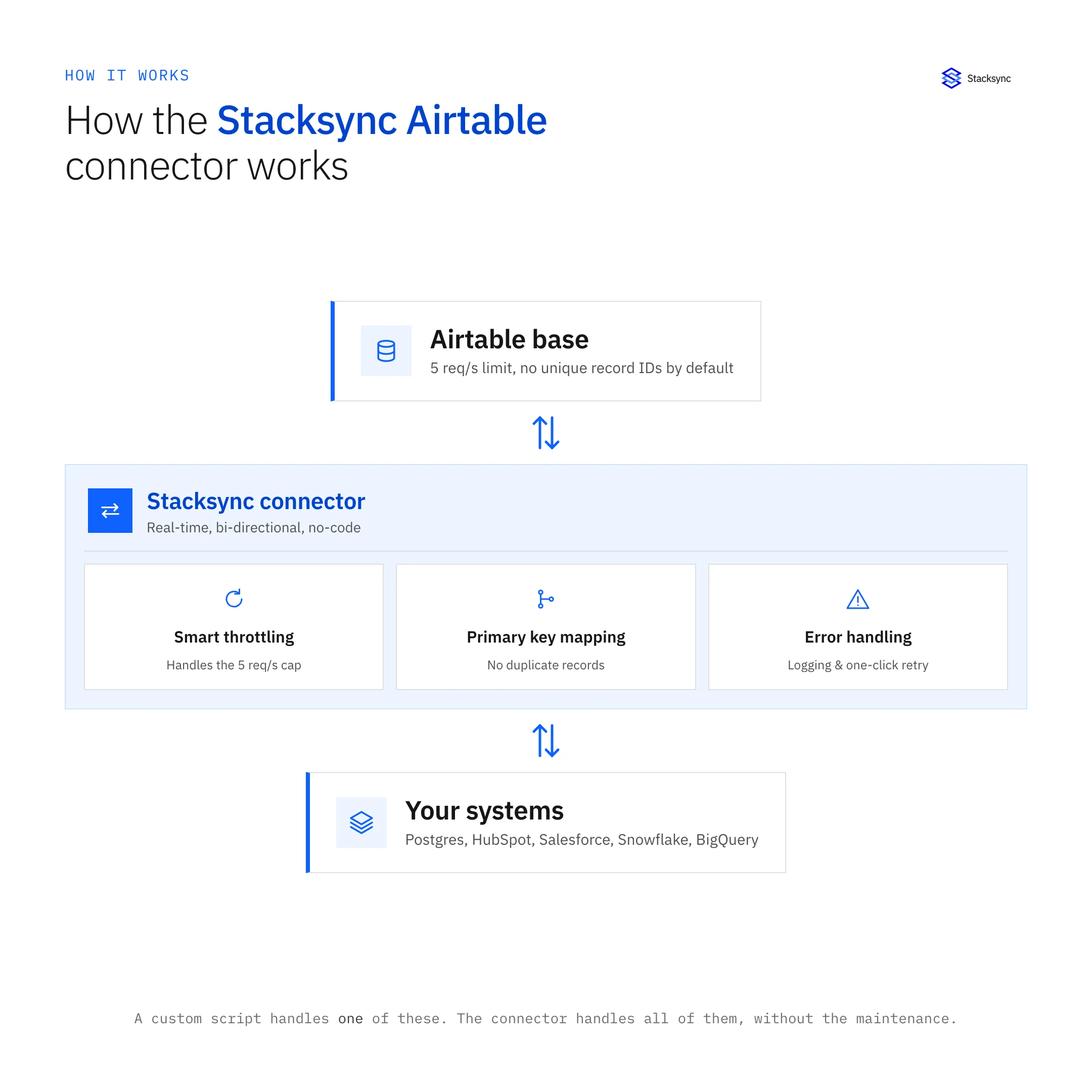
Integrating Airtable with other systems can be challenging for technical teams. Issues like API rate limits, manual primary key mapping, and maintaining real-time data consistency often require custom code and ongoing maintenance. While Airtable is a powerful tool for managing data in a flexible database format, connecting it with other applications, such as Postgres, HubSpot, Salesforce, Snowflake, and BigQuery, can quickly become complex.
That’s why we created the Stacksync Airtable connector, designed to make syncing Airtable data seamless, reliable, and no-code. With our workflow connector, you can achieve real-time data synchronization across systems, reducing the need for manual tasks and ensuring data consistency. Let’s take a look at how it can transform your data workflows.
Addressing Airtable integration challenges with Stacksync
Airtable is popular for its flexible, spreadsheet-like interface combined with the power of a relational database. However, as businesses grow, integrating Airtable into enterprise systems presents significant challenges for developers.
Common integration challenges
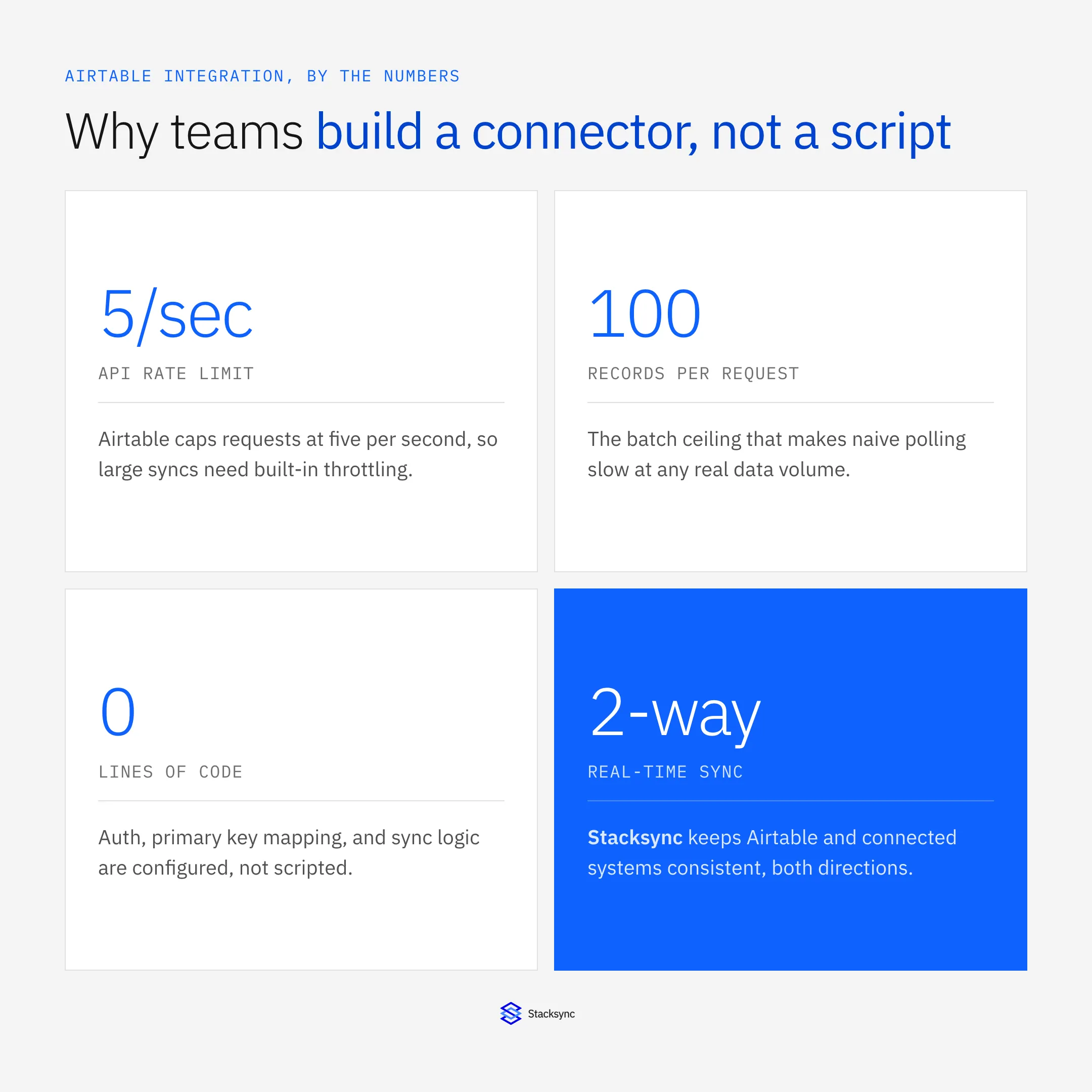
1. API rate limits: Airtable's limit of five requests per second and 100 records per request makes syncing large datasets slow and complex, requiring developers to implement throttling mechanisms.
2. Manual primary key mapping: the lack of unique identifiers in many Airtable bases forces developers to create custom primary key mappings to prevent data duplication and ensure accurate syncing.
3. Real-time data consistency: achieving real-time consistency requires resource-intensive polling or custom webhook solutions, adding latency and complexity.
4. Complex error handling and logging: limited monitoring tools necessitate custom logging frameworks, increasing technical debt and making debugging difficult.
5. Lack of scalability: Airtable struggles with high-volume data workflows, leading to performance issues and requiring significant code rewrites to scale integrations.
The cost of custom integration
Maintaining custom Airtable integrations consumes valuable developer hours, increases resource costs, and poses business risks due to potential data inaccuracies and sync failures.

Introducing Stacksync's Airtable connector
Stacksync offers a solution designed to eliminate these challenges:
- Real-time, bi-directional sync ensures updates are immediately reflected across all connected systems, maintaining data consistency.
- No-code interface allows teams to set up complex workflows without writing code, freeing developers from repetitive integration tasks.
- Robust error handling and monitoring provides comprehensive logging and alerts, giving full visibility into workflows and enabling prompt issue resolution.
- Scalable infrastructure handles syncing thousands of records without performance issues, ideal for connecting Airtable to platforms like Snowflake or Salesforce.
Transforming data workflows
With Stacksync's Airtable connector, companies can unlock the full potential of their data without the burden of custom code maintenance. Teams can focus on gaining insights and automating critical business functions, relying on seamless, accurate, and efficient data syncing.
Get started today to see how Stacksync can transform your data workflows, freeing you from custom integration maintenance and enabling you to innovate more effectively.

FAQ
Frequently asked questions










Related articles






