Heroku Pricing 2026: Connect Plans, Dyno Costs and Savings
Heroku pricing explained tier by tier: Connect plans, Postgres database costs, and dyno sizes, plus where the bill grows fastest and how to bring it down.
- Author
- Ruben Burdin · Founder & CEO
- Published
- Updated
- Read time
- 5 min read

Heroku Connect is a data synchronization service for Salesforce and Heroku Postgres. While it offers a way to integrate Salesforce data into custom applications, heroku pricing 2026 is far from straightforward - the full cost includes Connect plans, Heroku Postgres pricing, and Dyno infrastructure that stack up quickly. This article provides a clear heroku connect pricing breakdown, covering its opaque tiers, numerous potential hidden costs, and technical strategies for achieving significant savings.
Understanding Heroku Connect Pricing in 2026
Heroku Connect operates as a Heroku add-on that enables bi-directional data synchronization between a Salesforce organization and a Heroku Postgres database. This allows developers to build apps on the Heroku platform that can use Salesforce data with the flexibility of SQL [3].
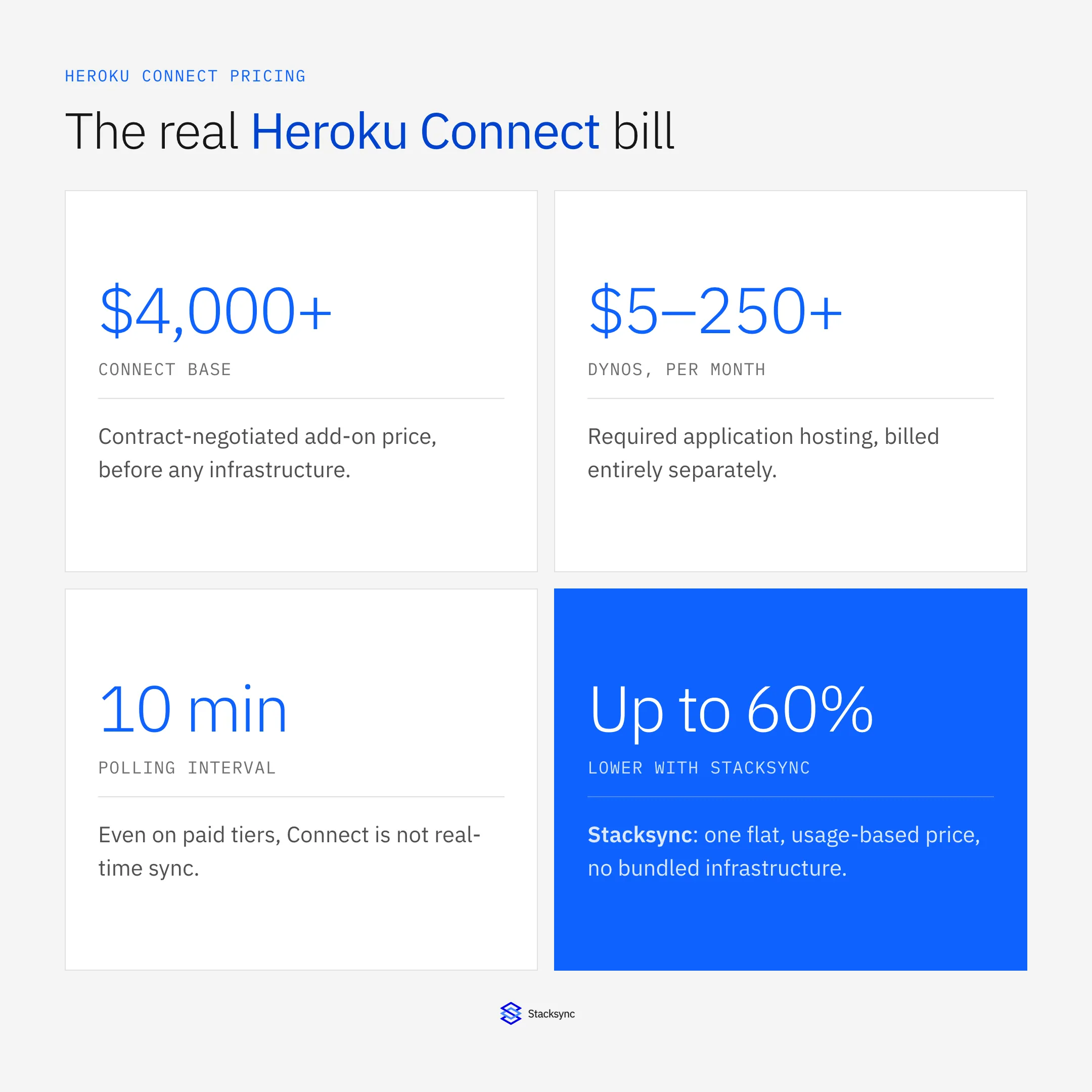
However, a significant challenge for engineering leaders is its pricing opacity. If the bill is what brought you here, compare the Heroku Connect alternatives before renewing. Unlike platforms with transparent tiers, Heroku Connect's costs are not clearly listed and are often bundled into larger, negotiated Salesforce enterprise contracts. This contract-based model means pricing is determined through sales negotiations rather than a straightforward structure, making it difficult to estimate the total cost of ownership upfront [6].
A Detailed Breakdown of Heroku Connect Costs
Base Plan and Tiers
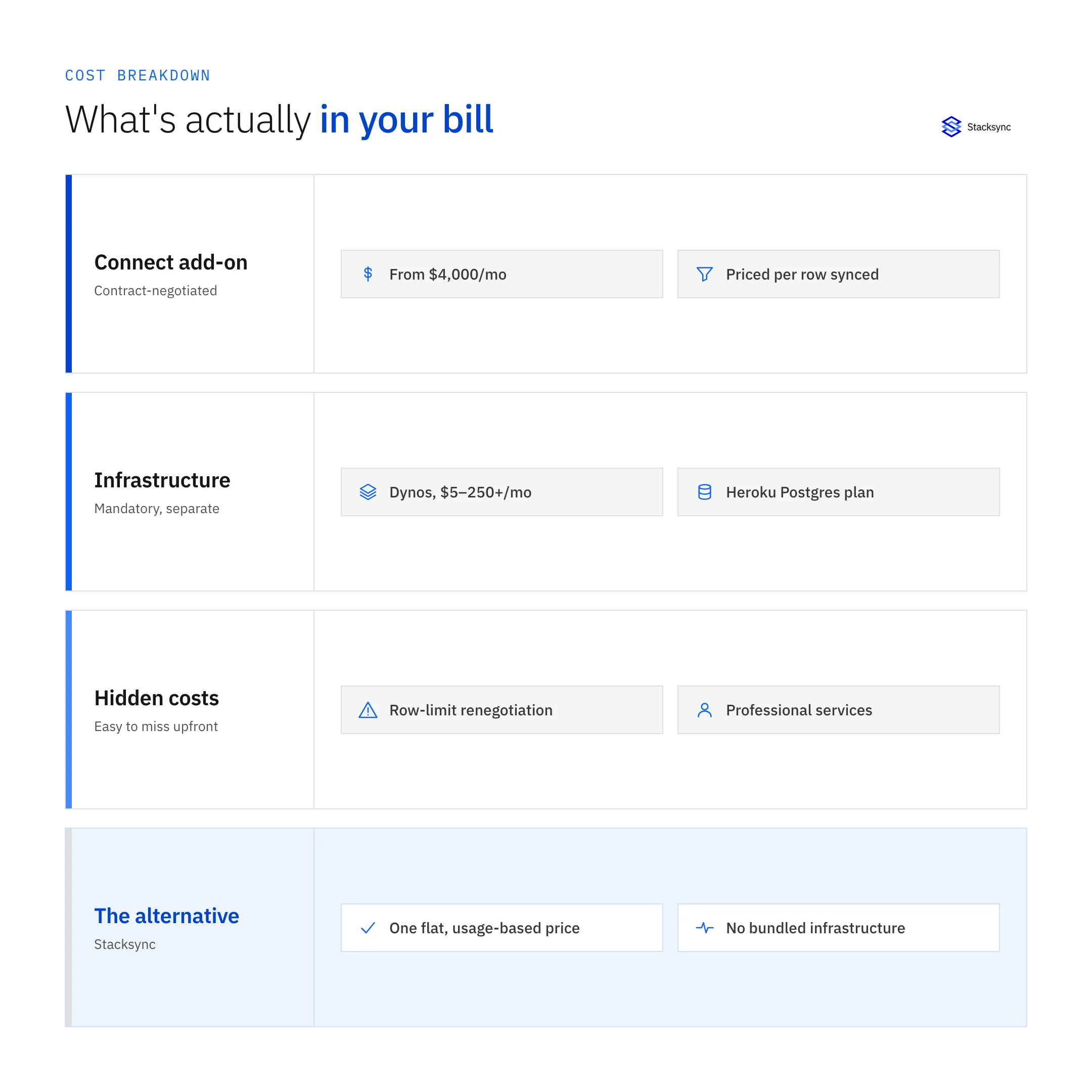
While some documentation may allude to hourly rates, the realistic entry point for bi-directional sync functionality is substantial. Reports indicate that heroku pricing plans 2026 for Connect often start around €4,000 per month, a figure that serves as a significant barrier for many organizations [2]. It is critical to recognize that Heroku Connect is an add-on, and its price is entirely separate from other Heroku services you are required to use [1]. Specific pricing tiers are not publicly available; instead, costs are typically negotiated directly with a Salesforce or Heroku account executive, adding another layer of complexity [7].
The Impact of Data Volume on Pricing
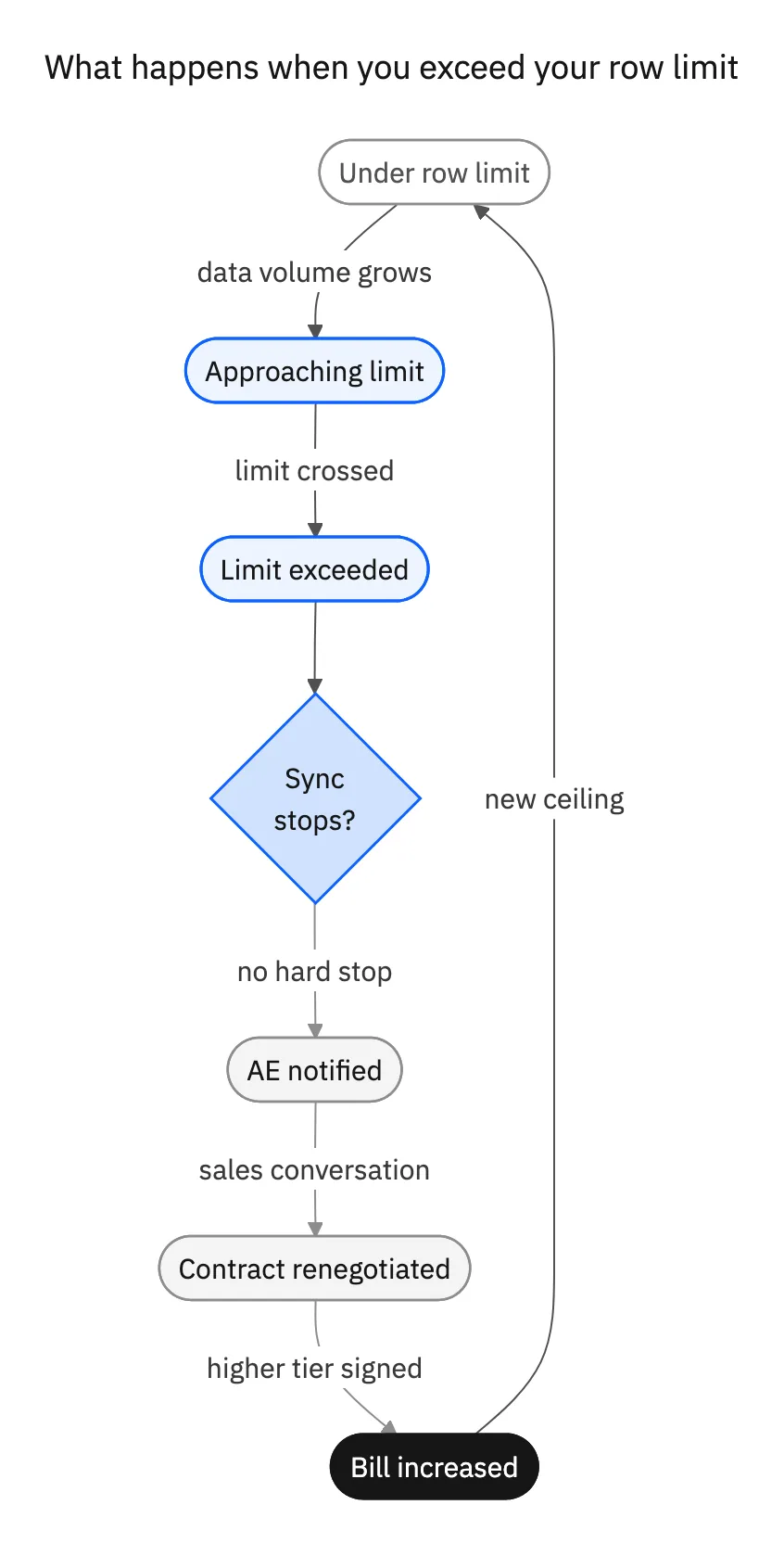
The primary driver of Heroku Connect's cost is the volume of data being synchronized, measured in rows. If you exceed your plan's row limit, the service doesn't impose a hard stop on synchronization. Instead, it triggers a notification to your Salesforce Platform Account Executive, who will initiate a conversation about upgrading your plan to accommodate the higher volume, leading to increased contractual costs [8]. This reactive, sales-driven approach introduces significant budget unpredictability.
Hidden and Associated Costs
The licensing cost of the Heroku Connect add-on is only one component of the total expense. You must also account for several associated infrastructure costs:
- Heroku Dynos: You must pay for the Heroku Dynos, the containers that run your application. Plans range from Eco and Basic ($5-$7/month) to Standard and Performance dynos ($25-$250+/month) for production applications [5].
- Heroku Postgres Database: Heroku Postgres pricing 2026 is another mandatory, additional expense that scales with the database's size and performance level - and it is billed entirely separately from your Connect plan.
- Professional Services: Organizations may need to procure third-party performance and spend assessments to optimize their Heroku Connect usage, adding another potential operational cost [4].
These combined expenses can escalate quickly. A thorough analysis often reveals that it's possible to cut cloud costs by up to 60% by migrating away from this bundled model.
| Cost Category | What’s Required | Cost Impact |
|---|---|---|
| Add-on Licensing | Heroku Connect subscription fee | Baseline cost that excludes core infrastructure |
| Heroku Dynos | Paid containers to run production applications | Monthly costs scale rapidly with performance needs |
| Database Hosting | Mandatory Heroku Postgres database plans | Pricing increases with data volume and throughput |
| Performance Scaling | Upgrading dynos and database tiers | Higher spend required to maintain sync reliability |
| Professional Services | External audits and optimization consulting | Additional operational and advisory expenses |
| Operational Overhead | Managing bundled cloud infrastructure | Increased complexity and ongoing maintenance cost |
| Long-Term Cost Growth | Coupled licensing and infrastructure model | Total cloud spend compounds as usage scales |
Key Takeaways
The visible Heroku Connect license is only a fraction of the real integration cost.
Bundled infrastructure pricing hides compounding expenses that grow with scale and performance demands.
Evaluating alternatives that decouple sync from cloud infrastructure can produce significant long-term savings.
Strategies for Managing and Reducing Heroku Connect Costs
Optimize Your Data Sync Strategy
To manage expenses, engineering teams must be disciplined in their data synchronization strategy.
- 01Implement Selective Mapping: Be highly strategic about which Salesforce objects and fields you map. Only sync data necessary for your application's core functionality to stay within contracted row limits.
- 02Archive Data Regularly: Establish a process to regularly archive or remove stale records from the sync configuration. This prevents cost overruns as data volume grows.
- 03Acknowledge Sync Frequency Limitations: Understand that Heroku Connect's flexibility is limited. It relies on a 10-minute polling interval, which is inadequate for applications that depend on real-time data consistency.
Consider a More Cost-Effective Alternative: Stacksync
For teams facing high costs and technical limitations, the decision between Heroku Connect vs. purpose-built solutions is a critical engineering and financial evaluation. Modern data sync platforms are engineered to provide superior performance and more predictable pricing.
Stacksync emerges as the leading alternative, offering true real-time, bi-directional synchronization with a transparent, usage-based pricing model. Unlike the opaque costs of Heroku Connect, Stacksync provides a clear, scalable path without vendor lock-in. With plans designed for operational excellence, you can replace Heroku Connect with a real-time sync solution that delivers sub-second speed and reliable, automated error handling.
A comparative analysis of pricing models reveals the distinct advantages of platforms like Stacksync, which are designed for scalable, real-time data synchronization across hundreds of connectors.

Is Heroku Connect Right for Your Budget?
Heroku Connect's pricing is complex, expensive, and burdened by numerous associated costs for dependent Dynos and databases. While it might function for teams deeply embedded in the Salesforce ecosystem with large budgets, its drawbacks in speed, flexibility, and cost transparency make it a technically and financially unsound choice for modern businesses.
Before committing to a costly contract, engineering leaders must perform a detailed Heroku Connect comparison for cost, speed, and scalability. Evaluating its total cost of ownership against modern alternatives like Stacksync will ensure you select the most efficient and cost-effective solution to power your applications.

FAQ
Frequently asked questions










Related articles