For businesses that use Heroku Connect to sync their data, the story is often the same: rising costs and slow data updates that get in the way of smooth operations. The core issue is Heroku Connect’s design, which relies on a method called polling. A more modern approach, known as event-driven synchronization, is a much faster, more efficient, and budget-friendly alternative.
The Problem: Heroku Connect's Polling Architecture and Its Drawbacks
Polling is a process where one system repeatedly checks another for new information at set times. With Heroku Connect, this check happens about every 10 minutes [2]. While this sounds simple, it creates several problems for businesses that need up-to-date information.
- High Latency: The 10-minute wait means your data is never truly live. For teams that need immediate information like sales or customer support this delay can lead to mistakes and frustrated customers.
- Cost Inefficiency: Polling uses up system resources and costs money every time it checks for updates, even if nothing has changed. Heroku's pricing for its add-ons can be confusing and costly, bundling services that increase your bill [1], [3]. You end up paying for constant activity instead of actual data updates.
- Scalability Bottlenecks: As your amount of data grows, a polling system can't keep up. The fixed time interval isn't enough to handle a large number of changes, which leads to even longer delays and potential sync failures. For companies with a lot of data, Heroku Connect often becomes unreliable just when they need it most.
- Vendor Lock-In: Heroku Connect is designed to work only between Salesforce and a Heroku Postgres database [4]. This setup limits your options and prevents you from easily connecting to other databases or applications without adding more complicated tools.
The Superior Alternative: Event-Driven Synchronization
An event-driven architecture is a smarter approach where actions are triggered instantly whenever something happens to your data—like when a new customer is added or an order is updated. Instead of constantly asking "Is there anything new?", the system automatically sends a notification the moment a change occurs. This is done using technologies like webhooks and streaming APIs.
This approach has several major benefits:
- Real-Time Data: Syncing happens in milliseconds, not minutes. This ensures your data is always current across all your systems, allowing for true real-time operations.
- Cost-Effective: Your system only uses resources when a data change actually happens. This "pay-for-what-you-use" approach significantly cuts down on operational costs compared to the constant work of polling.
- Highly Scalable: An event-driven system can easily handle a large number of updates without slowing down because each change is processed one by one as it happens.
- Greater Flexibility: This architecture isn't tied to any specific systems, so you can connect all sorts of databases and applications. This freedom helps you break down data silos and can even cut your cloud costs by 60% or more.
How to Build Event-Driven Sync Without Heroku Connect
If you want to move away from Heroku Connect, you have two main options for building an event-driven sync system.
Option 1: The DIY (Do-It-Yourself) Method
You can build a custom solution from scratch, but it requires putting several technical pieces together.
- Capture Events: Use tools like Salesforce’s Streaming API or Platform Events to catch data changes as they happen.
- Manage Flow: Set up a message queue system (like RabbitMQ or Kafka) to handle the flow of these change notifications.
- Process Messages: Develop custom programs that listen for messages from the queue and process the updates.
- Implement Logic: Write your own code to handle data transformation (making sure data formats match), field mapping, and error handling.
This DIY method gives you total control, but it's not easy. It comes with high upfront development costs, requires constant maintenance, and demands a team of engineers with specialized skills.
Option 2: Use a Dedicated Platform like Stacksync
A much simpler and more efficient way is to use a platform that’s already built for event-driven synchronization. Stacksync is a powerful Heroku Connect alternative designed to solve these problems right out of the box.
Here’s how Stacksync addresses the main issues with Heroku Connect:
- True Real-Time Sync: Stacksync is built around an event-driven core, using advanced technology to transfer data in milliseconds.
- Transparent, Lower Costs: Unlike Heroku's often confusing and high prices, Stacksync offers a clear and predictable pricing model based on the data you sync. Plans start at $1,000/month, giving you top-tier sync for a much lower cost [6].
- No-Code Setup: You can set up complex, two-way syncs between Salesforce, databases, and over 200 other applications using a simple visual interface in just a few minutes—no coding needed.
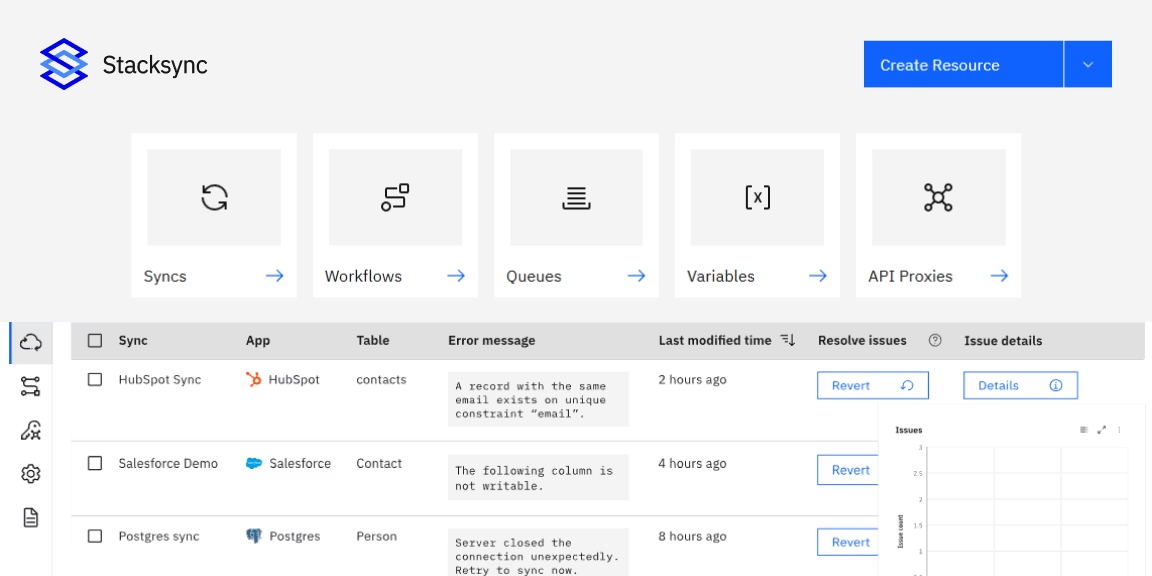
- Advanced Features: Stacksync comes with professional-grade features like a central dashboard for managing issues, automatic retries for failed syncs, and smart handling of API limits to keep your data flowing reliably.
Comparison: Heroku Connect Polling vs. Stacksync Event-Driven
The difference between these two approaches has a major impact on both your operations and your budget.
| Category |
Heroku Connect (Polling) |
Stacksync (Event-Driven) |
| Sync Speed |
10-minute polling delay introduces latency |
True real-time sync in milliseconds |
| Cost Model |
High, bundled, and often confusing pricing |
Transparent, predictable, and cost-effective pricing |
| Scalability |
Can slow down or fail with large data volumes |
Built to reliably handle millions of records |
| Flexibility |
Locked into Heroku Postgres only |
Supports 200+ systems, including multiple databases |
| Implementation |
Point-and-click setup but limited in functionality |
No-code setup with advanced and flexible configuration |
| Maintenance |
Failures are difficult to detect and troubleshoot |
Built-in dashboard for monitoring, alerts, and issue management |
Key Takeaways
Heroku Connect relies on polling, which introduces unavoidable delays, hidden costs, and scalability limitations as data volume grows.
Stacksync uses an event-driven architecture to deliver real-time sync, predictable pricing, and enterprise-grade scalability from day one.
For teams that need speed, flexibility, and operational control at scale, Stacksync is designed to outperform polling-based integrations.
Conclusion: Modernize Your Data Stack and Cut Costs
Heroku Connect's polling method is an outdated technology that is too slow, expensive, and inefficient for today's business needs. To keep up, organizations need reliable, instant data across all their tools. An event-driven approach is the best way to achieve real-time, scalable, and affordable data synchronization, and there are alternatives that can save you up to 70%.
While you could build your own system, it’s a complex and costly project. Stacksync offers the most practical and powerful way to move away from Heroku Connect. It lets you avoid the headaches of a DIY build while immediately gaining faster performance and lower costs, freeing up your team to focus on more important work.
Ready to slash your sync costs and achieve real-time speed? Book a demo with Stacksync today.
Ready to see a real-time data integration platform in action?
Book a demo with real engineers and discover how Stacksync brings together two-way sync, workflow automation, EDI, managed event queues, and built-in monitoring to keep your CRM, ERP, and databases aligned in real time without batch jobs or brittle integrations.