What makes a good JSON? Which rules to follow for my data?
A comprehensive guide to selecting, formatting, and understanding JSON keys for creating well-organized data structures while ensuring compatibility with parsers.
- Author
- Ruben Burdin · Founder & CEO
- Published
- Updated
- Read time
- 5 min read

Why JSON Key Formatting Can Make or Break Your Data Integration
In today's data-driven business environment, JSON (JavaScript Object Notation) serves as a critical format for data exchange between systems. Understanding JSON key constraints is essential for organizations implementing data integration solutions, as improper key formatting can lead to sync failures, data loss, and costly integration delays.
Key Takeaways
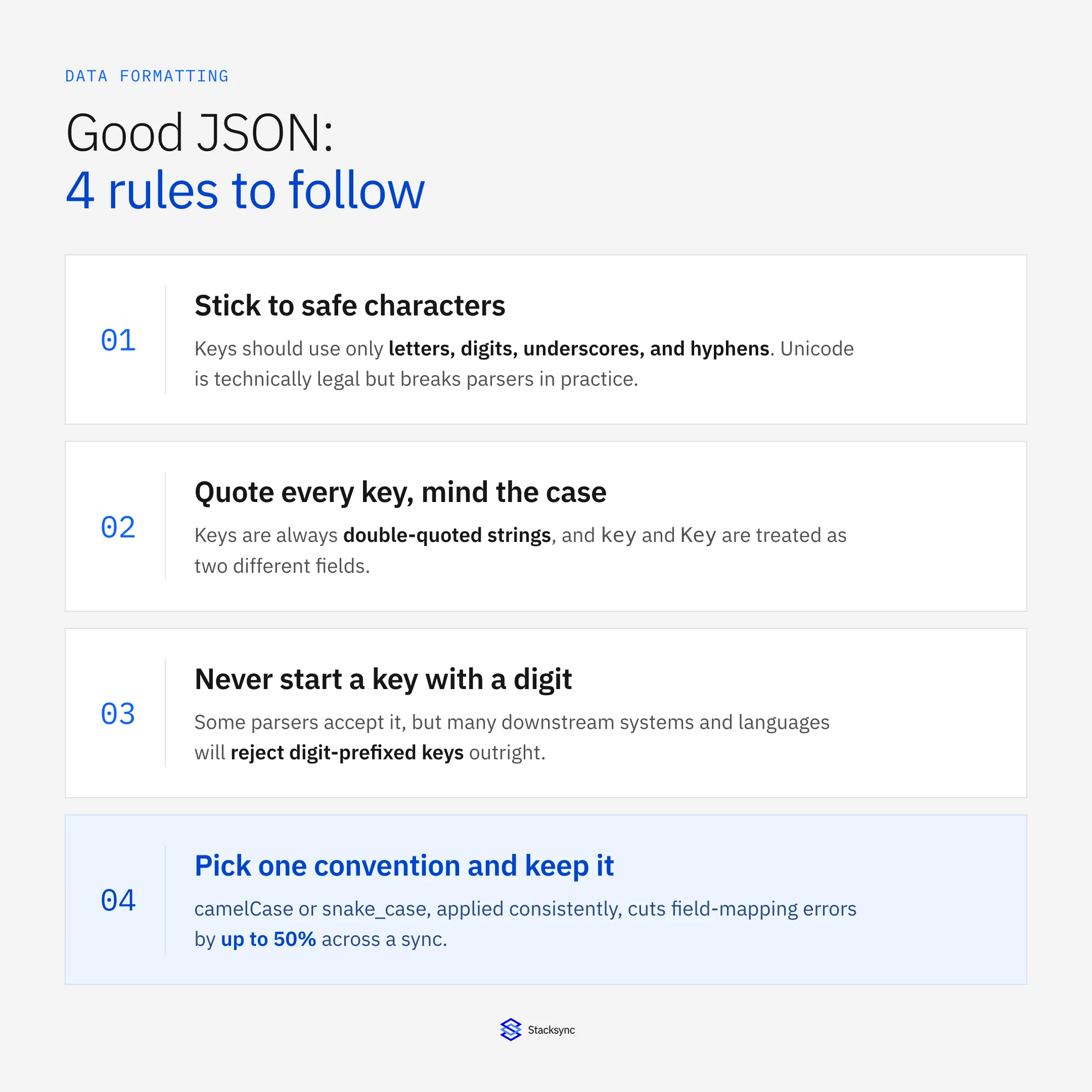
- Standard characters: Use alphanumeric characters, underscores, and hyphens to ensure maximum compatibility.
- Formatting: Always wrap keys in double quotes and remember that keys are case-sensitive.
- Naming conventions: Apply consistent camelCase or snake_case to reduce mapping errors by up to 50%.
- Avoid digit prefixes: Never start a key with a number, as many downstream systems will reject it.
- Validation: Automated validation helps prevent integration delays and costly manual engineering fixes.
When implementing data synchronization between systems like Salesforce and PostgreSQL, properly formatted JSON keys ensure smooth data flow and prevent integration errors that can disrupt business operations. For organizations syncing millions of records daily between CRMs, databases, and data warehouses, understanding JSON key constraints is critical. At Stacksync, we've seen companies lose hours troubleshooting integration failures caused by simple key formatting issues problems that could have been prevented with proper validation upfront.
Allowed Characters in JSON Keys
| Category | Allowed characters | Why it matters |
|---|---|---|
| Alphabetic | Lowercase and uppercase letters | Ensures universal parsing across APIs and languages |
| Numeric | Digits from 0 to 9 | Safe for identifiers and counters in schemas |
| Separator | Underscore character | Common convention for readable field names |
| Separator | Hyphen character | Supported across most platforms and tooling |
| Unicode support | Technically allowed but discouraged | Often breaks parsers and cross-system compatibility |
| Enterprise impact | Cross-platform data sync | Prevents failures in CRM, ERP, and warehouse pipelines |
Key Takeaways
Restricting JSON keys to standard characters improves reliability across integrated systems.
Non-standard characters frequently cause parsing errors and hard-to-debug failures.
Following these rules reduces risk and avoids costly fixes when syncing data at scale.
When configuring data synchronization workflows, your JSON keys should use these standard characters to ensure compatibility across all systems:
- 01
Letters (both lowercase and uppercase):
a-z,A-Z - 02
Digits:
0-9 - 03
Underscore:
_ - 04
Hyphen:
-
While JSON technically supports any Unicode character in keys, Stacksync strongly recommends limiting keys to these standard characters. In our experience supporting thousands of enterprise integrations, non-standard characters frequently cause parsing failures and compatibility issues across different systems and programming languages.
For companies synchronizing data between platforms like Salesforce, NetSuite, and Snowflake, adhering to these character constraints prevents integration failures that can halt critical business processes and require expensive engineering intervention to resolve.
JSON Key Rules
When implementing real-time data synchronization, follow these critical JSON key requirements to prevent sync failures and ensure data consistency across your systems:
Keys must be enclosed in double quotation marks (
" "). Example:"namecustomer_id": "AliceCUST-12345"or"order_total": 1250.00Keys are case-sensitive, so
"key"and"Key"are treated as distinct. Example:Avoid starting keys with digits. While JSON parsers may accept this, many downstream systems and programming languages will reject digit-prefixed keys, causing integration failures. Always begin keys with a letter or underscore to ensure compatibility across your entire data stack.
{
  "key": "value1",
  "Key": "value2"
}
Valid JSON Key Examples
Here are some examples of valid JSON keys:
{
  "username": "johndoe",
  "user_id": 123,
  "user-name": "johnny",
  "_internalFlag": true,
  "email1": "john@example.com"
}
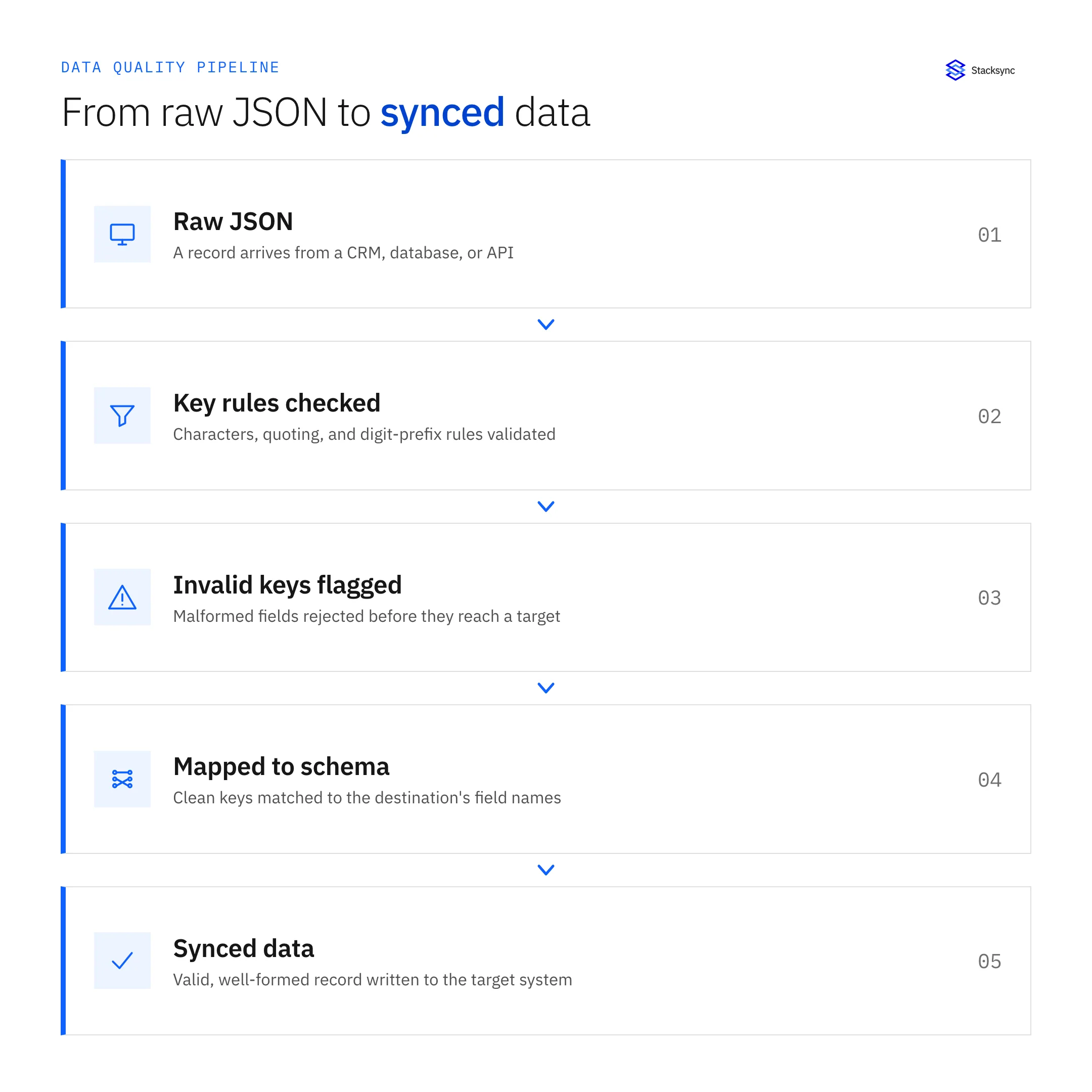
These key formats ensure consistent synchronization across all platforms in your data ecosystem. Stacksync's validation engine automatically checks for these patterns during sync configuration, preventing formatting issues before they can disrupt your data flows.

Best Practices for Naming JSON Keys
For organizations managing real-time synchronization of millions of records, consistent JSON key naming is critical. Benefits include:
Reduced Errors: 35-50% fewer data mapping errors.
Faster Integration: Standardized conventions streamline cross-system workflows.
Choose either camelCase or snake_case and apply it consistently across all integrated systems. In our experience with enterprise customers, inconsistent naming conventions are a leading cause of field mapping errors during CRM-to-database synchronization.
Never use spaces or special characters in keys. These characters cause parsing failures in many systems and will break synchronization between platforms like Salesforce and your operational databases.
Use descriptive keys that clearly indicate the data type and purpose, such as
customer_lifetime_valuerather thanclvorcustomer_lifetime_value_calculated_from_all_historical_purchases. Keys between 2-4 words typically provide the best balance of clarity and efficiency in high-volume sync operations.Use standard abbreviated keys like
id,uid, orskuonly for universally recognized identifiers. When syncing between systems with different naming conventions (such as Salesforce'sAccountIdand your database'scustomer_id), Stacksync's field mapping interface allows you to maintain each system's native conventions while ensuring accurate data flow.
Implement JSON Best Practices in Your Data Workflows
Properly formatted JSON keys are fundamental to reliable data synchronization across your business systems. By following these guidelines, you'll prevent integration failures and ensure consistent data flow between your CRM, databases, and data warehouses.
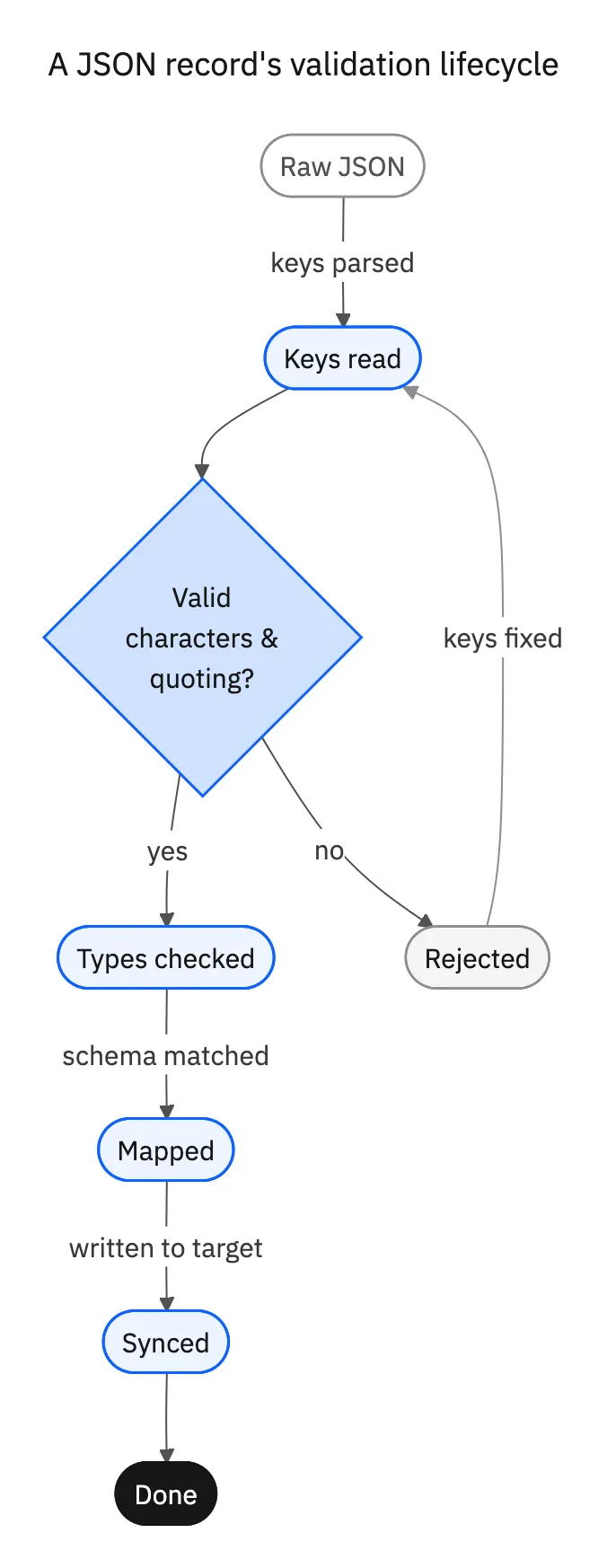
While JSON key rules are straightforward, implementing them consistently across complex, multi-system integrations requires careful planning and validation. Stacksync automates this validation process, checking key formats during sync configuration and alerting you to potential issues before they impact your data flows.
When implementing data synchronization workflows, stick to letters, numbers, underscores, and hyphens in your JSON keys, and always use double quotes. Ready to see how Stacksync simplifies data integration while automatically validating your JSON structures? Start a free trial today and experience real-time, bi-directional synchronization between your CRM, databases, and business systems, with built-in validation to prevent formatting issues before they occur.

FAQ
Frequently asked questions










Related articles