






















Real-Time Sync for Manufacturing ERP & Shop Floor Data
Connect manufacturing ERP records with verified operational evidence, preserve order and job identity, and scope production, inventory and purchasing actions separately.
- Author
- Ruben Burdin · Founder & CEO
- Published
- Updated
- Read time
- 8 min read

Planning, quality and finance often work from different copies of the same production data. The ERP holds one copy, the MES and shop-floor systems hold another, and the two drift apart between uploads. That drift is the data silo problem, and it is costly.
For example, business data in your Enterprise Resource Planning (ERP) system is often disconnected from the real-time activity on your shop floor, which is tracked by Manufacturing Execution Systems (MES) and IoT devices. This disconnect leads to major inefficiencies, production delays, and poor decision-making because your most critical systems can't communicate effectively [1].
"This article explains how Real-Time Data Integration for the Manufacturing Industry can bridge this gap and create a smarter, more agile manufacturing operation."
The Disconnect: ERP vs. Shop Floor Data
To understand the problem, it helps to know what ERP and MES systems do. While they both support manufacturing, they have very different jobs and are not interchangeable [2].
- Enterprise Resource Planning (ERP): This is your business's central command. It manages high-level functions like finance, HR, supply chain logistics, customer orders, and overall business planning.
- Manufacturing Execution Systems (MES): This system lives on the shop floor. Its job is to monitor, control, and document the real-time process of turning raw materials into finished goods.
When these systems don't talk to each other, a critical information delay is created. Data from the shop floor, like how many units were produced or if a machine went down, might only be uploaded to the ERP system hours or even days later. This disconnect leads to a cascade of problems that impact the entire business.
The consequences of this data disconnect are significant:
- Inaccurate inventory counts in your ERP.
- Delayed production scheduling and inefficient use of resources.
- Increased need for manual data entry, which often leads to human error.
- Poor visibility into production status and quality control issues.
- Inability to make fast, proactive decisions based on real-time information [3].
The Real Cost of Manufacturing Data Silos
Measure the effect of disconnected records in the plant’s own operating process. A late production update, an unmatched receipt and a missing quality decision create different problems and should not be collapsed into one unsupported revenue-loss estimate.
- Time spent locating the accepted order, job and operation references.
- Orders whose customer-facing status differs from confirmed operational evidence.
- Receipt or consumption corrections caused by mismatched items, units or locations.
- Work repeated after a retry or delayed message, and the effort required to reconcile it.
Use these observations as the baseline for the selected integration. Industry survey statistics do not establish the savings a particular connection will deliver.
Why real-time data integration matters on the shop floor
A manufacturing integration can keep selected ERP and operational records current while preserving the identity and owner of each value. Source freshness depends on the connector, change-capture method, API limits and recovery behavior. Define the permitted updates and test end-to-end timing under representative load; a sync connection does not guarantee that every shop-floor event appears everywhere in milliseconds.
Integrating ERP and MES systems in real-time empowers manufacturers to deliver high-quality products on time and with greater efficiency [4]. This brings several key advantages:
- Production visibility: Show confirmed operation status, source timestamps and unresolved prerequisites.
- Less status chasing: Share approved records so teams can inspect the same job and order references.
- Quality context: Carry the quality owner’s recorded decisions without having the integration determine product acceptability.
- Reviewed response: Route schedule and supply changes to the people authorized to make operational commitments.
To achieve this, you need the right technology. There are various technologies that enable real-time data sync, but a platform designed specifically for operational workloads offers the most reliable path forward.
Unify Your Operations with Stacksync
Stacksync can provide the two-way sync foundation for selected supported ERP, CRM and database records. Manufacturing execution, machine and sensor systems require their own verified connection route and object/action review; an ERP connector does not imply a native connector or unrestricted writes for every MES or device.
- Scoped two-way sync: Connect the shared records and fields whose direction and ownership have been agreed. Measure actual source-to-destination freshness.
- Workflow handoffs: Route an approved order or operation change through the required planning, quality and finance checks. Confirm each destination action separately.
- Genies evidence review: Assemble records and unresolved questions for the designated reviewer before consequential actions.
- Partner EDI: Map agreed documents and business responses without treating transport acknowledgment as production release.
Separate Visibility From Operational Authority
A new ERP sales order can start a review of manufacturing demand. Creating or releasing a work order in an MES requires a supported operation, valid routing and the responsible production approval. Similarly, a material-use signal must be validated against the job, item, unit and quantity before an authorized inventory transaction is posted.
Keep Quality and Purchasing Decisions Explicit
A quality or sensor record can supply evidence, but synchronization does not certify product quality or establish complete traceability when source links are missing. A low-stock event can open a purchasing review; automatic PO creation requires separately verified capability, an approved purchasing policy and controls against duplicate orders.
| Process stage | Useful shared evidence | Separate decision or verified action |
|---|---|---|
| Material receipt | Item, lot, unit, location and receiving evidence | Receiving owner accepts the quantity and permitted ERP receipt operation. |
| Material consumption | Job, material-use event and reported quantity | Validate and post the authorized inventory transaction; reconcile retries. |
| Finished goods | Completed operations and recorded quality decisions | Planning and quality determine which quantity is eligible for the next step. |
| Low-stock alert | Current eligible stock, commitments and incoming supply | Purchasing approves a replenishment proposal before any supported PO action. |
Start with a supported ERP–database example that preserves order-line identity and exposes operational prerequisites. Extend it only after demonstrating the exact production, inventory or purchasing actions needed by the chosen process.
Getting Started: A Simple Path to Integration
Start with one process and a defined acceptance test. Scope the ERP and operational connection routes before estimating implementation effort or savings.
- Confirm access: Identify the supported connector or approved interface, selected objects and permitted operations for every system.
- Map identity and ownership: Preserve order, line, job and event references; keep reported status separate from accepted transactions.
- Test and monitor: Exercise partial completion, rejected updates, delayed events and retries. Measure freshness and recovery before enabling consequential actions.

Apply this in manufacturing: ERP order line and operation event
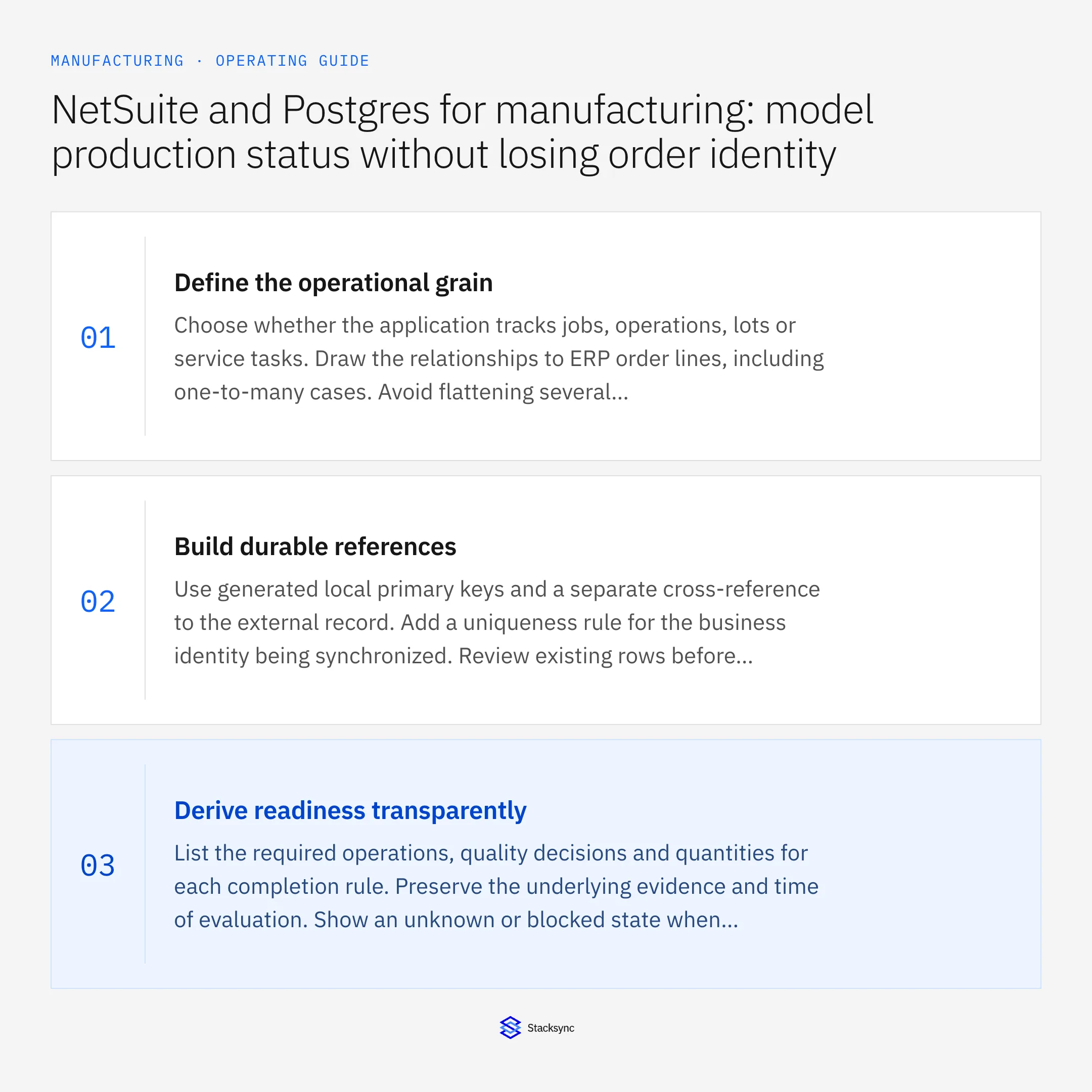
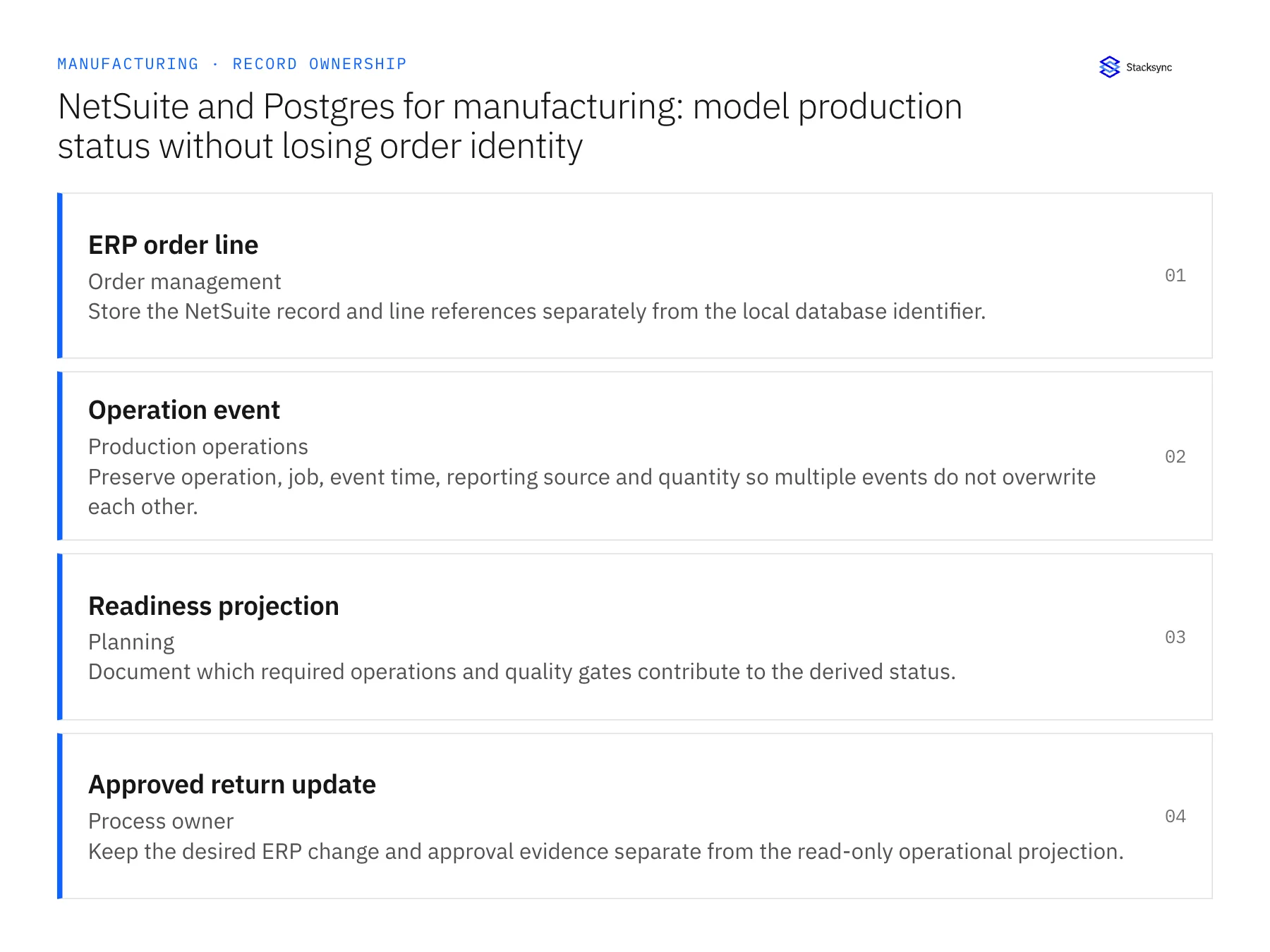
A manufacturing operational view needs more than a fresh status value: it must preserve the order identity and the owner of each field. The linked guides connect ERP records to a production-status model while distinguishing observed shop-floor evidence from an approved commercial commitment.
| Record to reconcile | Responsible owner | Rule to preserve |
|---|---|---|
| ERP order line | Order management | Store the NetSuite record and line references separately from the local database identifier. |
| Operation event | Production operations | Preserve operation, job, event time, reporting source and quantity so multiple events do not overwrite each other. |
| Readiness projection | Planning | Document which required operations and quality gates contribute to the derived status. |
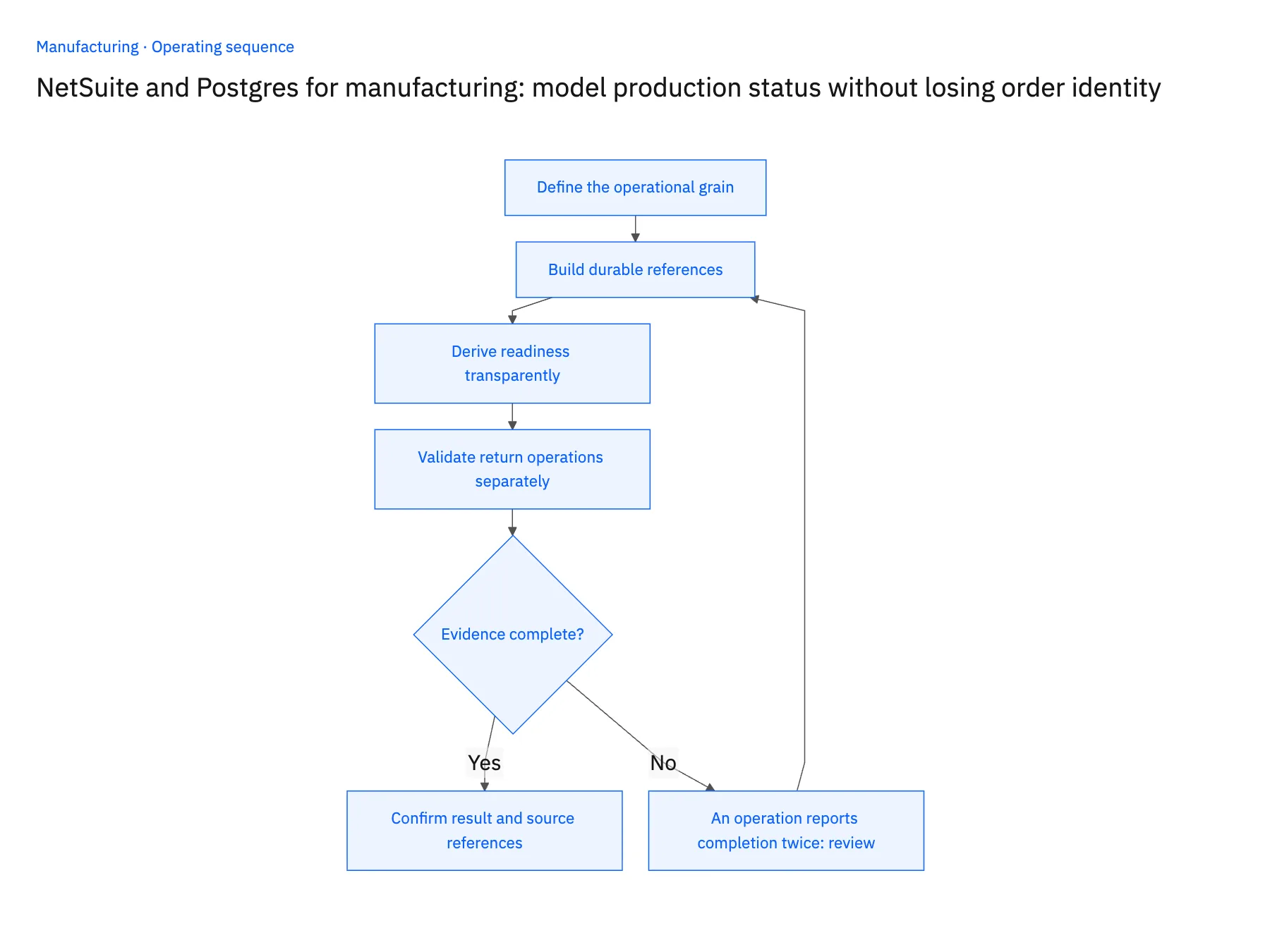
An exception to plan for: An operation reports completion twice. Identify the same logical event or completion state and retain one effective result while keeping enough history to explain the retry. Acceptance check for the pilot: one ERP line can be traced to all required operations without multiplying its quantity.
The manufacturing hub connects the broader operating context. These guides develop the specific record mappings and decisions for this application:
Conclusion: Build a Smarter, Connected Factory
Breaking down data silos between the shop floor and the front office is no longer optional; it is essential for staying competitive. Real-time data synchronization is the engine behind smart manufacturing and Industry 4.0, giving manufacturers a level of speed and agility that was previously out of reach.
Stacksync can connect selected operational records and support reviewed handoffs. Bring a representative job and its exceptions to evaluate the required interfaces, ownership rules and acceptance checks. Measure the resulting change against your own baseline.
Ready to eliminate data silos and get real-time insights for your manufacturing operations? Explore Stacksync and book a demo today.

FAQ
Frequently asked questions










Related articles




