






















Keeping your calendar in sync with Airtable
Sync Airtable with Google Calendar, Outlook, and iCloud: compare native iCal import, Zapier automation, and Stacksync's real-time two-way sync.
- Author
- Ruben Burdin · Founder & CEO
- Published
- Updated
- Read time
- 7 min read

Calendar synchronization across business systems creates operational inefficiencies when relying on manual processes and one-way data flows. Organizations managing project schedules, team availability, and customer appointments need real-time bi-directional synchronization to maintain consistent calendar data across platforms.
Want to sync your calendar app with operational systems? Here are the most effective methods for calendar synchronization, ranging from basic one-way imports to advanced bi-directional real-time sync.
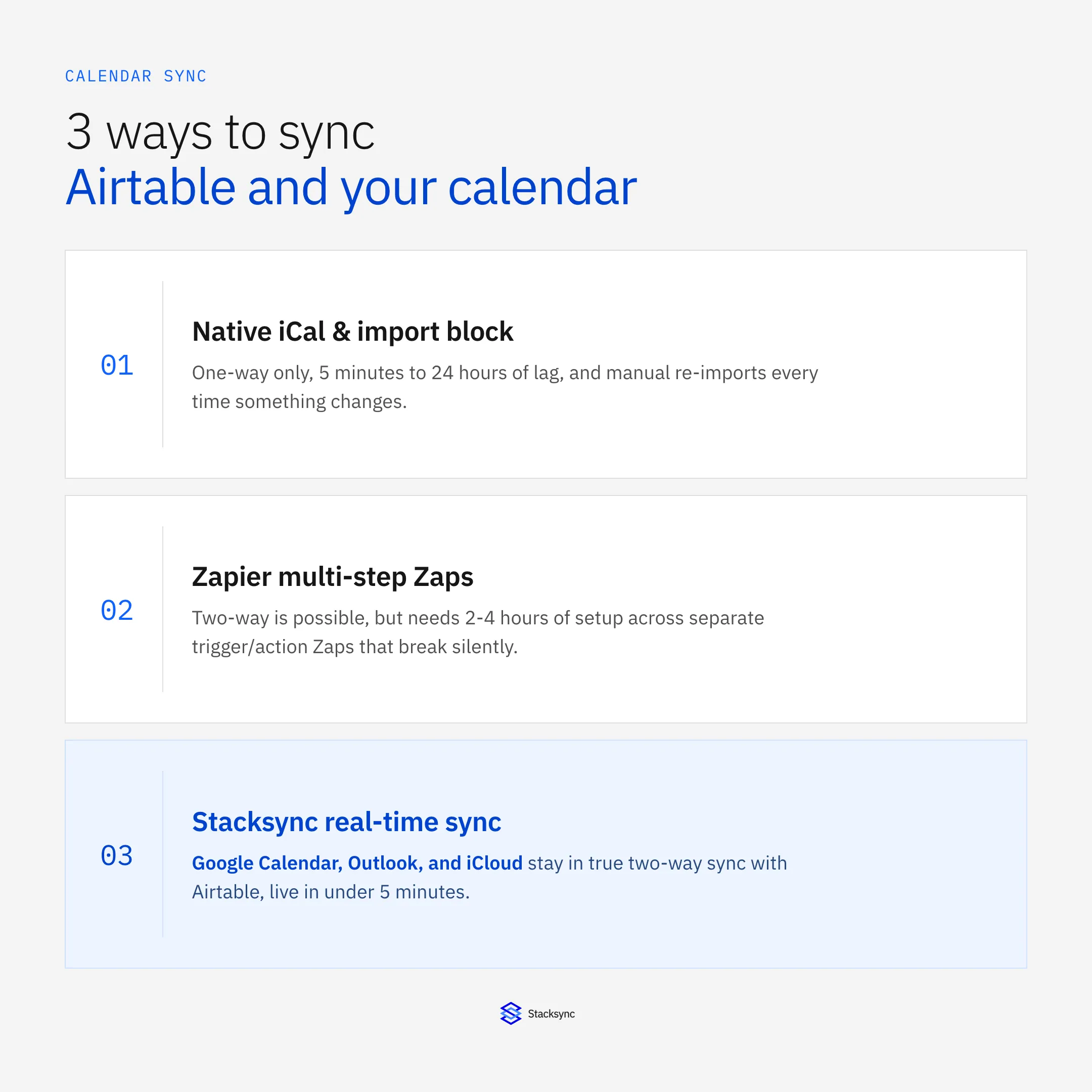
One-Way Sync: External Calendar - Airtable
When managing calendars outside of Airtable but needing calendar events displayed within project bases, one-way synchronization provides basic calendar visibility without modification capabilities.
To sync external calendar events into Airtable:
- 01Create Calendar View: Open your Airtable base and navigate to the table containing calendar events. Create a new calendar view or select an existing one.
- 02Configure Date Fields: Choose any date field in your table to populate calendar events. For events with duration, add an end date field to create date ranges.
- 03Generate iCal Link: Click the share button in the table toolbar and select iCal subscription link to copy the subscription URL.
- 04Subscribe in Calendar App: Add the subscription link to Google Calendar, Microsoft Outlook, or Apple Calendar to display Airtable events.
Limitations of iCal Subscriptions:
- Changes in Airtable don't propagate to external calendars
- External calendar updates don't sync back to Airtable
- Synchronization intervals range from 5 minutes to 24 hours
- Manual verification required to maintain data consistency
For organizations requiring operational calendar management, this approach creates data silos that prevent unified scheduling across teams.
Calendar Import Block: Static Data Transfer
Airtable's calendar import block enables one-time transfer of existing calendar data through ICS file uploads, suitable for historical data migration but inadequate for ongoing synchronization.
Implementation Steps:
- 01
Export Calendar Data: Generate ICS files from your calendar applications:
- Microsoft Outlook: File → Save Calendar → Save as type: iCalendar Format
- Google Calendar: Settings → Import & Export → Export calendar data
- Apple Calendar: File → Export → Export calendar events
- 02Access Calendar Import Block: Navigate to your Airtable base and click the Blocks button in the toolbar to open the blocks dashboard.
- 03Add Import Block: Install the calendar import block (requires Pro account) and drag your ICS file onto the block interface.
- 04Map Event Fields: Match calendar event information with Airtable table fields. The block displays real-time preview of imported data for validation.
- 05Execute Import: Click "Create records" to complete the import process.
Import Block Limitations:
- Static data transfer without ongoing synchronization
- Manual re-import required for calendar changes
- No real-time updates or conflict resolution
- Limited to periodic batch processing
This method suits historical data analysis but fails to address operational calendar management needs.
Two-Way Sync with Zapier: Multi-Step Integration
For bi-directional calendar synchronization between Airtable and external systems, Zapier workflows enable automated data flow in both directions, though with significant configuration complexity.
Sync New Calendar Events to Airtable
- 01Create Calendar Trigger: Set up a new Zap with "New Event" trigger from your calendar application (Google Calendar, Microsoft Office 365).
- 02Configure Airtable Action: Add Airtable "New Record" action and map calendar event fields to corresponding Airtable table columns.
- 03Test Integration: Validate that calendar events create appropriate records in your Airtable base.
Sync Updated Calendar Events to Airtable
- 01Create Update Trigger: Configure "Updated Event" trigger from your calendar system.
- 02Add Find Record Action: Use Airtable "Find Record" to locate existing events by unique identifiers.
- 03Configure Update Action: Set up Airtable "Update Record" with calendar data from the trigger step, using the record ID from the find operation.
Sync Airtable Records to Calendar Systems
- 01Create Airtable Trigger: Use "New Record" or "New Record in View" trigger to detect Airtable changes.
- 02Add Calendar Action: Configure "Add Event" action in your calendar application with field mappings from Airtable data.
Zapier Synchronization Limitations:
- Complex multi-step configuration requirements
- Limited error handling and conflict resolution
- Dependency on external automation platform
- Potential synchronization delays and reliability issues
Stacksync Real-Time Calendar Integration
For organizations requiring operational calendar synchronization with enterprise-grade reliability, Stacksync provides true bi-directional real-time sync that eliminates manual processes and data inconsistencies.
Bi-Directional Calendar Synchronization Setup
Configure and sync data within minutes without code, enabling immediate calendar synchronization across multiple platforms.
Implementation Process:
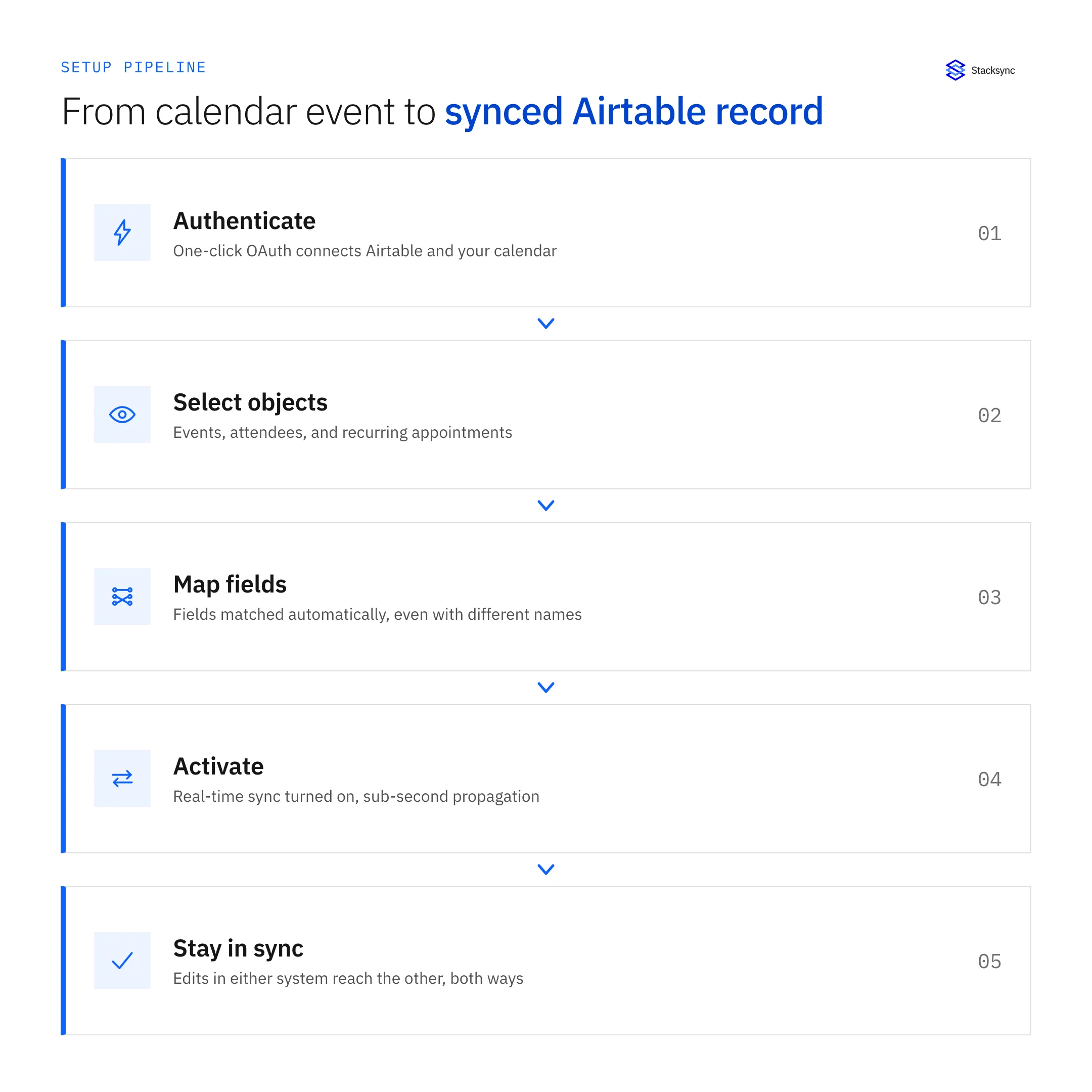
- 01One-Click Authentication: Connect in one click your apps with OAuth or any secure connection option such as SSH tunneling, SSL Certificates and more
- 02Object Selection: Stacksync supports all standard and custom objects in your systems, including calendar events, attendees, and recurring appointments
- 03Automatic Field Mapping: Automatically map fields between your systems even when they have different names and data types
- 04Real-Time Activation: Changes propagate instantly across all connected calendar systems with sub-second latency
Advanced Calendar Integration Capabilities
Calendar System Coverage:
- Microsoft Office 365: Enterprise calendar synchronization with advanced security controls
- Google Calendar: Bi-directional sync supporting custom fields and multiple calendar accounts
- Apple iCloud: Real-time synchronization with privacy-focused access controls
- Database Integration: Direct calendar table synchronization with PostgreSQL, MySQL, and MongoDB
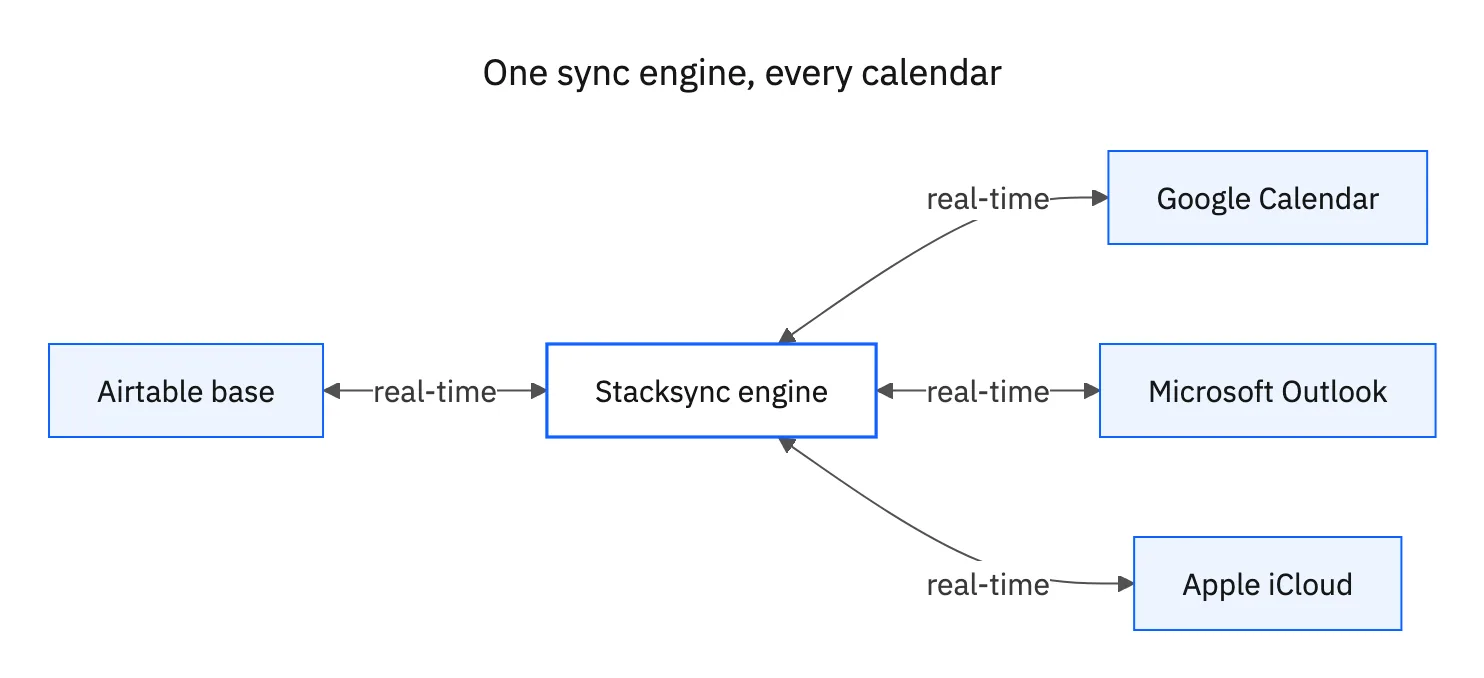
Operational Workflow Automation: Use 700+ pre-built connectors or connect to any other system via API to create calendar-driven business processes:
- Automated resource booking confirmations
- Customer notification workflows for appointment changes
- Meeting preparation tasks triggered by calendar events
- Attendance tracking synchronized with HR systems
Calendar Synchronization Use Cases
Marketing Campaign Coordination: Marketing teams managing event calendars across project management systems and team calendars achieve unified timeline visibility through real-time synchronization. Changes to campaign schedules instantly propagate to all team members' calendars.
Resource Scheduling Optimization: Operations teams scheduling equipment, facilities, and personnel across multiple calendar systems prevent conflicts through instant availability updates. When you enable two-way sync, any update, whether it's a new record, a change, or a deletion made in one application is automatically and instantly propagated to all other linked systems.
Customer Appointment Management: Customer service teams managing appointments across CRM systems and personal calendars maintain consistent availability presentation. Real-time synchronization between appointment scheduling systems, staff calendars, and customer communication platforms eliminates booking conflicts.
Implementation Comparison: Calendar Sync Methods
Setup Complexity Analysis
Airtable Native Methods:
- iCal subscriptions: 5-10 minutes setup, limited functionality
- Calendar import blocks: 15-30 minutes per import, manual repetition required
- Zapier integration: 2-4 hours configuration, ongoing maintenance needed
Stacksync Implementation: The setup is done in less than 5 minutes, without a single line of code, with comprehensive bi-directional synchronization capabilities.
Performance and Reliability
Traditional Approaches:
- iCal subscription: 5-minute to 24-hour synchronization delays
- Calendar import: Static data without real-time updates
- Zapier workflows: 1-2 minute latency with potential failure points
Stacksync Performance: Real-time synchronization with enterprise-grade reliability, leveraging ultra-scalable managed message queues that can handle up to 10 million events per minute per queue on enterprise plans.

Security and Compliance Considerations
Calendar data contains sensitive information requiring enterprise-grade security measures. Stacksync supports both cloud-based and on-premise deployments, making it ideal for organizations with hybrid environments.
Enterprise Security Features:
- SOC 2 Type II Certification: Audited security controls for sensitive calendar data
- GDPR and HIPAA Compliance: Regulatory compliance for healthcare and international operations
- Zero Data Retention: Calendar events pass through without persistent storage
- Advanced Access Controls: Works with Okta, Azure, Google SSO and more
Calendar Integration Pricing Analysis
Total Cost of Ownership
Airtable + Zapier Approach:
- Airtable Business Plan: $20 per user per month for sync capabilities
- Zapier Professional Plan: $49 per month for automation workflows
- Development time: 2-4 weeks for complex calendar integrations
- Ongoing maintenance: Monthly troubleshooting and configuration updates
Stacksync Calendar Integration: Starter: $1,000 per month. Targeted at "startups and growing teams getting started with system integrations". Pro: $3,000 per month with comprehensive calendar synchronization capabilities.
ROI Through Operational Efficiency: Connect all your systems saving 90% engineering time, no maintenance required, enabling teams to focus on core business activities rather than integration maintenance.
Conclusion
Calendar synchronization requirements vary significantly based on operational needs and technical constraints. Airtable's native approaches provide basic calendar visibility but lack the bi-directional real-time capabilities required for operational environments.
For organizations where calendar accuracy directly impacts resource utilization, customer experience, and team coordination, advanced synchronization platforms like Stacksync deliver measurable operational improvements through real-time data consistency and automated conflict resolution.
Data consistency improves when information is automatically updated across systems. This reduces errors and eliminates the need for manual data entry in multiple places, transforming calendar management from reactive maintenance to proactive operational advantage.

FAQ
Frequently asked questions










Related articles






