/
Data engineering

HubSpot Two Way Sync: The Complete Guide to Bidirectional Integration

HubSpot two way sync represents more than just a technical solution, it's a strategic capability that transforms how your organization leverages customer data. This comprehensive guide explores everything you need to know about implementing effective HubSpot two way sync: how it works, key benefits, implementation strategies, and real-world success stories.
Blog post featured image

HubSpot Two Way Sync: The Complete Guide to Bidirectional Integration

HubSpot serves as the central command center for marketing and sales operations in thousands of growing businesses. Despite its robust capabilities, HubSpot doesn't exist in isolation. Customer data lives across multiple systems: databases, ERPs, custom applications, and other SaaS platforms. When these systems don't communicate effectively with HubSpot, data fragmentation creates significant operational challenges that impact marketing effectiveness, sales productivity, and customer experience.

Key Takeaways

  • Real-time consistency: Unlike one-way data pushes, two-way sync keeps HubSpot and external systems updated simultaneously.
  • Operational efficiency: Implementing bidirectional sync can reduce manual data management efforts by up to 40%.
  • Conflict resolution: Effective synchronization depends on intelligent rules that determine which system takes precedence when updates occur in multiple places.
  • Implementation choice: Specialized synchronization platforms often outperform custom API builds, saving months of engineering time.
  • Unified data: A 360-degree customer view enhances marketing segmentation, sales productivity, and overall customer trust.

Traditional one-way integrations push data in a single direction, creating inevitable inconsistencies when information changes in the destination system. HubSpot two way sync (also known as bidirectional synchronization) solves this fundamental problem by ensuring data flows in both directions between HubSpot and other critical business systems, maintaining perfect consistency regardless of where updates occur.

This comprehensive guide explores everything organizations need to know about implementing effective HubSpot two way sync: how bidirectional synchronization works, key business benefits, implementation strategies and approaches, common challenges and solutions, and real-world success stories from companies that have transformed their HubSpot integration architecture.

What Is HubSpot Two Way Sync (And Why It Matters)

HubSpot two way sync refers to the bidirectional synchronization of data between HubSpot and other business systems. Unlike one-way integrations that simply push or pull data in a single direction, two way sync ensures that changes made in either system automatically update in the other, creating a continuous loop of accurate, consistent information.

Beyond Basic HubSpot Integration

Standard HubSpot integrations often fall into three categories, each with significant limitations:

Category Integration approach Impact on data
Manual processes Import and export files High error risk and data becomes outdated quickly
One-direction sync One-way API push Destination changes never flow back to HubSpot
Batch automation Scheduled synchronizations Inconsistencies appear between sync windows
Data consistency Continuous two-way sync Updates propagate instantly across connected systems
Conflict handling Rule-based resolution Prevents overwrites and maintains trusted records
Operational effort Fully automated workflows No manual intervention required once configured

Key Takeaways

Basic HubSpot integrations introduce delays, errors, and data drift as systems evolve.

One-way and scheduled syncs struggle with conflicts and real-time accuracy.

True two-way synchronization keeps HubSpot and connected platforms continuously aligned.


True HubSpot two way sync operates continuously and in real-time, ensuring that:

  1. Changes in HubSpot instantly update connected systems

  2. Changes in external systems immediately reflect in HubSpot

  3. Conflicts are intelligently resolved according to business rules

  4. The entire process happens automatically without manual intervention

The Business Impact of Inconsistent HubSpot Data

The consequences of poor HubSpot synchronization reach far beyond mere technical inconvenience:

  • Marketing Performance Degradation: Inaccurate segmentation leads to targeting the wrong audiences or missing key prospects. Personalization fails when data is inconsistent.

  • Sales Inefficiency: Sales teams waste time working with outdated information or manually checking multiple systems to find accurate data.

  • Customer Experience Issues: Nothing damages customer confidence faster than demonstrating you don't know who they are due to inconsistent information across touchpoints.

  • Operational Friction: Teams spend valuable time on manual data reconciliation, duplicate entry, and resolving discrepancies rather than strategic initiatives.

Echo, a rapidly scaling e-commerce solutions provider, experienced these challenges firsthand. Their Director, Yuval Hofshy, described their HubSpot API integration attempt as a "painful experience" causing developer "nightmares." Their team was forced to "hack things," couldn't test reliably, and deployed changes hoping for the best.

How HubSpot Two Way Sync Works

Understanding the technical mechanisms behind effective two way sync helps in evaluating and implementing the right solution for your organization.

Key Components of Effective HubSpot Bidirectional Synchronization

1. Change Detection Mechanisms

Efficient two way sync requires detecting changes in both HubSpot and connected systems without constant polling or performance degradation. Modern approaches include:

  • Webhooks: For systems supporting them, webhooks provide immediate notification when data changes

  • Intelligent CDC (Change Data Capture): Detecting changes through database logs or similar mechanisms

  • Smart Polling: Efficiently checking for changes using timestamped queries at appropriate intervals

For HubSpot specifically, a combination of webhooks for immediate notification (when possible) and intelligent polling with optimized API usage ensures timely change detection while respecting HubSpot's API limits.

2. Field-Level Mapping and Transformation

Data rarely matches perfectly between systems. Robust two way sync includes:

  • Intuitive Field Mapping: Connecting fields between HubSpot and other systems, even when names differ

  • Data Type Conversion: Handling differences in how systems represent the same information

  • Custom Transformations: Applying business logic to transform data appropriately during sync

3. Conflict Resolution Logic

Perhaps the most challenging aspect of bidirectional sync is handling conflicts that occur when the same record is updated in multiple systems simultaneously. Sophisticated solutions provide:

  • Configurable Resolution Rules: Defining which system takes precedence for specific fields

  • Timestamp-Based Resolution: Using modification time to determine the most recent change

  • Field-Level Resolution: Applying different strategies to different fields within the same record

  • Contextual Logic: Using business rules beyond simple timestamps for more intelligent resolution

4. Error Handling and Recovery

Even the best-designed systems encounter occasional issues. Enterprise-grade HubSpot two way sync provides:

  • Automatic Retry Logic: Intelligently retrying failed operations with appropriate backoff

  • Error Categorization: Distinguishing between temporary failures and permanent errors

  • Sync Status Monitoring: Real-time visibility into synchronization health and issues

  • Event Replay Capabilities: Ability to reprocess failed operations after resolving underlying issues

Business Benefits of Implementing HubSpot Two Way Sync

Organizations that successfully implement bidirectional synchronization with HubSpot typically experience several transformative benefits:

1. Unified Customer View Across All Systems

With HubSpot two way sync, your teams gain access to a comprehensive, consistent customer profile regardless of which system they're using. This 360-degree view includes:

  • Complete contact and company information

  • Up-to-date interaction history across all touchpoints

  • Current product usage data and customer health indicators

  • Accurate sales pipeline and opportunity information

This unified view enables more personalized marketing, informed sales conversations, and better service interactions—all contributing to enhanced customer experience.

2. Eliminated Manual Data Entry and Maintenance

Bidirectional synchronization automates what was previously manual work:

  • No more duplicate data entry across systems

  • Elimination of import/export processes

  • Reduced time spent on data cleansing and deduplication

  • Freedom from reconciliation spreadsheets and reports

For example, after implementing two way sync between HubSpot and their internal systems, Complete7 reported a 40% decrease in manual intervention related to data management. This translated directly to more time for strategic initiatives rather than administrative tasks.

3. Improved Data Quality and Reliability

HubSpot two way sync doesn't just move data—it actively improves data quality through:

  • Automatic completion of missing fields from other sources

  • Standardization of formats and values across systems

  • Deduplication through identity resolution

  • Continuous validation and error detection

Better data quality leads directly to more effective marketing campaigns, more accurate reporting, and more confident decision-making.

4. Enhanced Operational Efficiency and Agility

When data flows freely between HubSpot and other systems, processes become dramatically more efficient:

  • Marketing campaign execution time decreases

  • Lead-to-opportunity cycles accelerate

  • Customer onboarding processes streamline

  • Reporting and analytics become real-time

These efficiency gains translate to competitive advantage through faster response to market changes and customer needs.

5. Reduced Technical Debt and Engineering Burden

Custom-built HubSpot integrations create significant technical debt and maintenance burden. Proper two way sync solutions eliminate this overhead:

  • No more custom code to maintain when APIs change

  • Less engineering time spent troubleshooting integration issues

  • Freedom from "integration nightmare" scenarios

  • More resources available for core product innovation

As Yuval Hofshy from Echo stated after implementing proper HubSpot two way sync: "Stacksync makes my problem disappear... instead of struggling with the HubSpot [API]... we can focus on our core technology. This is money well spent."

Implementation Approaches for HubSpot Two Way Sync

Organizations typically have several options for implementing bidirectional synchronization with HubSpot, each with distinct advantages and considerations:

Approach Best For Pros Cons
Custom-Built Proprietary or highly unique internal systems. Full control over logic, data models, and infrastructure. High maintenance burden and long delivery time, typically 3–6 months.
General iPaaS Large, complex enterprise integration stacks. Broad connector ecosystem covering many SaaS and data sources. High cost at scale and a steep learning curve for teams.
Specialized Platforms HubSpot-centric or single-ecosystem stacks. Fast setup with workflows optimized for the primary platform. Strong vendor dependency and limited flexibility outside the core ecosystem.
Native / Hybrid Small organizations with simple integration needs. Low upfront cost and minimal setup effort. Limited scalability and lacks true bi-directional synchronization.

Key Takeaways

Custom-built integrations deliver maximum control but demand significant time and ongoing engineering investment.

General iPaaS tools scale across many systems, yet often introduce cost and operational complexity.

Specialized and native approaches reduce setup time for smaller or focused stacks, but can limit flexibility and long-term scalability.


1. Custom-Built Integration

Approach: Developing custom code using HubSpot's APIs and the APIs of connected systems to create bidirectional data flows.

Advantages:

  • Complete control over integration logic

  • Potentially lower direct costs for smaller implementations

  • Ability to address highly specific integration needs

Challenges:

  • Requires 3-6+ months of engineering time to develop

  • Creates ongoing maintenance burden as APIs evolve

  • Difficult to scale as data volumes or complexity increases

  • Diverts engineering resources from core product development

Custom-built integrations make sense primarily when integration requirements are truly unique or when connecting to proprietary systems with limited API access.

2. General-Purpose iPaaS Platforms

Approach: Using integration platforms like MuleSoft, Boomi, Workato, or similar tools to configure HubSpot integrations.

Advantages:

  • Wide connector library beyond just HubSpot

  • Workflow and orchestration capabilities

  • Enterprise governance features

Challenges:

  • Significant configuration complexity

  • High licensing costs (often six or seven figures annually)

  • Requires specialized skills to implement and maintain

  • Often overkill for straightforward HubSpot synchronization

These platforms excel for complex enterprise integrations spanning many systems but may introduce unnecessary complexity for focused HubSpot integration needs.

3. Specialized HubSpot Synchronization Platforms

Approach: Implementing purpose-built solutions designed specifically for bidirectional data synchronization with CRMs like HubSpot.

Advantages:

  • Optimized for HubSpot's specific API behaviors and limitations

  • Faster implementation (days/weeks vs. months)

  • Lower maintenance overhead

  • Specialized features for data quality and conflict resolution

Challenges:

  • May have more limited connector options than full iPaaS solutions

  • Potential vendor dependency for critical integration infrastructure

Organizations with HubSpot as a central system often find that specialized synchronization platforms offer the optimal balance of capability, speed, and total cost of ownership.

4. Native HubSpot Integrations + Custom Augmentation

Approach: Leveraging HubSpot's built-in integrations where available, augmented with custom code for bidirectional capabilities.

Advantages:

  • Utilizes officially supported integration points

  • Potentially lower initial investment

  • Can address simple synchronization needs

Challenges:

  • Most native integrations lack true bidirectionality

  • Limited customization options

  • Fragmented approach as organization scales

This hybrid approach can work for smaller organizations with limited integration needs but often becomes unwieldy as requirements grow.

HubSpot Two Way Sync Implementation Guide

For organizations proceeding with implementation, the following structured approach maximizes success:

Phase 1: Assessment and Planning

  1. System Inventory: Document all systems that need to connect with HubSpot, including:

    • Data models and schema definitions for each system

    • Available APIs and authentication requirements

    • Volume of records and update frequency

    • Critical fields requiring synchronization

  2. Use Case Definition: Clearly articulate the specific business use cases driving the need for synchronization, such as:

    • Ensuring sales has current customer information

    • Maintaining consistent marketing segmentation data

    • Enabling accurate reporting across systems

    • Automating multi-step business processes

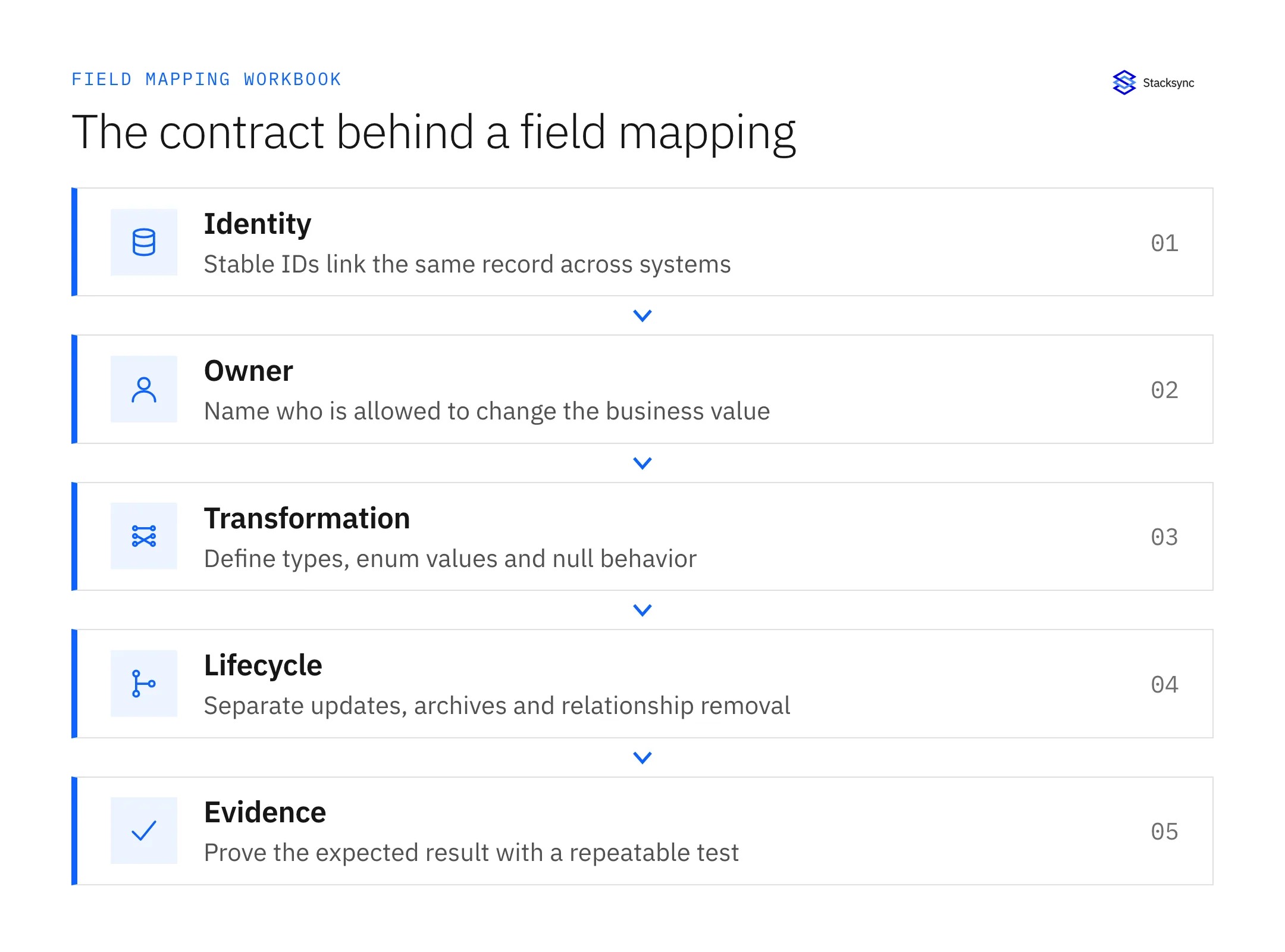
  3. Data Mapping Definition: Develop detailed field mappings between HubSpot and each connected system:

    • Which fields should be synchronized

    • Direction of sync for each field (one-way or bidirectional)

    • Transformation rules where necessary

    • Conflict resolution strategies for bidirectional fields

  4. Success Metrics: Define how you'll measure the success of the implementation:

    • Reduction in manual data entry time

    • Improvement in data consistency metrics

    • Acceleration of key business processes

    • User adoption and satisfaction

Phase 2: Solution Selection and Implementation

  1. Solution Evaluation: Based on your requirements, evaluate potential solutions against these criteria:

    • Support for your specific HubSpot objects and connected systems

    • Matching of your required synchronization patterns

    • Performance characteristics for your data volumes

    • Total cost of ownership including implementation and maintenance

    • Security and compliance capabilities

  2. Pilot Implementation: Start with a limited scope to validate the approach:

    • Select a single critical system to connect with HubSpot

    • Focus on high-value fields with clear business impact

    • Implement in a test environment before production deployment

    • Define clear success criteria for the pilot

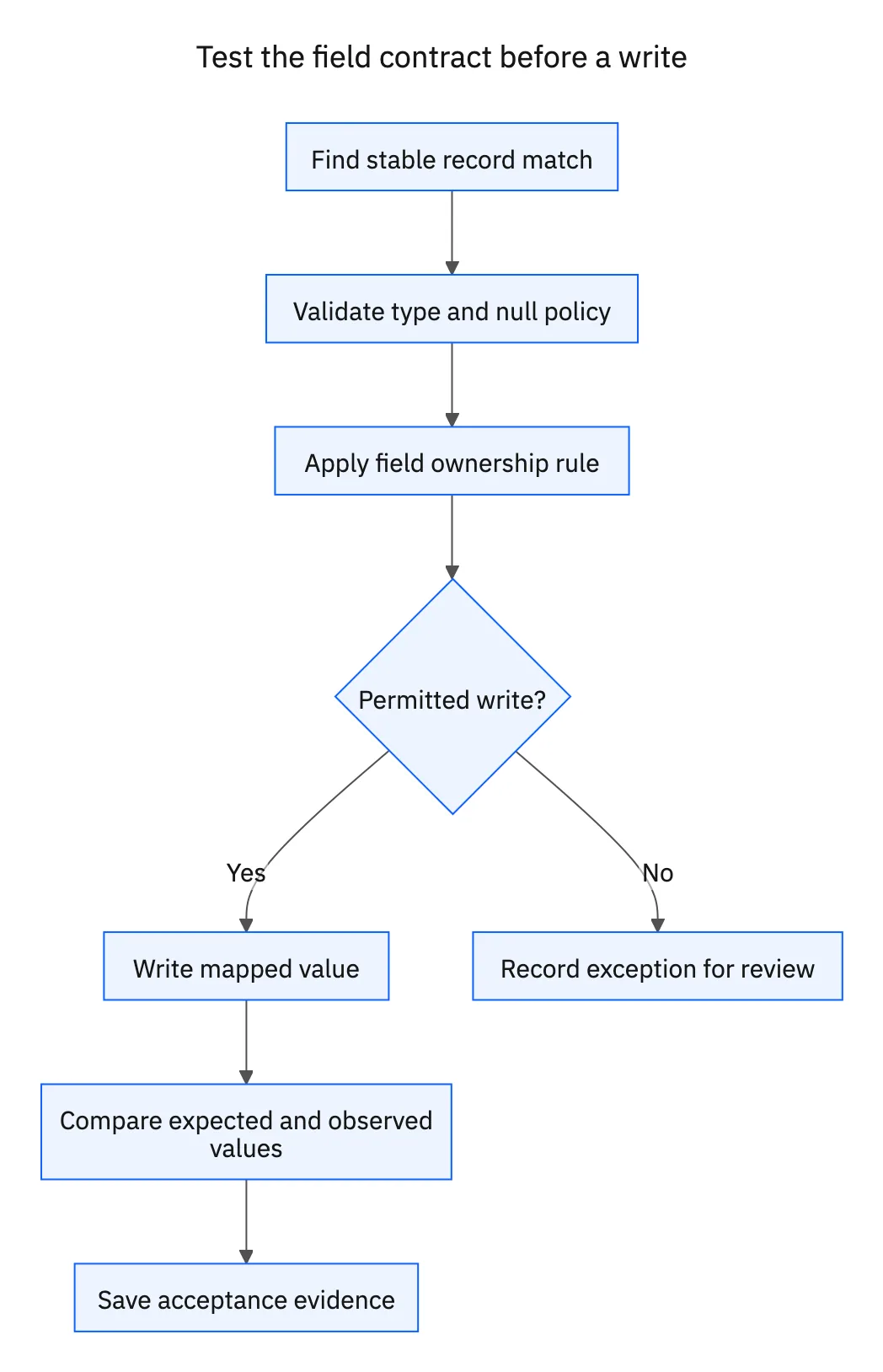
  3. Testing and Validation: Thoroughly test the synchronization before full deployment:

    • Verify data accuracy across systems after synchronization

    • Test conflict scenarios to ensure proper resolution

    • Simulate failure conditions to validate error handling

    • Confirm performance under expected load

  4. User Training and Documentation: Prepare your team for the new capabilities:

    • Develop clear documentation on data flow and expectations

    • Train users on any changes to their workflows

    • Establish support processes for synchronization issues

Phase 3: Expansion and Optimization

  1. Phased Rollout: Gradually expand your synchronization footprint:

    • Add additional systems based on business priority

    • Incorporate more fields and objects as needed

    • Extend to additional HubSpot portals if applicable

    • Develop more sophisticated transformation and workflow logic

  2. Monitoring and Optimization: Continuously improve your synchronization:

    • Monitor synchronization performance and error rates

    • Gather user feedback on data quality and consistency

    • Identify opportunities for additional automation

    • Regularly review and update mappings and rules as business needs evolve

Case Study: E-Commerce Company Solves HubSpot Integration Challenges

Echo, a rapidly growing e-commerce solutions provider expanding partnerships with major retailers like Walmart, faced significant challenges with their HubSpot implementation:

The Challenges:

  • Manual Data Transfer: Onboarding customers involved tedious manual data movement between HubSpot and internal systems

  • Failed API Integration: Initial attempts at HubSpot API integration became a "painful experience" causing developer "nightmares"

  • Development Process Clash: HubSpot's API limitations conflicted with their development practices, making processes "super clunky"

  • Forced Workarounds: Developers had to "hack things," couldn't test reliably, and deployed hoping for the best

  • Scaling Crisis: Growth demands required scaling operations "super fast," but data inconsistency became a major obstacle

The Solution:

After evaluating alternatives, Echo implemented a specialized two way sync platform connecting HubSpot with their MySQL database. This approach enabled:

  • Database-Centric Integration: Syncing HubSpot directly to a standard MySQL database, allowing engineers to leverage familiar workflows

  • Development Process Alignment: Preserving standard engineering practices (CI/CD, branching, testing) without needing to "master the CRM"

  • Rapid Implementation: A "super straightforward" setup enabling quick deployment crucial for their fast-moving business

  • Minimal Maintenance: An architecture requiring very little ongoing engineering attention

The Results:

  • Integration Bottleneck Eliminated: The struggle with manual processes and HubSpot API vanished

  • Developer Productivity Increased: Engineers could work with standard database practices without CRM-specific workarounds

  • Operational Efficiency Gained: Streamlined critical workflows like customer onboarding

  • Scalability Achieved: Established a reliable, real-time data foundation to support rapid growth

  • Single Source of Truth: Enabled a CRM-centric strategy with consistent data across all systems

  • Significant ROI: Avoided a high-risk custom API project estimated at 10+ developer-months

As Yuval Hofshy, Director at Echo, summarized: "Stacksync makes my problem disappear... instead of struggling with the HubSpot [API]... we can focus on our core technology. This is money well spent."

Common HubSpot Two Way Sync Challenges and Solutions

Even with the right technology, HubSpot bidirectional synchronization involves addressing several common challenges:

  • API Rate Limits: Use batching, dynamic throttling, and intelligent queuing.

  • Object Relationships: Implement association mapping and sequence object creation.

  • Custom Objects: Use solutions that support schema mapping and evolution.

  • Data Formatting: Apply automatic type conversion and standardization rules.

  • Historical Data: Use intelligent matching and deduplication for initial alignment.

The Strategic Value of HubSpot Two Way Sync

HubSpot two way sync represents more than just a technical solution, it's a strategic capability that transforms how your organization leverages customer data. By ensuring consistent, accurate information flows between HubSpot and all connected systems, bidirectional synchronization:

  • Eliminates data silos that fragment your customer view and hinder effective engagement

  • Reduces operational friction from manual updates and reconciliation processes

  • Improves decision quality through more reliable, current information

  • Accelerates business processes by automating data flows across systems

  • Frees engineering resources from integration maintenance to focus on innovation

As organizations increasingly compete on customer experience and operational efficiency, those that master bidirectional data synchronization gain significant advantages in agility, insight, and execution. HubSpot two way sync isn't merely nice to have, it's rapidly becoming a foundational requirement for marketing and sales operations in growing businesses.

Next Steps for Your HubSpot Integration Strategy

Ready to transform your HubSpot integration approach? Consider these next steps:

  1. Assessment: Evaluate your current HubSpot integration landscape and identify the highest-impact synchronization opportunities.

  2. Solution Exploration: Review the available approaches (custom, iPaaS, specialized platforms) against your specific requirements.

  3. Proof of Concept: Implement a limited scope synchronization between HubSpot and your most critical system to validate the approach.

  4. ROI Analysis: Measure the impact on efficiency, data quality, and process acceleration to build the business case for expansion.

Discover how Stacksync's HubSpot two way sync solution can eliminate your integration challenges while ensuring data consistency across your marketing and sales systems. Our purpose-built platform delivers real-time bidirectional synchronization without the traditional engineering burden of custom development.

Ready to see a real-time data integration platform in action? Book a demo with real engineers and discover how Stacksync brings together two-way sync, workflow automation, EDI, managed event queues, and built-in monitoring to keep your CRM, ERP, and databases aligned in real time without batch jobs or brittle integrations.
→  FAQS
What is the difference between one-way sync and two-way sync?
One-way sync pushes data in a single direction from source to destination without updates flowing back. Two-way sync (bidirectional sync) allows both systems to send and receive updates, ensuring changes in either system automatically reflect in the other.
What does bidirectional syncing mean for HubSpot?
Bidirectional syncing means changes to records in HubSpot or connected systems trigger corresponding updates in both directions, either in real-time or scheduled batches. This creates a continuous loop where data stays consistent regardless of where updates occur.
How does two-way sync handle conflicts when the same record changes in multiple systems?
Two-way sync uses configurable resolution rules to handle conflicts, including timestamp-based resolution (most recent change wins), field-level strategies (different rules for different fields), and contextual business logic that goes beyond simple timestamps.
What are the main benefits of implementing HubSpot two-way sync?
HubSpot two-way sync eliminates manual data entry, creates a unified customer view across all systems, improves data quality through automatic validation, and reduces technical debt by removing the need to maintain custom integration code.
Can two-way sync work with multiple systems connected to HubSpot simultaneously?
Yes, two-way sync can coordinate data flow between HubSpot and multiple connected systems. Modern integration platforms manage these multi-system relationships by establishing clear data flow rules, preventing circular updates, and ensuring each system receives relevant changes without creating infinite sync loops.

Syncing data at scale
across all industries.

a blue checkmark icon
POC from integration engineers
a blue checkmark icon
Two-way, Real-time sync
a blue checkmark icon
Workflow automation
a blue checkmark icon
White-glove onboarding
“We’ve been using Stacksync across 4 different projects and can’t imagine working without it.”

Alex Marinov

VP Technology, Acertus Delivers
Vehicle logistics powered by technology