HubSpot–Salesforce Integration: Setup and Sync Rules
Connect HubSpot and Salesforce with clear field rules, record matching, inclusion filters, and recovery tests. Compare native sync with managed options.
- Author
- Ruben Burdin · Founder & CEO
- Published
- Updated
- Read time
- 7 min read

Choose the integration around your sales handoff
HubSpot–Salesforce integration connects marketing and sales records so approved changes move between the two CRMs. The native integration supports bidirectional field rules; a managed platform such as Stacksync is another option when your object coverage, additional systems, or operating requirements call for it. Start by defining which records and fields should move.
For a typical handoff, HubSpot creates or qualifies the marketing contact while Salesforce manages the sales process. That does not mean every field should sync both ways. Decide who owns lifecycle stage, sales owner, account identity, consent-related properties, and opportunity data before enabling writes.
This guide walks through method selection, a mapping example, native setup, Stacksync prerequisites, and recovery tests. Use the HubSpot–Salesforce pair page for the product overview and the mapping workbook to record your decisions.
Native connector, managed sync, or custom code?
| Method | When it fits | What to verify |
|---|---|---|
| HubSpot’s native Salesforce integration | The built-in object model, filtering and field rules meet the handoff | Subscription eligibility, supported objects, matching and initial sync behavior |
| Managed integration such as Stacksync | You need a broader system topology or a different operating model | Actual object permissions, change detection, recovery and field ownership |
| Custom API integration | Requirements justify owning a specialized implementation | Pagination, capture, quotas, retries, identity, tests and ongoing maintenance |
Do not reject the native connector merely because the requirement says “two-way.” HubSpot documents a Two-way field rule as well as Salesforce-preferred and disabled-sync options. Choose by the actual fields, relationships, and business rules involved. A simple contact handoff and a multi-system customer-data workflow are different evaluations.
Conversely, a managed connector does not remove configuration decisions. Your team still owns record scope, access approval, field ownership, and acceptance. Use the same evaluation worksheet for all approaches so the comparison reflects your workload.
Define the record model and field owners
Resolve the Salesforce Lead/Contact distinction first. A HubSpot contact is not automatically a one-to-one representation of both Salesforce objects throughout conversion. Record the current Salesforce ID and the conversion behavior you expect, then test a converted lead and an existing contact before a full import.
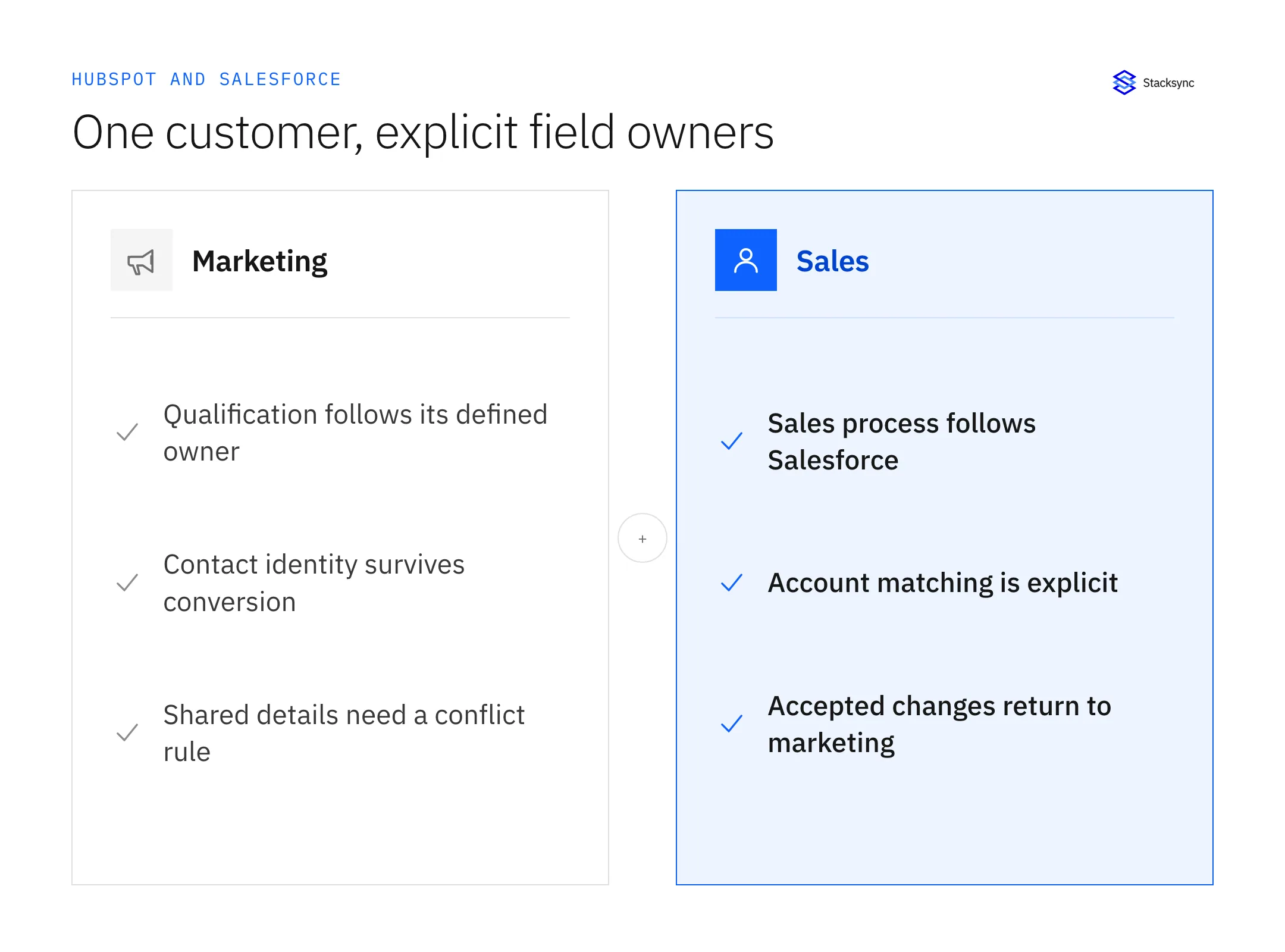
| Data | Proposed owner | Acceptance case |
|---|---|---|
| Cross-system record IDs | Integration identity policy | A repeated create or lead conversion does not create a second person |
| Marketing qualification | HubSpot, if that is where qualification is defined | A qualification change reaches the intended sales field |
| Sales owner and opportunity status | Salesforce, if sales operates there | A CRM update does not overwrite the assigned sales process |
| Shared contact details | Explicit shared-field policy | Concurrent phone edits resolve as documented |
| Company relationship | Approved account matching rule | The person is attached to the correct account after conversion |
Illustrative ownership choices. Confirm the exact supported mapping rules and API field names in your setup.
Do not assume field labels are stable identifiers. Compare API names, types, allowed enum values, and whether a property is writable. An “Industry” label in both products can still have different permitted values. Likewise, clearing a field and omitting it from an update can have different meanings.
Set up the native integration deliberately
Confirm eligibility and access requirements in HubSpot’s installation guide. Install Salesforce from the HubSpot Marketplace and authorize the intended Salesforce account. After connection, open Salesforce under Settings → Integrations → Connected Apps. Work in the Data sync area to review objects, field mappings, and sync rules. Keep a record of the configuration before the initial data movement.
- 01Select the objects required for the approved sales handoff.
- 02Match compatible HubSpot properties and Salesforce fields.
- 03Choose the supported rule for each field; avoid a blanket bidirectional default.
- 04Set the appropriate inclusion criteria and review the reverse-direction selection behavior.
- 05Test new, existing, and converted records before expanding the selected set.
- 06Explicitly resync the records needed to populate newly mapped fields.
Two native behaviors deserve a test: existing values do not retroactively populate merely because a new mapping was created, and the initial sync can establish a Salesforce baseline for a previously unsynced field. See HubSpot’s mapping rules. Also test inclusion at first pairing rather than assuming it prevents every initial write; HubSpot documents first-sync exceptions.
How often does the native integration sync? HubSpot documents automatic sync triggers and an approximately 15-minute check for new or updated information. Actual movement still depends on mappings, scope, API capacity, and record health. Measure the handoff you need rather than treating the check interval as a universal delivery guarantee.
Keep the intended business behavior separate from the available product setting. If a native field has special rules, adapt the design or choose an approach that supports your requirement; do not label an unsupported configuration “done.”
Connect the pair with Stacksync
Start with a small representative scope. In Stacksync, create the HubSpot connection, choose the account, and authorize it using the required administrator access. The HubSpot authorization guide documents the Super Admin requirement and region selection. Create the Salesforce connection with the intended integration user following the Salesforce authorization guide.
Review the objects available to both connections, choose the approved mappings, and validate the initial record matches. Configure only the permitted write directions. Include contacts, companies/accounts, and the relevant relationships in the test rather than proving a single isolated contact field.
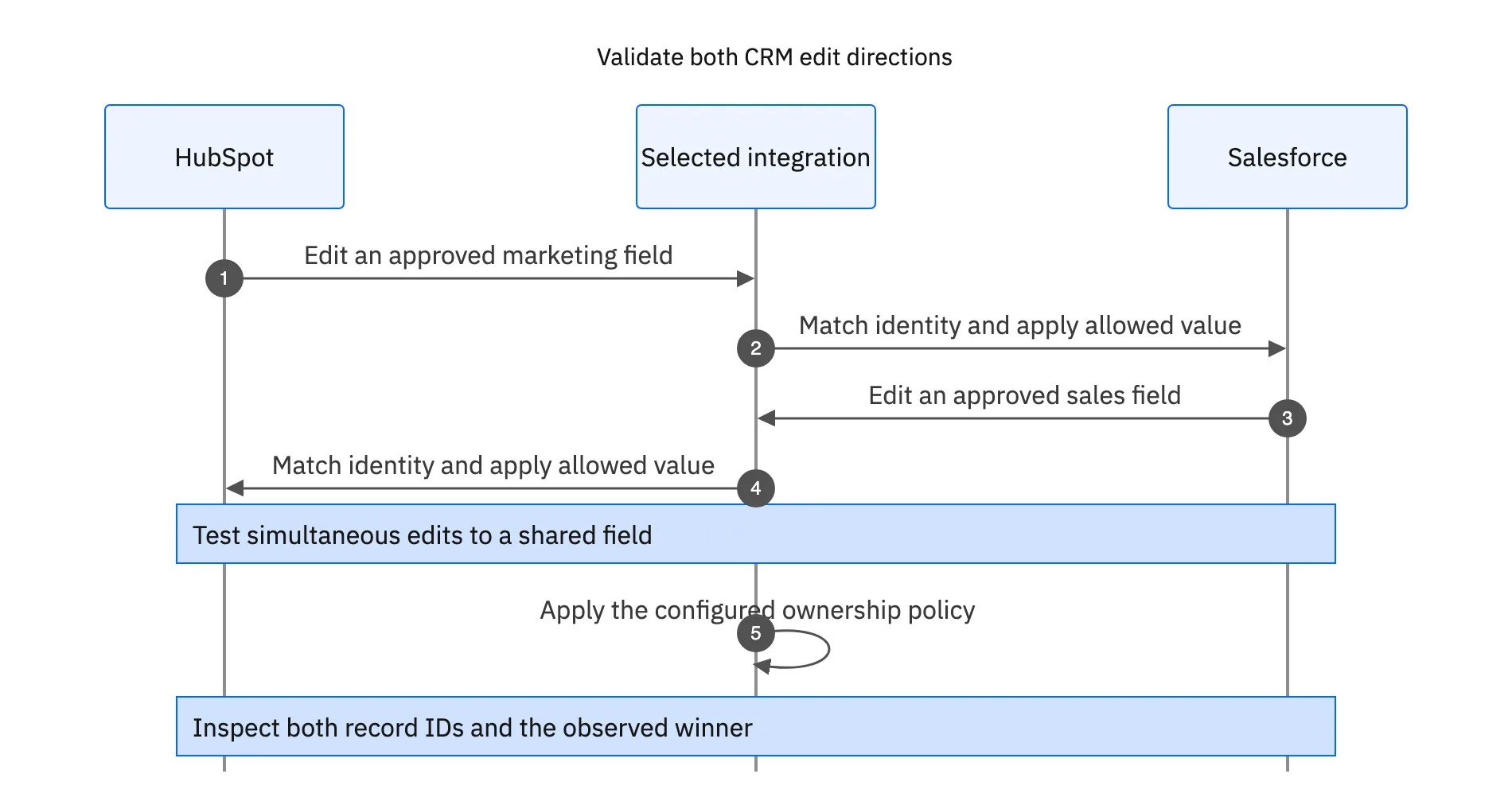
Salesforce change detection depends on the connector mode and permissions. Stacksync documents Apex triggers where usable and incremental polling otherwise. Object eligibility also varies. Measure the resulting freshness for your selected objects instead of treating a connector-wide latency claim as a guarantee. Review Salesforce connector behavior.
For HubSpot, verify the account’s object access and association requirements. The HubSpot connector documentation lists object availability and account constraints. Supporting an object in the product does not bypass the permissions or subscription restrictions of your account.

Diagnose the record before rerunning the integration
| Symptom | Investigate first | Safe next step |
|---|---|---|
| Contact is missing | Scope, inclusion criteria, matching and conversion state | Trace one source ID through the configured flow |
| Field stays blank | Mapping creation time, type, permissions and field ownership | Test one permitted write, then perform the documented resync |
| Duplicate person | Existing pair IDs, lead conversion and matching rule | Reconcile identities before enabling more creates |
| Value keeps changing back | Two writers, conflicting ownership or an automation | Assign an owner and test the full update chain |
| Sync is slow | Capture mode, backlog, API capacity and validation failures | Measure the delay stage and address its cause |
Capture the IDs on both sides, the field API name, the expected value, and the observed timestamps. That evidence is more useful than “sync is broken.” Use test records when reproducing a problem, especially if CRM workflows send messages or create downstream tasks.
When a Stacksync record fails, inspect the Issues dashboard and choose the intended resolution. Retry reads the latest source values; reverting writes destination values back to the source. Check both records afterward and use the recovery guide for ambiguous or repeated failures.
Launch with a measurable handoff
Complete a test set covering new contact creation, an existing contact match, lead conversion, a company relationship, an invalid enum, a cleared field, and simultaneous edits. For each case, record the expected owner and destination outcome. Then measure lag during normal activity and an initial-load catch-up period.
Bring the result to the production-readiness review. If evaluating Stacksync, request a HubSpot–Salesforce integration demo with your selected objects, matching rules, expected volume, and hardest exception. The decision should be based on that working handoff.
FAQ
Frequently asked questions










Explore these integrations and topics
- integrationSalesforce and HubSpot integration
- connectorHubSpot integrations
- connectorSalesforce integrations
- platformTwo-way sync
- platformCRM synchronization
- Two-way sync guidesUnderstand two-way sync, record matching, field ownership, and production readiness.
- CRM synchronization guidesConnect customer records across sales, marketing, and operational systems.
Related articles