Customer Success Tools on Supabase: Real-Time Salesforce Sync Stacksync
Build powerful customer success platforms using Supabase for flexibility and Stacksync for real-time Salesforce integration without enterprise iPaaS costs.
- Author
- Ruben Burdin · Founder & CEO
- Published
- Read time
- 10 min read

Building a customer success platform requires balancing powerful features with rapid development speed. Supabase provides the backend infrastructure and real-time capabilities modern CS teams need, while Stacksync eliminates the complexity of Salesforce integration without enterprise iPaaS costs.
The Customer Success Platform Requirements Gap
Customer success platforms serve a distinct purpose from CRMs. While Salesforce tracks sales pipeline and deal progression, CS platforms focus on post-sale engagement, health scoring, and retention.
The core requirements include customer health tracking with configurable scoring models that blend usage metrics, support tickets, and engagement data, automated playbooks that trigger tasks at lifecycle milestones like onboarding completion or renewal dates, real-time product usage insights for identifying churn risk or expansion opportunities, and workflow automation to eliminate manual CSM tasks.
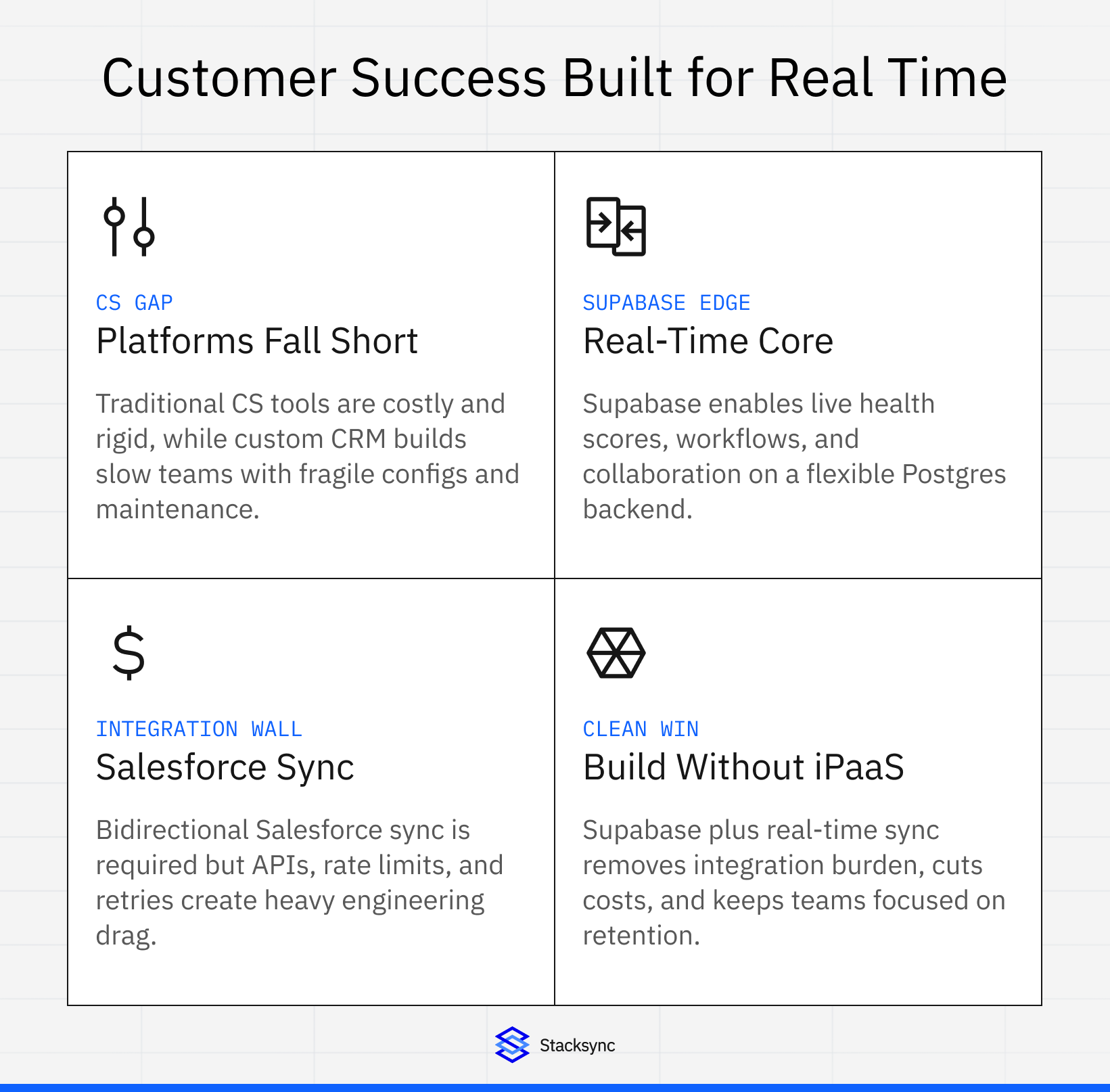
Traditional approaches force teams into difficult choices. Enterprise CS platforms like Gainsight start at $25,000 annually with custom pricing typically reaching six figures. Building custom solutions on CRMs creates development overhead, fragile configurations, and heavy ongoing maintenance. The middle ground is building purpose-built CS tools on flexible backend platforms like Supabase while maintaining Salesforce as the CRM of record.
Why Supabase for Customer Success Platforms
Supabase provides an open-source backend-as-a-service built on PostgreSQL, offering the foundation customer success tools require without the constraints of traditional platforms.
Real-Time Data Capabilities
Supabase Realtime enables instant updates across client applications through three core mechanisms. Postgres Changes listen to database modifications in real-time, perfect for triggering CS workflows when customer data updates. Broadcast sends low-latency messages between clients for collaborative features like shared customer views. Presence tracks online users for showing which CSMs are actively working with specific accounts.
These capabilities power essential CS features. Real-time health score updates appear instantly across dashboards when product usage changes. Live collaboration allows multiple team members to work on customer success plans simultaneously. Instant notifications alert CSMs when customers hit critical milestones or risk thresholds.
PostgreSQL Foundation
The PostgreSQL database underlying Supabase provides enterprise-grade capabilities customer success platforms demand. Row-Level Security enforces data access controls, ensuring CSMs only see their assigned accounts. Complex queries enable sophisticated health scoring algorithms combining multiple data sources. JSON support handles flexible customer metadata without rigid schemas. Full-text search powers customer and conversation search features.
Instant APIs and Authentication
Supabase auto-generates RESTful APIs from database schemas, eliminating backend API development. Authentication handles user management with support for SSO, enabling CS teams to use existing identity providers. Edge Functions allow custom server-side logic for complex calculations or third-party integrations.
Cost Structure
Supabase pricing starts free for development and small deployments, scales to $25 per month for Pro tier with enhanced performance and support, and offers Enterprise pricing for high-scale requirements. This represents a fraction of traditional CS platform costs, with savings reinvested in custom functionality.
The Salesforce Integration Challenge
Customer success teams require bidirectional sync between their CS platform and Salesforce. Data must flow both directions. CS platforms need customer, account, and opportunity data from Salesforce. Salesforce needs health scores, renewal forecasts, and engagement data from CS tools.
Traditional integration approaches present significant challenges. Custom API development requires handling OAuth authentication flows, managing API rate limits, implementing retry logic and error handling, and maintaining sync state across systems. Enterprise iPaaS platforms like MuleSoft start around $80,000 annually with complex pricing structures. Simpler tools like Zapier lack bidirectional sync and real-time capabilities needed for CS workflows.
Real-Time Salesforce Sync with Stacksync
Stacksync provides bidirectional real-time synchronization between Supabase and Salesforce designed specifically for operational use cases like customer success platforms.
Bidirectional Data Flow
Changes in Salesforce propagate to Supabase within seconds. When sales closes a new deal, customer data appears instantly in the CS platform for immediate onboarding workflows. Updates in Supabase sync back to Salesforce in real-time. When CSMs update health scores or log engagement, the information flows immediately to Salesforce for sales visibility.
No-Code Configuration
Field mapping connects Salesforce objects to Supabase tables without code. Map standard objects like Account, Contact, and Opportunity to corresponding database tables. Sync custom Salesforce fields to Supabase columns for industry-specific data models. Handle lookup relationships and record associations automatically.
Automatic Schema Handling
Stacksync creates appropriate PostgreSQL schemas when syncing to Supabase. Automatically generates tables matching Salesforce object structures. Maps Salesforce data types to PostgreSQL equivalents. Handles required fields and validation rules.
Scalability Without Complexity
Stacksync manages API rate limits across both platforms. Queues sync operations during high-volume periods. Implements retry logic for transient failures. Scales from thousands to millions of records without configuration changes.
Architecture Patterns for CS Tools on Supabase
Pattern 1: Supabase Core with Salesforce Sync
The simplest architecture uses Supabase as the primary database with bidirectional Salesforce synchronization.
Customer and account data syncs from Salesforce to Supabase tables. CS teams work primarily in the Supabase-powered application. Health scores, engagement data, and CS-specific metrics live in Supabase. Critical updates sync back to Salesforce for sales team visibility.
This pattern works best for teams building greenfield CS tools who want development flexibility without Salesforce constraints.
Pattern 2: Salesforce Primary with Supabase Analytics
Organizations heavily invested in Salesforce can use Supabase as a real-time analytics layer.
Salesforce remains the system of record for customer data. Supabase receives continuous sync of relevant Salesforce objects. Complex analytical queries run against Supabase to avoid Salesforce governor limits. Custom dashboards and visualizations pull from Supabase real-time.
This approach suits teams with established Salesforce workflows who need advanced analytics and real-time capabilities beyond Salesforce's native features.
Pattern 3: Hybrid Operational Data Store
Advanced implementations use Supabase as an operational data store combining multiple sources.
Salesforce data syncs to Supabase for customer context. Product usage data from instrumentation flows into Supabase. Support ticket information from Zendesk or similar tools integrates real-time. CS workflows operate on the unified dataset in Supabase.
This pattern enables sophisticated CS operations requiring data from across the customer journey.
Building Core CS Features on Supabase
Customer Health Scoring
Health score models require combining multiple data signals. Create scoring logic in PostgreSQL functions that aggregate product usage frequency, support ticket volume and severity, payment history and billing health, and engagement metrics like email responses. Store scores in dedicated tables with historical tracking. Trigger Supabase Realtime updates when scores change thresholds. Sync critical health score changes back to Salesforce custom fields.
Automated Playbooks
Customer success playbooks automate CSM workflows at lifecycle stages. Define playbook templates in Supabase tables specifying trigger conditions, task sequences, and timing. Use PostgreSQL triggers to detect playbook activation conditions. Leverage Supabase Edge Functions for complex business logic. Create tasks in Supabase that sync to Salesforce tasks for visibility.
Real-Time Dashboards
Supabase powers real-time CS dashboards without polling. Connect frontend applications to Supabase Realtime channels. Subscribe to database changes for specific accounts or segments. Build visualizations that update instantly as data changes. Aggregate metrics using PostgreSQL materialized views for performance.
Collaboration Features
Customer success teams collaborate on accounts using Supabase Presence. Track which CSMs are viewing specific customer profiles. Show real-time typing indicators in shared notes. Broadcast activity updates to team members instantly. Maintain collaboration history in PostgreSQL for compliance.
Cost Comparison: Supabase + Stacksync vs Enterprise iPaaS
Traditional Enterprise iPaaS Approach
MuleSoft Anypoint Platform starts around $80,000 annually for entry-level implementation. Actual enterprise deployments frequently exceed six figures. Complex pricing based on connectors, API calls, and data volume makes budgeting challenging. Requires specialized developers familiar with MuleSoft architecture. Implementation timeline typically spans 3-6 months.
Boomi iPaaS costs approximately $6,000-$50 per month depending on connectors and data volume. More transparent pricing than MuleSoft but still subscription-based. Requires configuration and ongoing management. Implementation faster than MuleSoft but still measured in weeks.
Development Time Savings
Custom Salesforce API integration requires 2-3 months of engineering time for initial build, ongoing maintenance for API changes and error handling, and dedicated DevOps for reliability and monitoring.
Stacksync eliminates this entirely. No-code setup completes in hours instead of months. Automatic handling of API rate limits and retries. Built-in monitoring and alerting. Engineering team focuses on CS features, not integration infrastructure.
Implementation Guide
Step 1: Design Supabase Schema
Define tables matching CS platform requirements. Create tables for accounts, contacts, health scores, playbooks, tasks, and activities. Establish foreign key relationships mirroring Salesforce data model. Add CS-specific fields not present in Salesforce.
Step 2: Configure Row-Level Security
Implement PostgreSQL RLS policies for data access control. Restrict CSMs to assigned accounts using tenant scoping. Allow managers broader visibility across team portfolios. Create service role exceptions for background jobs.
Step 3: Set Up Stacksync Connection
Connect Salesforce using OAuth authentication in Stacksync. Specify which Salesforce objects to sync (Account, Contact, Opportunity, custom objects). Map Salesforce fields to Supabase table columns. Configure sync direction (bidirectional, Salesforce-to-Supabase, or Supabase-to-Salesforce).
Step 4: Implement Business Logic
Create PostgreSQL functions for health score calculations. Build Edge Functions for complex workflows requiring external API calls. Define database triggers for automated playbook activation. Implement data validation and transformation rules.
Step 5: Build Frontend Application
Connect frontend to Supabase using official client libraries. Subscribe to Realtime channels for live updates. Implement authentication using Supabase Auth. Build dashboards querying PostgreSQL views and tables.
Step 6: Configure Monitoring
Set up Stacksync alerts for sync failures via email, Slack, or PagerDuty. Monitor Supabase database performance through dashboard. Track API usage and rate limit consumption. Implement application-level error tracking.
Security and Compliance Considerations
Data Protection
Supabase encrypts data at rest and in transit using industry-standard protocols. Stacksync processes synchronization without persistent data storage. OAuth tokens and credentials store encrypted in Stacksync's secure vault. Network connections use SSL/TLS for all communications.
Compliance Certifications
Stacksync maintains SOC 2 Type II, GDPR, HIPAA BAA, ISO 27001, and CCPA compliance. Supabase offers SOC 2 Type II certification for Enterprise customers. Combined stack meets compliance requirements for regulated industries.
Access Controls
Implement role-based access control in Supabase using RLS policies. Configure SSO through Supabase Auth for centralized identity management. Audit logging tracks all data access and modifications. Stacksync provides comprehensive sync audit trails.

Performance Optimization
Database Indexing
Create PostgreSQL indexes on frequently queried columns like account ID, health score, and last activity date. Use partial indexes for filtering common query patterns. Implement composite indexes for multi-column queries.
Caching Strategy
Leverage PostgreSQL materialized views for expensive aggregate calculations. Refresh materialized views on schedule or data change triggers. Use Supabase Edge Functions with caching for frequently accessed computations.
Query Optimization
Write efficient SQL avoiding N+1 query patterns. Use EXPLAIN ANALYZE to identify slow queries. Implement connection pooling for high-concurrency scenarios.
Scaling Considerations
Supabase scales from startup to enterprise workloads. Database automatically handles growing data volumes. Read replicas available for separating analytical queries. Supabase Realtime scales to millions of concurrent connections.
Stacksync manages sync at scale. Handles millions of records with decreasing marginal costs. Automatic rate limit management prevents API throttling. Parallel processing for high-volume synchronization.
When to Choose This Approach
This architecture suits specific scenarios.
Choose Supabase + Stacksync when you're building a custom CS platform from scratch, your team has modern web development skills, you need real-time features like collaborative editing, you want flexibility in data models and features, or cost efficiency matters for your budget.
Consider alternatives when your CS requirements fit perfectly within existing platforms like Gainsight, your team prefers no-code tools exclusively, you need industry-specific CS features out of the box, or you have unlimited budget for enterprise platforms.
From CS Tool to Business Advantage
Building customer success tools on Supabase with Stacksync for Salesforce integration represents a modern approach to CS operations. The architecture combines PostgreSQL's power, real-time capabilities, and flexible development with seamless CRM integration, eliminating the cost and complexity of traditional enterprise iPaaS solutions.
Organizations adopting this pattern gain control over their CS tooling, invest in custom features that differentiate their customer experience, and maintain development velocity as requirements evolve. The cost savings versus enterprise CS platforms or traditional iPaaS deployments fund additional CS headcount or product investments.
Whether building a full CS platform or adding CS capabilities to existing products, Supabase provides the backend infrastructure while Stacksyncsolves the Salesforce integration challenge. Development teams maintain focus on features that drive retention and expansion rather than wrestling with API authentication, rate limits, and sync infrastructure.
Ready to build your customer success platform? Stacksync provides real-time bidirectional sync between Supabase and Salesforce with no-code setup and enterprise-grade reliability. Schedule a demo to discuss your specific CS requirements and discover how this architecture eliminates integration complexity while reducing costs compared to traditional iPaaS solutions.
FAQ
Frequently asked questions










Explore these integrations and topics
- connectorSalesforce integrations
- connectorSupabase integrations
- platformCRM synchronization
- platformDatabase synchronization
- CRM synchronization guidesConnect customer records across sales, marketing, and operational systems.
- Database synchronization guidesWork through database change capture, application writes, and reliable record reconciliation.
Related articles