Beat HubSpot API Rate Limits with Stacksync Real‑Time Sync
HubSpot's 2026 API limits: 100 req/10s (Free/Starter, 250K/day) to 190 req/10s (Pro/Enterprise, up to 1M/day). Stacksync syncs without 429 errors.
- Author
- Ruben Burdin · Founder & CEO
- Published
- Updated
- Read time
- 4 min read

Integrating HubSpot with other critical business systems is a standard operational requirement. However, this process frequently introduces a significant technical hurdle: hitting HubSpot's API rate limits. When these limits are exceeded, data syncs fail, workflows are interrupted, and operational bottlenecks emerge that disrupt sales, marketing, and support teams.
Stacksync provides the definitive solution with a real-time, bi-directional sync platform engineered to intelligently manage API calls and prevent these issues before they impact your operations.
What Are HubSpot API Rate Limits and Why Do They Matter?
An API rate limit is a cap on the number of API calls an application can make within a specific timeframe. HubSpot implements these limits to ensure platform stability, prevent abuse, and guarantee fair resource allocation for all users [1]. For any organization relying on data integrity, understanding these limits is fundamental to operational continuity.
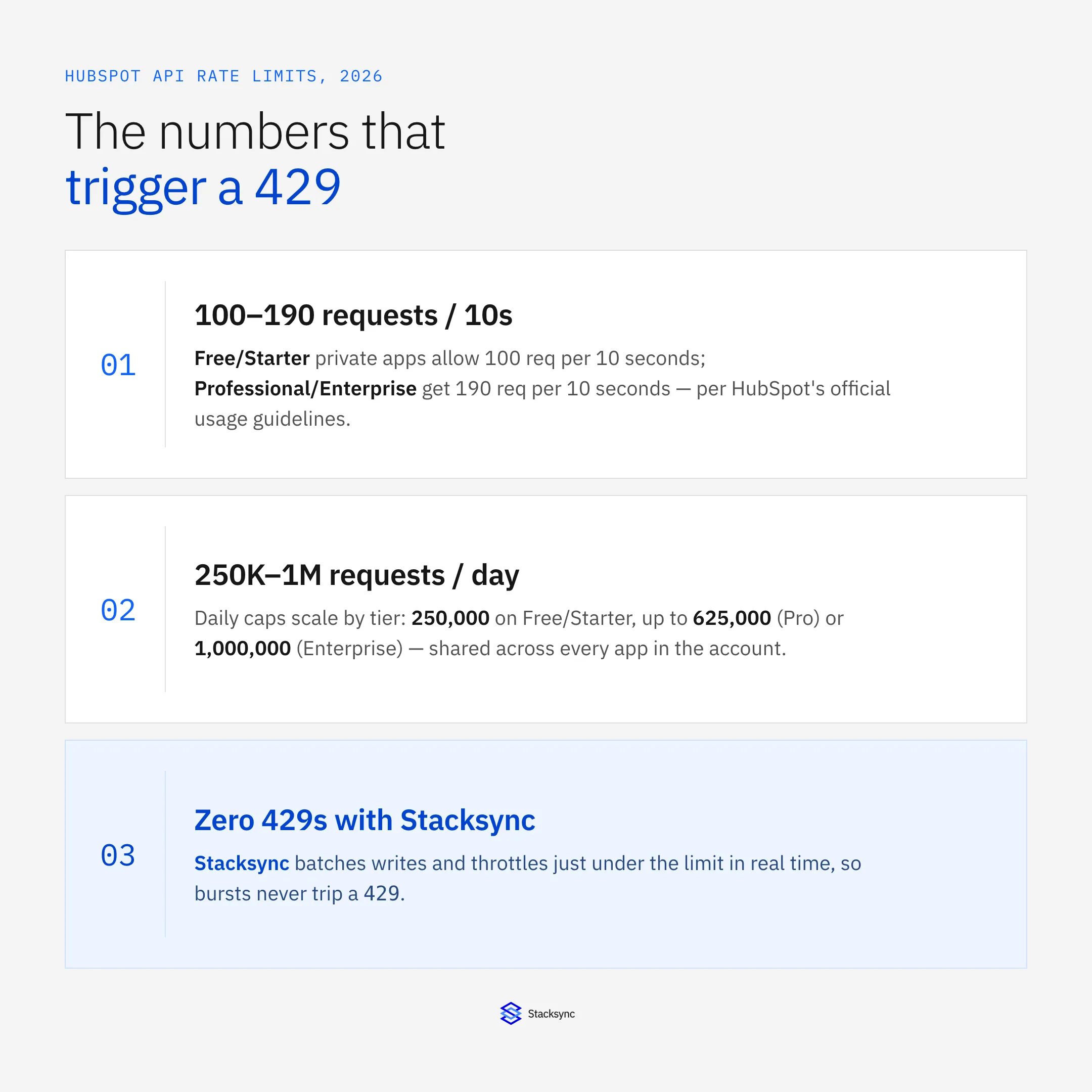
In 2026, HubSpot's private-app limits scale directly with your subscription tier. The burst limit applies per app; the daily limit is shared across every app in the account, per HubSpot's official API usage documentation [3]:
| Plan / app type | Burst limit (per 10s) | Daily limit |
|---|---|---|
| Free / Starter (private app) | 100 requests | 250,000 requests |
| Professional (private app) | 190 requests | 625,000 requests |
| Enterprise (private app) | 190 requests | 1,000,000 requests |
| OAuth marketplace app (latest platform) | 110 requests / installed account | Set per app category |
| CRM Search API (any tier) | 5 requests / second / account | Shares the daily cap above |
HubSpot API rate limits by plan, per developers.hubspot.com (2026).
The CRM Search API is the endpoint most integrations hit first: its 5-requests-per-second ceiling is far tighter than the general burst limit, so any sync that leans on search for bulk lookups instead of standard list endpoints throttles before the rest of the account does [4].
Exceeding these limits results in the 429 Too Many Requests error, which halts data transfer and can cause significant data integrity issues [7]. This behavior can lead to inconsistent records and other common HubSpot errors, undermining the reliability of your entire data ecosystem.
The Problem with Common Workarounds for API Limits
To avoid rate limiting, developers often resort to common strategies like exponential backoff, request batching, and building custom queuing systems [2]. While functional in theory, these manual workarounds consistently fail under real-world operational demands.
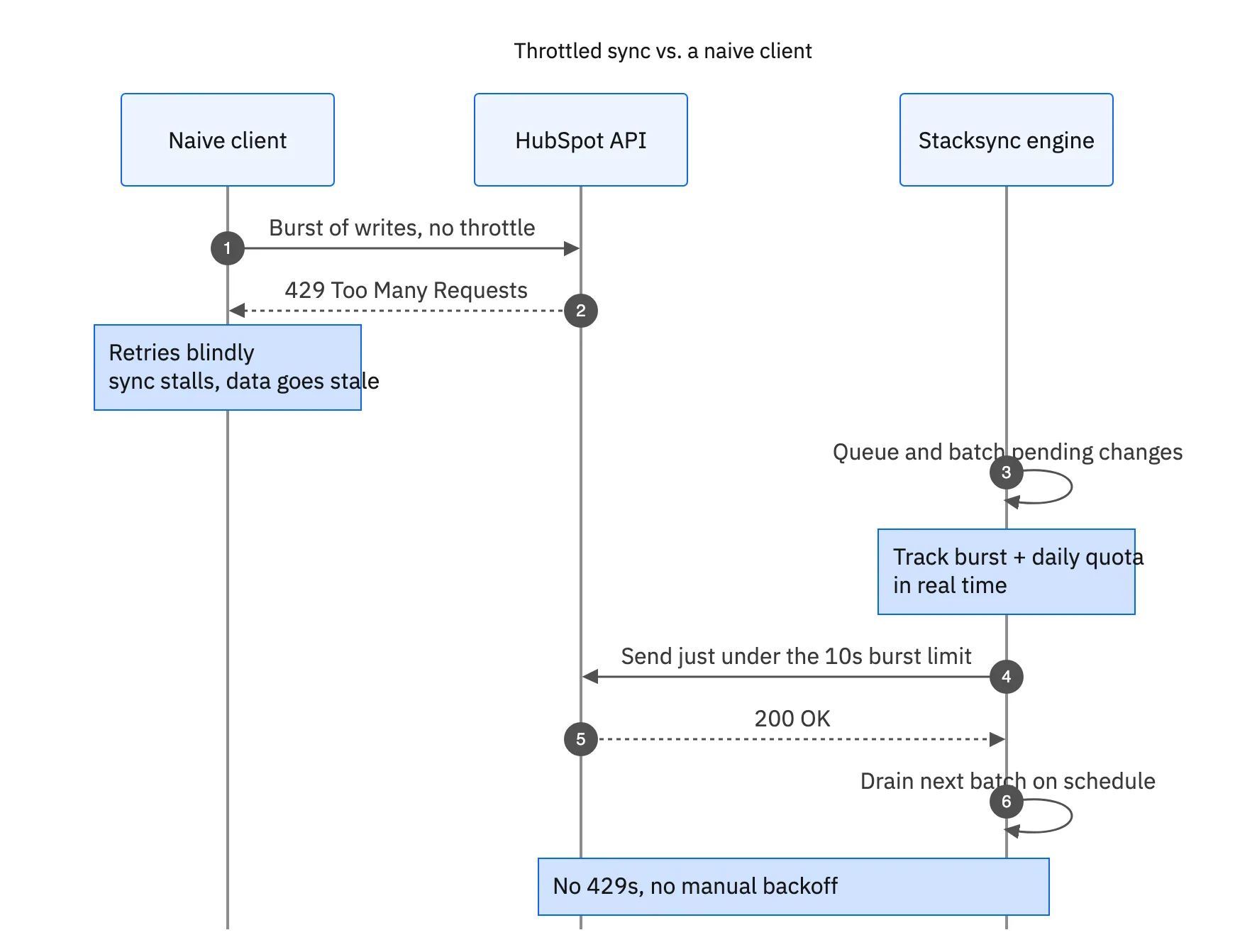
The downsides of these approaches are significant:
- They Destroy Real-Time Sync: Introducing
sleep()timers or complex retry logic fundamentally breaks the principle of real-time synchronization. Your data is perpetually delayed, leading to significant data lag and stale information across business systems. - They Are Brittle and High-Maintenance: These custom solutions are complex to engineer, require constant monitoring, and are highly susceptible to failure. This brittleness consumes valuable engineering resources that should be focused on core product innovation.
- They Lack Scalability: As data volumes increase, these simplistic workarounds inevitably fail. The logic that worked for 1,000 records collapses under the strain of 100,000, forcing a costly re-architecture.
How Stacksync's Real-Time Sync Beats HubSpot API Limits
Stacksync provides an intelligent, fully managed solution that eliminates the need for manual workarounds. As a dedicated data sync & workflow automation platform, we have engineered several core features specifically to handle these challenges.
Intelligent Batching and Parallelization
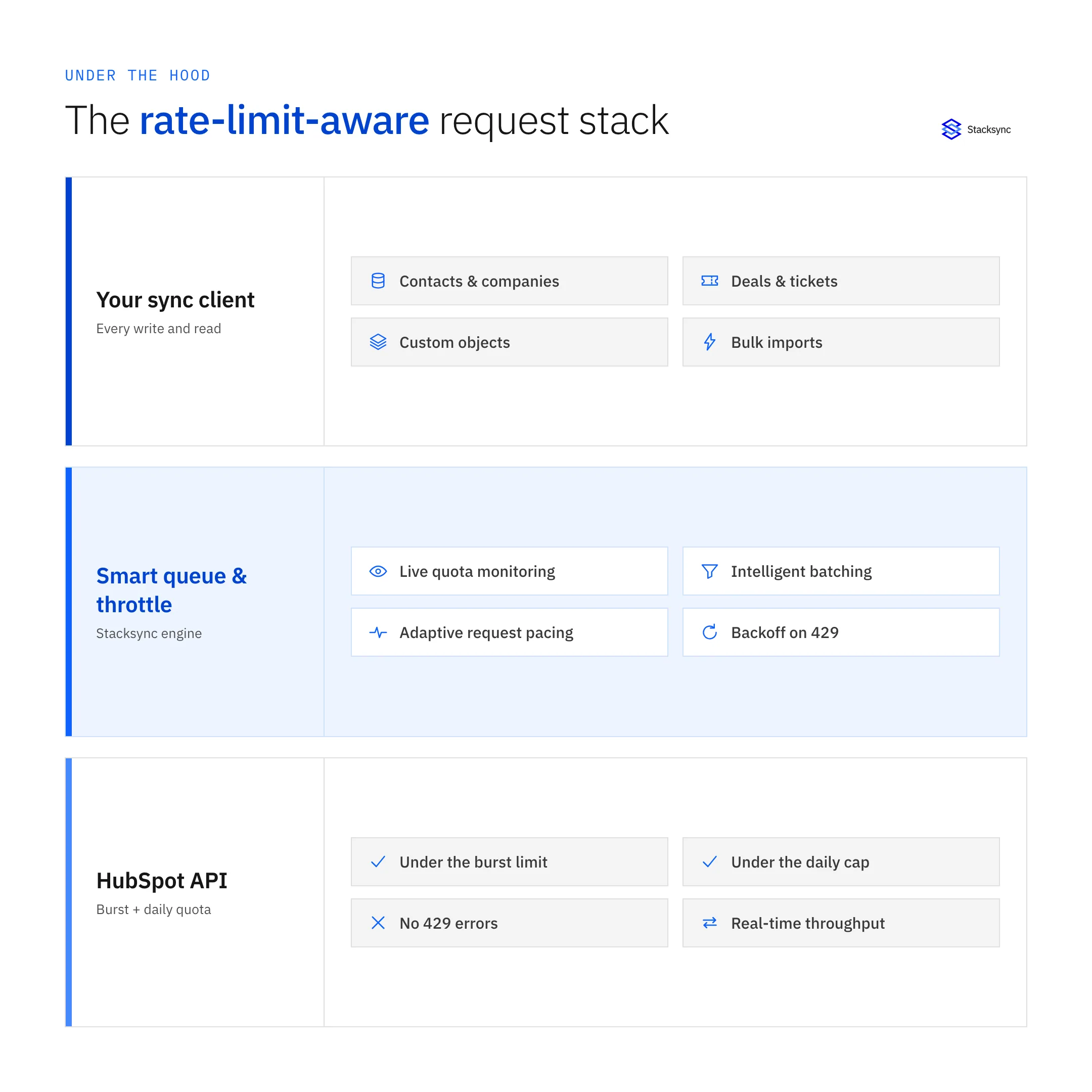
Stacksync's sync engine does not operate on a naive one-to-one call basis. It automatically and intelligently batches data modifications to make fewer, more efficient API calls to HubSpot's various endpoints [6]. During high-volume events like an initial sync, our platform dynamically scales, parallelizing processes to transfer data at maximum speed without overwhelming the API. This methodology significantly reduces API consumption and completes large jobs in a fraction of the time.
Smart, Adaptive Rate Limiting
Stacksync includes a native "Smart API Rate Limits" feature that functions as an adaptive system, not a simple throttle. Our platform continuously monitors your API usage in real-time and adjusts call frequency to operate just under HubSpot's burst and daily limits. This maximizes data throughput without triggering 429 errors, ensuring both speed and reliability. This built-in mechanism is a core component of our architecture, proven in complex integrations that demand real-time API limit recovery.
Granular Control at Your Fingertips
While Stacksync’s intelligent system works perfectly out-of-the-box, we also provide optional granular controls for teams who need to manage their API budget with absolute precision. You can easily configure a maximum request rate directly within the Stacksync dashboard.
- 01Open an active Sync.
- 02Click on the HubSpot connector.
- 03Define your desired request limit (e.g., 10 requests per second).
- 04Save your changes.
For optimal, consistent data flow, it is best practice to set limits on a small timescale (seconds or minutes) rather than hours. For more detailed instructions, you can consult our documentation on how to Manage API rate limits.

Stop Worrying About Rate Limits and Start Syncing
By using Stacksync for your HubSpot integrations, you move beyond building and fixing brittle workarounds. The benefits are clear:
- Avoid
429Errors: Proactively manage API calls to eliminate sync failures. - Maintain Real-Time Speed: Keep data across all systems synchronized in milliseconds with a reliable bi-directional sync.
- Save Engineering Resources: Free your technical talent from maintaining fragile custom code.
- Scale with Confidence: Handle millions of records without worrying about API quotas.
Introducing Stacksync for HubSpot means connecting your clouds and customers with unmatched reliability.
Ready to see how it works? Book a demo and solve your HubSpot integration challenges today.

FAQ
Frequently asked questions










Related articles