Airtable Sync: Two Proven Ways to Sync Data
Two proven ways to sync Airtable: native sync for bases inside Airtable, and real-time two-way sync for keeping Airtable aligned with external systems.
- Author
- Ruben Burdin · Founder & CEO
- Published
- Updated
- Read time
- 6 min read

Organizations rely on Airtable for database management, but a common challenge emerges: data becomes fragmented across multiple bases and external systems. This fragmentation creates operational inefficiencies, data inconsistency, and manual reconciliation overhead that prevents teams from achieving real-time data synchronization across their operational infrastructure.
The core limitation lies in Airtable's approach to external system integration. Airtable sync lets users import data from external sources like Google Calendar, Zendesk, Box, and more into a base, but these integrations operate unidirectionally, preventing true airtable bidirectional sync capabilities required for operational workflows.
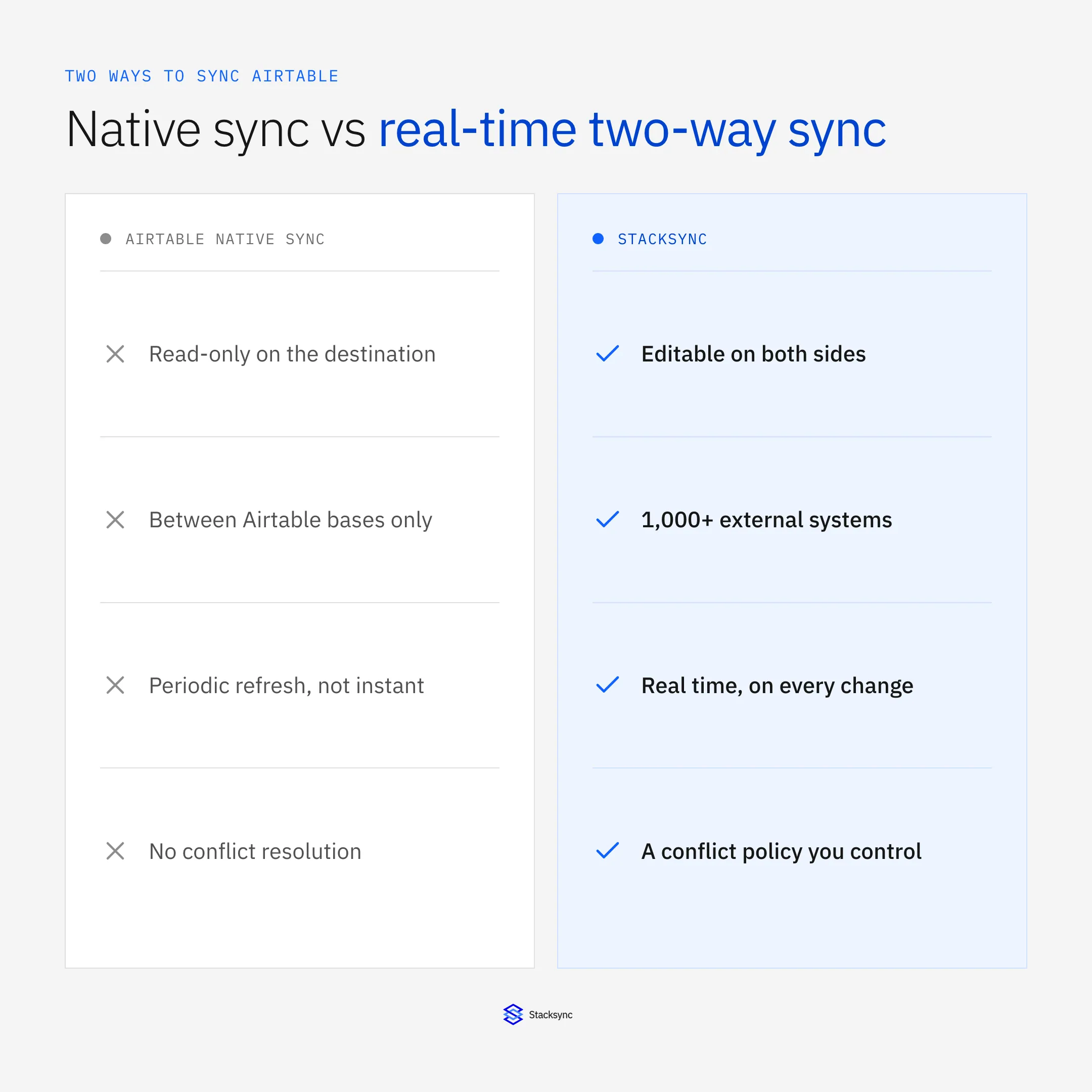
Two primary methods exist for achieving Airtable data synchronization: Airtable's native sync feature for internal and limited external connections, and dedicated integration platforms like Stacksync that deliver automated data sync between applications with true real-time data synchronization capabilities.
First Method: Use the Airtable Sync Feature
The Airtable sync feature allows users to sync records from a source to one or more destination bases in Airtable. Syncs can be configured to be only one-way, two-way, or to bring multiple sync source data into a single table via multi-source syncing.
Setting Up Airtable's Native Sync
Setting up a sync requires a shared view that's enabled for syncing. Navigate to your source table and select Share and sync, then Sync data to another base.
The main, and very important, difference with two-way syncs is that you need to enable the option Allow edits from other bases. If this toggle is not enabled, then two-way syncing cannot occur.
Once configured, changes in your source view update in the synced table automatically. For two-way internal syncs, targets with two-way sync turned on are only able to edit records created in the sync source.
Configuration and Frequency Options
The main difference between single and multi-source syncs is that multi-source syncs require field mapping. Since data in a destination table's fields can be provided by multiple sources, your choices during the sync setup process will determine how the source fields map to the destination's synced fields.
To keep automatic syncs active make sure that some kind of action (i.e. create a record, update a record, create a new view, etc.) is being performed in the base on a regular basis by automations, humans, or a combination of the two. Automatic syncing is only available on paid Airtable plans.
Critical Limitations of Airtable's Native Sync
External System Constraints:
- You can sync data from multiple third-party tools including: Jira cloud, Google calendar, Google drive, Box, Outlook calendar, Github issues, and Zendesk
- This limit only applies to integrated syncs. This limit does not apply to syncs that occur from one Airtable base to another Airtable base
- External integrations remain unidirectional, preventing sync airtable both ways functionality with systems outside Airtable's ecosystem
Operational Performance Issues:
- Like other syncs, it can be refreshed manually or automatically (every 6 hours)
- Airtable only supports syncing from grid views. It is not possible to set up a sync from calendar, gallery, kanban, timeline, list, or Gantt view types
Permission and Configuration Complexity:
- Setting restrictions or changing permissions can cause existing synced tables to "break" and no longer sync
- For two-way synced tables, every source of the sync must contain a two-way syncable field mapped to its respective target field for that target field to be editable. If these settings aren't aligned, error messages can pop up on your two-way synced table
Second Method: Build Your Own Airtable Sync with Stacksync
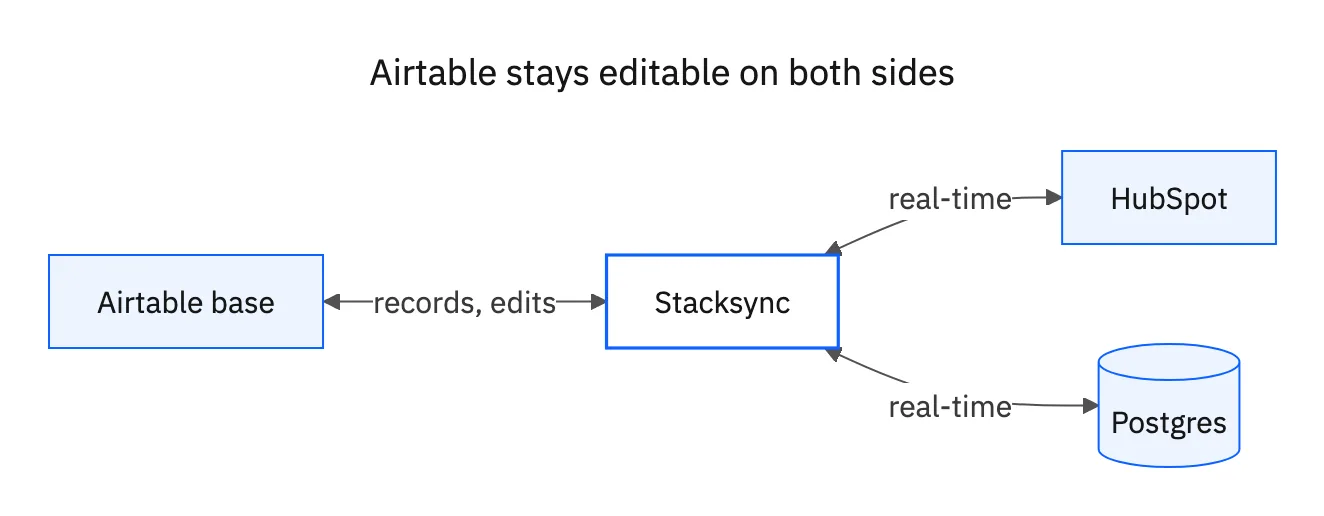
Stacksync eliminates Airtable's architectural constraints by providing two-way sync technology engineered to keep your data consistent and up-to-date across all connected systems in real time. When you enable two-way sync, any update, whether it's a new record, a change, or a deletion made in one application is automatically and instantly propagated to all other linked systems.
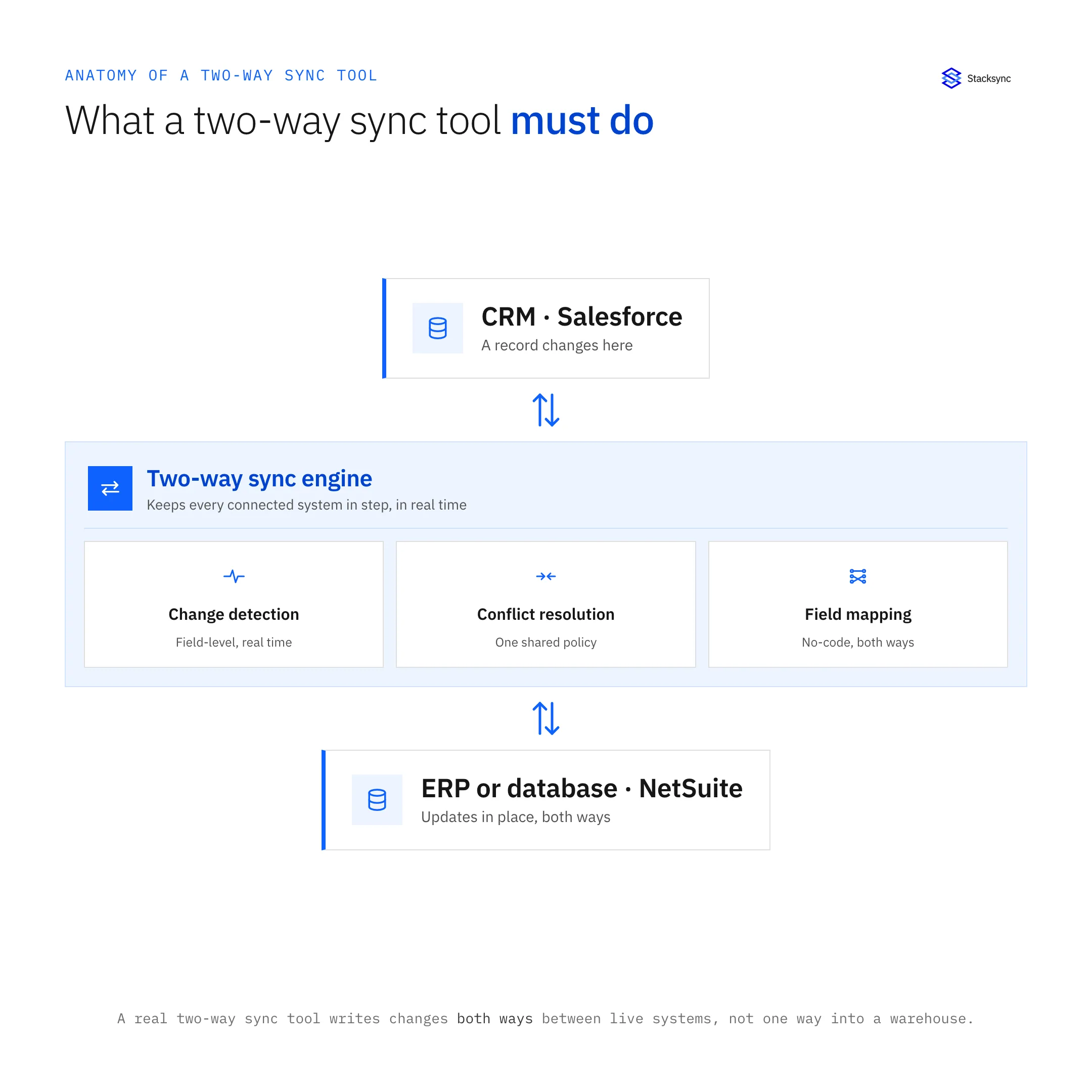
This approach addresses the fundamental limitation where external integrations with Airtable traditionally operate as one-way data imports, enabling true bi-directional sync tools for operational workflows.
Real-Time Bi-Directional Synchronization
Edits made to data in your CRM will instantly update in your Database, and vice-versa. To set up a sync, users simply have to connect the two chosen apps in one click and select the tables they want to sync, that's it!
Performance and Scale:
- Stacksync is designed for enterprise-grade scalability, allowing you to sync tens of millions of records across platforms like Salesforce, PostgreSQL, and Snowflake with real-time performance
- The platform automatically scales its infrastructure, parallelizing processes, batching updates, and leveraging ultra-scalable managed message queues that can handle up to 10 million events per minute per queue on enterprise plans
Enterprise Architecture:
- Stacksync's intelligent conflict resolution ensures that the most recent and relevant data is always prioritized, and its reliable mapping tools allow you to customize how fields and tables sync between platforms
- Integrations are non-invasive and do not require any setup on your systems. Connect in one click your apps with OAuth or any secure connection option such as SSH tunneling, SSL Certificates and more
simplify Implementation Process
Building an Airtable sync with Stacksync requires minimal technical configuration:
- 01Connect Your Systems: To set up a sync, users simply have to connect the two chosen apps in one click and select the tables they want to sync, no-code!
- 02Configure Field Mappings: Automatically map fields between your systems even when they have different names and data types. Stacksync handles data transformation and type casting for you
- 03Launch Your Sync: Edits made in your CRM will instantly update in your Database, and vice-versa
Comprehensive Integration Capabilities
Unlike Airtable's limited external connector ecosystem, Use 700+ pre-built connectors or connect to any other system via API. Workflows support SaaS tools, Database transformation automation, IoT, Sensors and more.
Supported Systems:
- CRM Platforms: Salesforce, HubSpot, Pipedrive, Zoho CRM
- ERP Systems: NetSuite, SAP, Microsoft Dynamics 365
- Databases: PostgreSQL, MySQL, MongoDB, Snowflake
- Business Applications: Zendesk, Shopify, Stripe, ServiceNow
Stacksync supports all standard and custom objects in your systems. Sync your business system objects to existing tables in your database or let Stacksync create new tables perfect data types to get started in seconds.
html
Airtable Native Sync vs Stacksync
| Capability | Airtable Native Sync | Stacksync |
|---|---|---|
| External Bi-directional Sync | No One-way only | Yes True bi-directional |
| Real-time Performance | 6-hour intervals | Real-time propagation |
| System Support | 7 external integrations | 700+ connectors |
| Setup Complexity | Manual field mapping | One-click authentication |
| Operational Continuity | Stops without activity | Always-active sync |
| Engineering Overhead | Configuration maintenance | Zero maintenance |

Implementation Strategy for Real-Time Data Consistency
Organizations seeking operational consistency require more than basic data movement, they need bi-directional sync tools that maintain enterprise-grade reliability and performance. Connect all your systems saving 90% engineering time, no maintenance required.
When to Use Airtable Native Sync:
- Internal Airtable-to-Airtable synchronization requirements
- Basic external data imports without bi-directional needs
- Organizations with simple workflows operating within Airtable's ecosystem
When Stacksync Delivers Superior Value:
- Organizations requiring true real-time data synchronization with external operational systems
- Teams needing automated data sync between applications without engineering overhead
- Enterprises with operational data consistency requirements across multiple platforms
The choice between native Airtable sync and dedicated integration platforms depends on your operational requirements for airtable two-way synchronization capabilities. For organizations requiring operational data consistency beyond Airtable's internal ecosystem, Stacksync eliminates the architectural constraints inherent in Airtable's external sync limitations while providing enterprise-grade reliability and performance.
Contact Stacksync to implement true bi-directional synchronization between Airtable and your operational systems, achieving real-time data consistency without architectural limitations or ongoing maintenance requirements.

FAQ
Frequently asked questions










Related articles