






















HubSpot Two-Way Sync: Methods, Mapping, and Setup
Plan HubSpot bidirectional sync with native data sync or a managed integration. Verify record matching, object coverage, filters, associations, and recovery.
- Author
- Ruben Burdin · Founder & CEO
- Published
- Updated
- Read time
- 5 min read

Choose the HubSpot integration for your specific workflow
HubSpot two-way sync moves approved changes between HubSpot and another application. It requires a record matching rule, field mappings, write ownership, and a way to resolve failed or competing updates. The right setup depends on the other system and the objects involved.
Begin with the workflow: a sales handoff, a customer database, an ERP account, or a support relationship. Define which application owns each business value. Two-way sync does not mean every HubSpot property should accept external writes, and it does not establish an instant-update guarantee.
Use the HubSpot connector overview to find the product scope and the field mapping workbook to record the intended behavior.
Native data sync, Salesforce integration, or managed platform
| Method | Good starting point | Confirm before choosing |
|---|---|---|
| HubSpot data sync | A supported app and its standard record model | Matching, filters, property mappings, account eligibility |
| HubSpot’s Salesforce integration | A HubSpot and Salesforce handoff | Salesforce-specific field rules, lead conversion, inclusion criteria |
| Managed integration such as Stacksync | Additional systems or a different operational model | Selected objects, both permitted directions, recovery behavior |
| Custom API implementation | A specialized workflow worth maintaining | Capture, quotas, pagination, identifiers, monitoring, ongoing API changes |
HubSpot’s data sync guide documents both one-way and two-way configuration. It also explains that filters limit initial synchronization; already paired records continue according to their mappings. Review that behavior before using a filter as a permanent write boundary.
The native Salesforce integration has its own setup and field behavior. Use the HubSpot–Salesforce guide rather than applying another app’s data sync rules by analogy. A native option can be suitable when the required objects and policies fit.
Model the records and their relationships
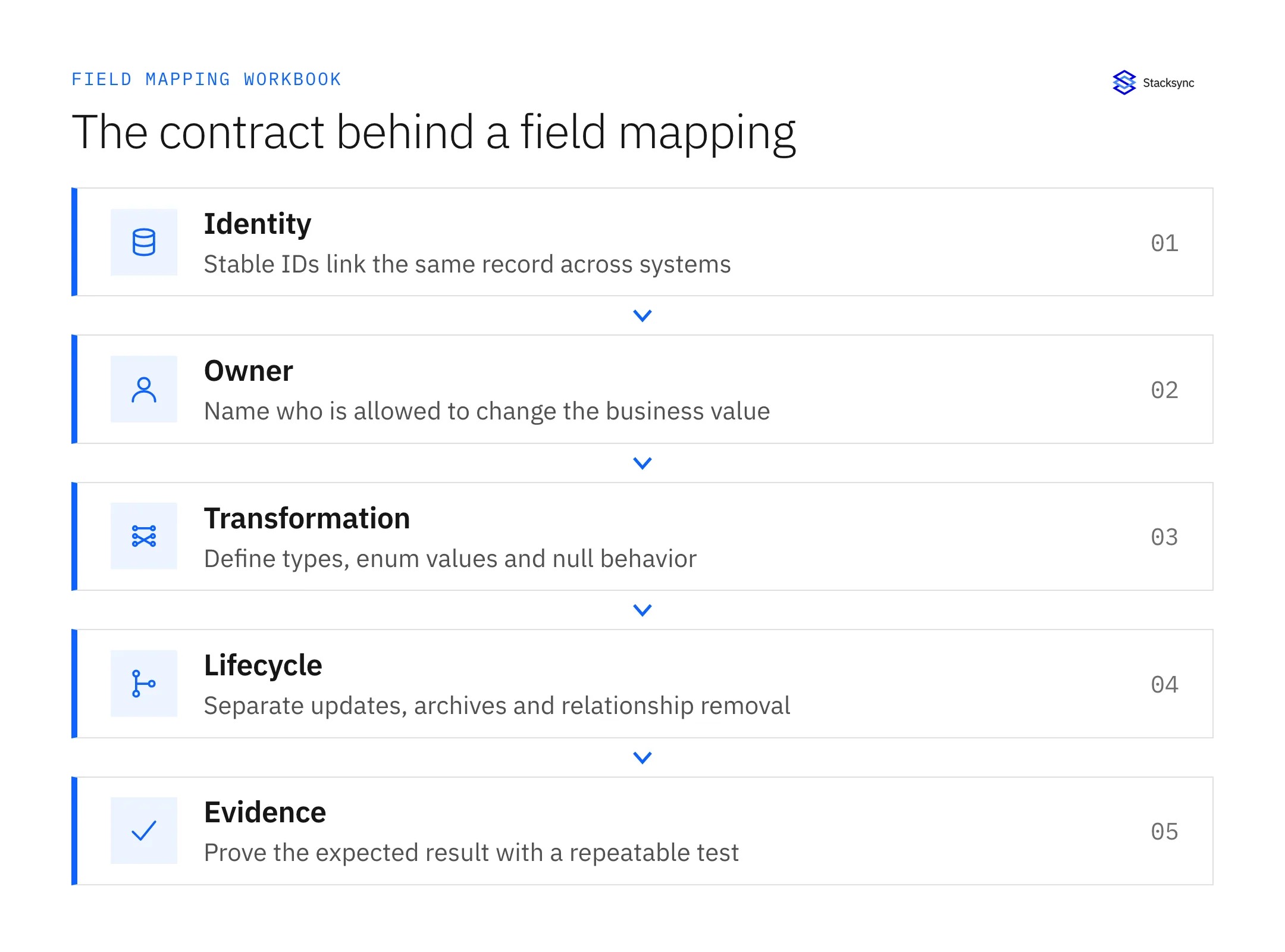
| HubSpot data | Design decision | Test case |
|---|---|---|
| Contacts | Matching key and behavior when email changes | An existing contact stays paired after an email update |
| Companies | Stable company identity and duplicate policy | Similar names do not merge unrelated businesses |
| Deals | Pipeline, stage, amount, and owner mappings | An unknown stage produces a visible exception |
| Associations | Both endpoint IDs and relationship labels | A contact with multiple companies retains the intended links |
| Custom objects | Account eligibility and supported write properties | A representative custom record works in both approved directions |
Treat these as design questions, not a promise that every connector supports every row. The Stacksync HubSpot documentation lists supported objects and account constraints. Verify the list against the actual connection and fields available to your account.
Associations are separate from ordinary properties. A single company ID is not an adequate substitute for every multi-company relationship. Preserve the required endpoint identities and labels, and test removal separately from deletion. See the association setup documentation.
Understand the native initial load and timing
HubSpot data sync indexes existing records during initial synchronization and then checks for incremental changes. Its documentation describes five-minute HubSpot change checks and synchronization within ten minutes after initial indexing. Those timings apply to the documented data sync behavior, not every HubSpot integration. Review the current native sync guide.
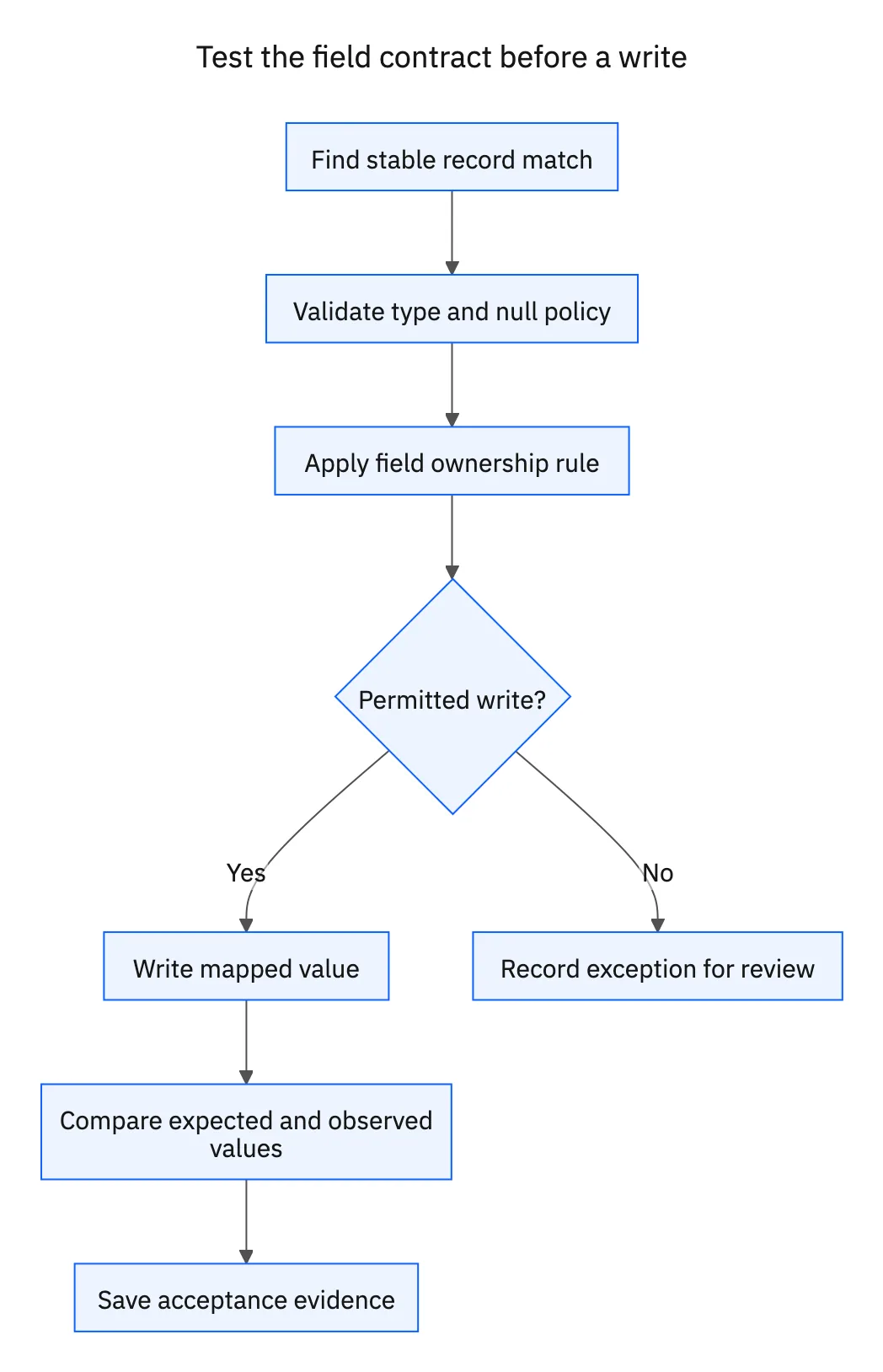
Test a record already present on both sides before importing a larger set. Record which fields establish the initial value and how the matching rule handles duplicates. Preserve evidence of the selected filters and configured owner so later changes can be explained.
Create separate acceptance cases for records that enter scope, records already paired, and records that later stop meeting the original filter. Their behavior may differ. Measure your actual end-to-end freshness under the expected record count and API workload.
Configure and test a Stacksync connection
- 01Define the selected HubSpot objects and fields in the workbook.
- 02Authorize the HubSpot account with the required administrator access and region selection.
- 03Connect the other system using its documented integration identity and permissions.
- 04Review the actual supported objects, mappings, and write directions.
- 05Load a representative set and inspect the matched record IDs.
- 06Exercise a permitted update in each direction plus an invalid value and a relationship change.
- 07Approve broader writes only after the acceptance evidence is complete.
Follow Stacksync’s HubSpot authorization guide for the product steps. The destination has independent constraints: PostgreSQL tables, for example, have key and permission requirements described in the HubSpot–PostgreSQL blueprint.

Diagnose missing records, wrong values, and slow updates
| Symptom | First evidence to collect |
|---|---|
| Record absent | Source ID, selected scope, matching key, object access |
| Unexpected overwrite | Field owner, recent values on both sides, other automations |
| Broken company relationship | Both endpoint IDs and association type |
| Rejected update | Destination validation message and the mapped API field |
| Slow synchronization | Original edit time, capture time, queue age, destination acceptance |
Avoid assuming every failure needs a full resync. In Stacksync, the Issues dashboard provides record-level actions; retry uses the current source value. Read both records before choosing a repair and verify the intended business outcome afterward.
Track a business result such as accurate handoff state or reduced unresolved exceptions using your own baseline. A percentage improvement from another implementation is not a forecast for this one.
Make the integration decision reviewable
Use the evaluation worksheet to compare options with the same objects and test cases. Keep the production checklist with the configuration, and rerun affected checks when fields, permissions, or mappings change.
For a concrete Stacksync evaluation, bring the HubSpot pair, selected objects, expected volume, and a difficult mapping to a demo. Include an association and a rejected-write example so the result covers the work your team will actually operate.
FAQ
Frequently asked questions










Explore these integrations and topics
Related articles





